How to Get Actionable Insights Onboarding Users as Superhuman
Hey there✌ My name is Yurii Rebryk and in this article, I'm going to share my experience of onboarding users one by one and what I learned about my product.
The best thing you can do when launching a new product is to onboard users one-by-one after conducting a personal interview. For example, this is how Superhuman onboarded its first users.
I had never done it before, and the time had come to try it myself.
Even if you have a simple mobile app, you'll be pleasantly surprised by the amount of useful insights you can get after a few dozen calls. But don't overdo it either! Remember, this is just a means to find problems, not the end goal.
Why should I do that?
There are two benefits for you here:
- Firstly, interviews with users can provide more details about the task they need to solve, as well as their budget for its resolution.
- Secondly, these people become a good source of feedback, bug reporting and feature generation.
We launched Suggesty AI, an iOS keyboard that makes it easier to work with text on your iPhone. For example, you can quickly rewrite an email without mistakes, as if it was written by a native speaker, or ask for three good books on marketing in one click.
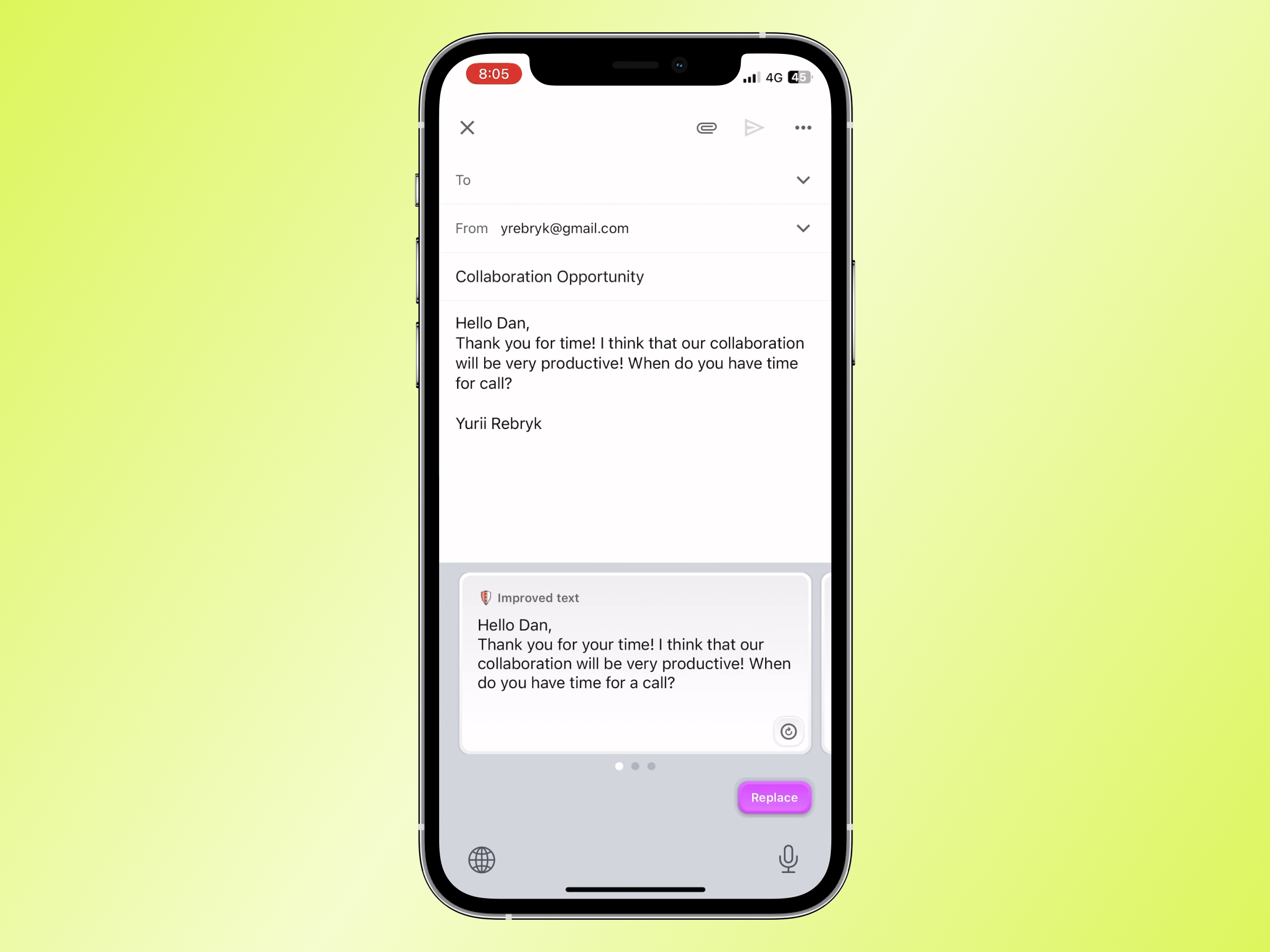
Segments we found
After conducting the first ten interviews, we identified two customer segments:
- People who need the app to correct grammar and spelling mistakes because they don't want to look silly in work-related communication (segment we initially targeted);
- The others actively manage social networks or blogs and want to create more content from their phones while they are in a taxi or at the gym. In particular, we found that some users want to quickly respond to recruiter requests on LinkedIn, while others want to increase their activity on Twitter.
So we decided to add auto-response functionality to the app. It doesn't matter if it's a tweet, email, or a message from a recruiter. The user selects an intention for their response, such as agreement or polite refusal, and receives a prepared answer.
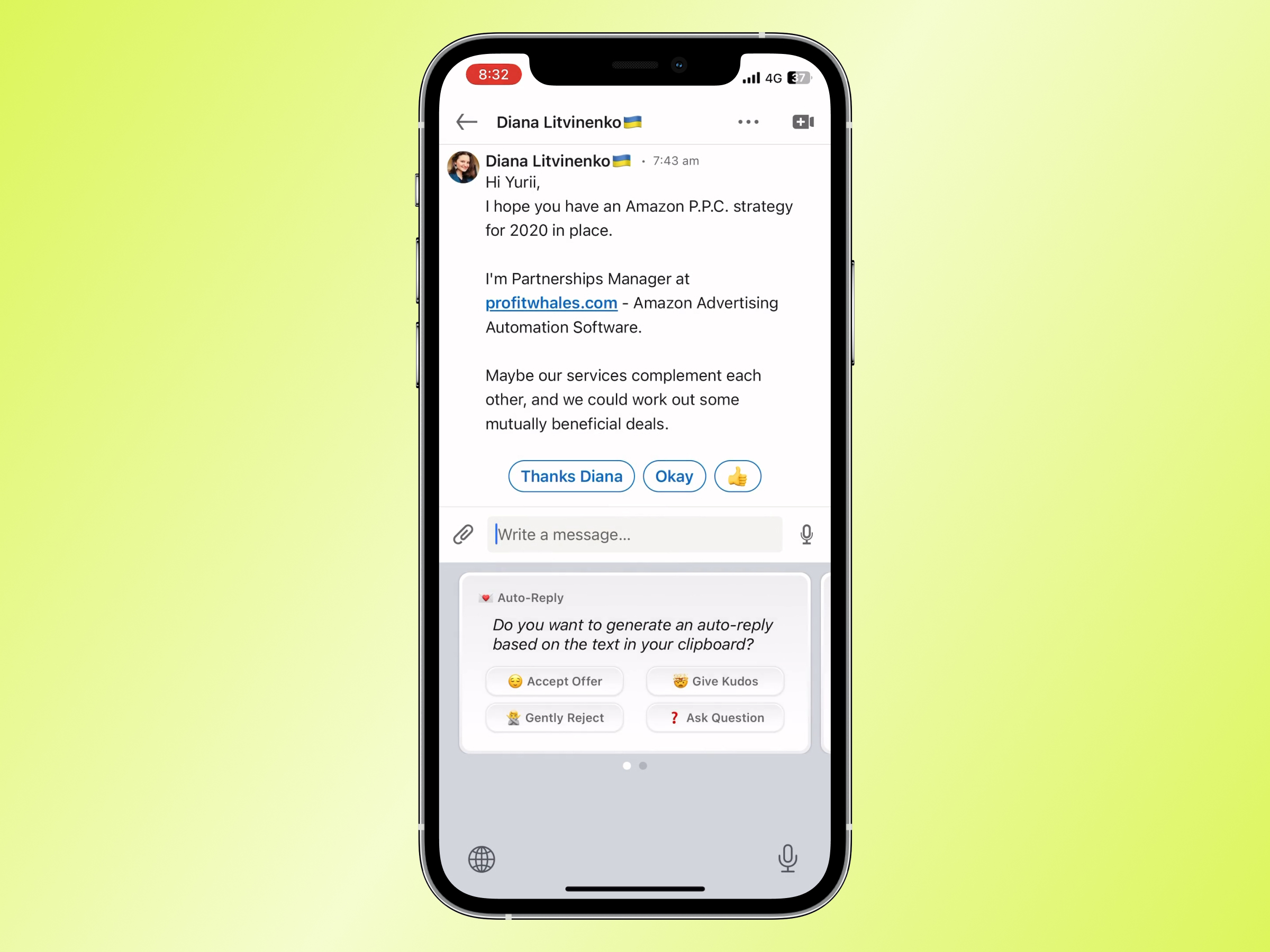
Feedback we received
During the first week, some users shared their feedback with us. Mostly, these were complaints about the product of different natures. Some found it difficult to use the app because they had multiple keyboards and had to switch to Suggesty manually. Others didn't understand that the long suggestions the app provides could be scrolled, or weren't sure that the "Replace" button had worked.
Thanks to these reviews we quickly fixed what we could. For example, we made it clear that the text was successfully inserted and made the scrollbar always visible on cards with answers.
The process
Let me describe the whole process in more detail:
1. Create an application form
I created an Airtable form to collect requests into a waiting list. Since our app overlaps in functionality with Grammarly, I asked if the person uses their app and if they have a paid subscription. Of course, I also asked for their contacts: email and Telegram for quick communication.
Pro tip: to set the right expectations with people, I added a mandatory question to the form, "Are you available for a 15 minute call with us?” Those who answer "no" are not relevant to you at this time. That’s okay.
2. Get the first users
When your form is ready, you should share it with others so they can submit their applications. If you have a popular Twitter account or personal blog, this could help a lot.
Unfortunately, at that time I had only about 250 followers. But! The first thing I did was post a tweet announcing that we were launching Suggesty. I can't say that the tweet went viral, but that's how we collected our first few dozen requests.
Pro tip: looks like a good video helps people understand what the product does and make a tweet more viral.
3. Schedule calls
When I received a new application, I contacted the person and sent them a link to my cal.com page so they can choose a slot for a quick call.
There are numerous products available for call scheduling, such as Calendly and Cron. Pick the one you like the most. It is not important. The worst thing you can do is schedule calls with each person manually. Don’t do that.
4. Interviews
On the phone call, I asked what a person's occupation is, why they need our app, and how they want to use it.
I also asked how much they are willing to pay for the app. But we all know that that is a bad question to ask. Words don't count, but only Apple Pay purchases do. I learned that people from Eastern European countries are willing to pay between $3 and $5 per month, whereas those from the United States are willing to pay more than $10. No surprise here, but it was interesting to hear it for myself.
Typically, phone calls lasted 10-15 minutes, though some conversations extended beyond that.
5. Access to the app
Once the interview is complete and the person appears to be a good fit for your app, they can be added to a TestFlight group specifically designated for closed beta testing. That’s it.
Summary
Bring users into the product one at a time after interviewing them. This is the best way to learn more about their issues and meet people who can give you feedback. Additionally, this will help you fix bugs before releasing the product to the public. The process should be simple: create an application form, share it with potential customers, schedule calls, and conduct the interviews.
If you choose to launch your product that way, please let me know how it turns out!
If you like that post, feel free to follow me on Twitter and subscribe to my blog.

Thanks for sharing! Love the way you used Airtable for feedback.
We'll probably be doing something for Evoke soon as well.
nice idea! it was helpful
have you tried that approach?