How to Optimize Front-end Performance for Faster Load Times
As web developers, one of our primary goals is to ensure that our websites load swiftly and efficiently. Front-end performance directly impacts user experience, search engine rankings, and overall site usability. In an era where users expect instant access to information, optimizing front-end performance is not just a best practice—it's a necessity. This article delves into why front-end load speed is crucial and explores practical techniques for optimizing load times, including leveraging tools like EchoAPI for performance comparison.
The Importance of Front-end Load Speed
Front-end load speed refers to the time it takes for a web page to become fully interactive for the user. This aspect is critical for several reasons:
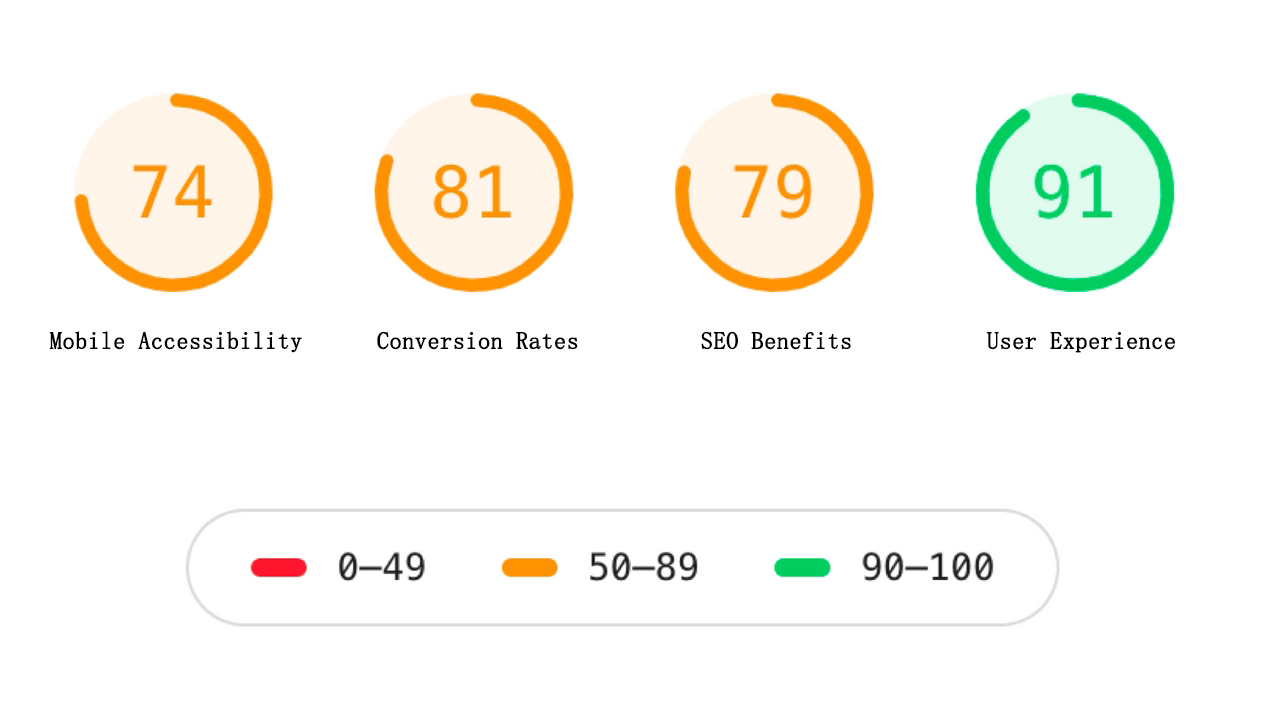
- User Experience: Fast-loading pages offer a smoother and more satisfying user experience, reducing bounce rates and increasing engagement.
- SEO Benefits: Search engines, especially Google, consider page load speed as a ranking factor, which can significantly impact your site's visibility in search results.
- Conversion Rates: Faster websites typically yield higher conversion rates, as users are more likely to stay and complete actions on a site that loads quickly.
- Mobile Accessibility: With an increasing number of users accessing the web via mobile devices, optimizing for load speed ensures better accessibility and usability across all devices.
Practical Examples of Front-end Optimization
Here are some effective techniques to optimize front-end performance:
1. Minimize HTTP Requests
Reduce the number of elements on your page (scripts, images, CSS) since each one requires an HTTP request. Use CSS Sprites to combine multiple images into one.
<!-- Combine multiple CSS files into one -->
<link rel="stylesheet" href="styles.min.css">
2. Use Content Delivery Networks (CDNs)
CDNs distribute your content closer to the user's geographical location, reducing load times.
<link rel="stylesheet" href="https://cdn.example.com/styles.min.css">
<script src="https://cdn.example.com/scripts.min.js"></script>
3. Optimize Images
Compress images using tools like TinyPNG or ImageOptim without sacrificing quality. Prefer modern formats like WebP over traditional ones.
<img src="image.webp" alt="Optimized Image" loading="lazy">
4. Leverage Browser Caching
Set appropriate cache headers to store static resources in the user's browser, reducing the number of requests for subsequent visits.
<IfModule mod_expires.c>
  ExpiresActive On
  ExpiresByType image/jpg "access 1 year"
  ExpiresByType image/jpeg "access 1 year"
  ExpiresByType image/gif "access 1 year"
  ExpiresByType image/png "access 1 year"
  ExpiresByType text/css "access 1 month"
  ExpiresByType application/pdf "access 1 month"
  ExpiresByType text/x-javascript "access 1 month"
  ExpiresByType application/x-shockwave-flash "access 1 month"
  ExpiresByType image/x-icon "access 1 year"
</IfModule>
5. Minify and Compress Files
Minify CSS, JavaScript, and HTML files. Use Gzip or Brotli compression to reduce the size of these files.
# Example using Gulp to minify JavaScript
const gulp = require('gulp');
const uglify = require('gulp-uglify');

gulp.task('minify-js', function() {
  return gulp.src('src/**/*.js')
    .pipe(uglify())
    .pipe(gulp.dest('dist'));
});
6. Implement Lazy Loading
Delay loading non-critical resources such as images and videos until they're needed.
<img src="image.jpg" alt="Lazy Loaded Image" loading="lazy">
<video width="600" controls loading="lazy">
  <source src="movie.mp4" type="video/mp4">
</video>
Comparing Load Speeds Using EchoAPI
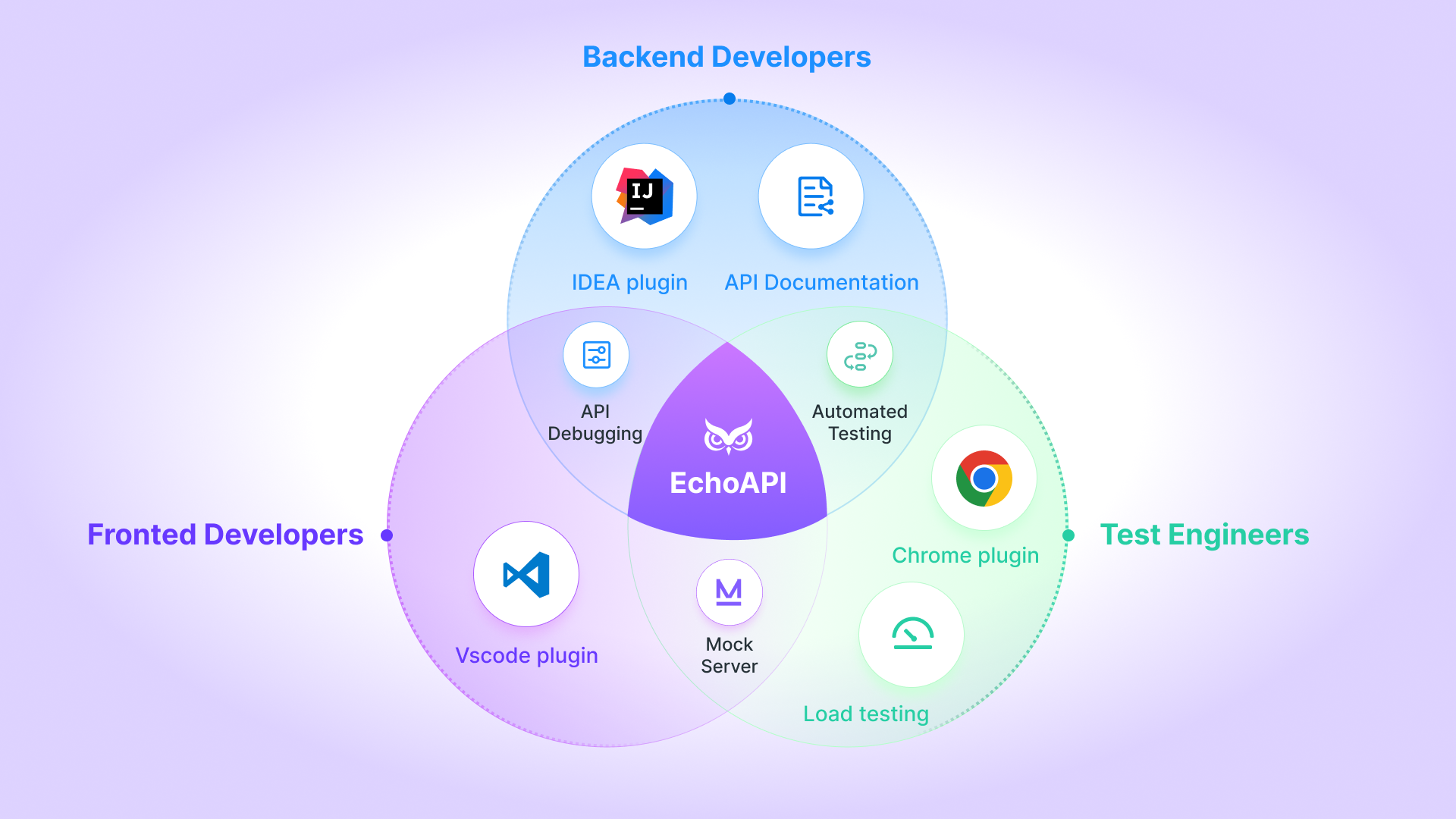
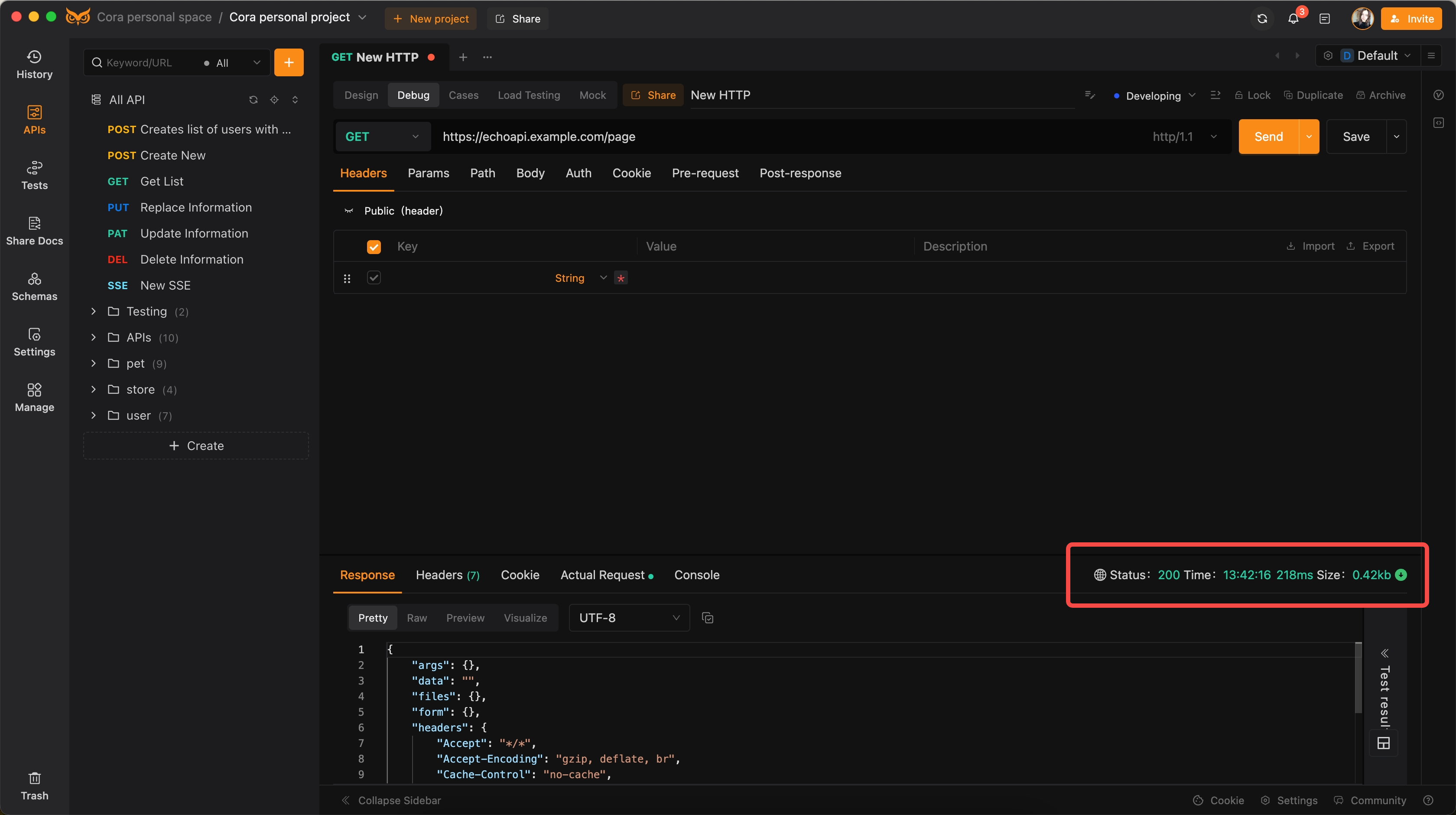
EchoAPI is a useful tool to simulate API calls and measure load times. Here's how you can use it to compare your optimization efforts:
1. Set Up EchoAPI
Use EchoAPI to test and compare the load times of your optimized and non-optimized pages.
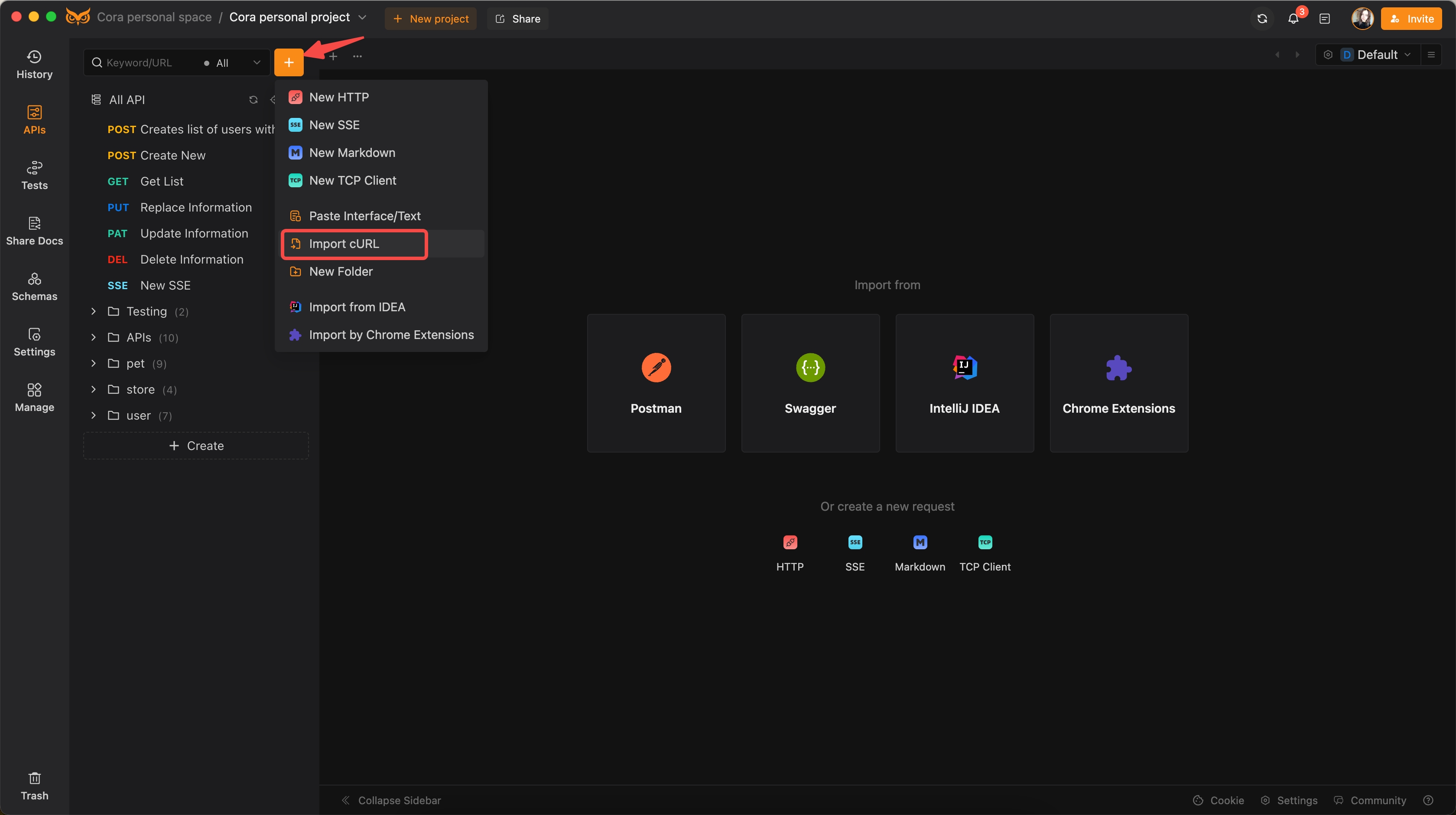
curl -w "[@curl](/curl)-format.txt" -o /dev/null -s "https://echoapi.example.com/page"
2. Analyze Response Times
Measure and log the response times before and after optimization to quantify improvements.
3. Automate Testing
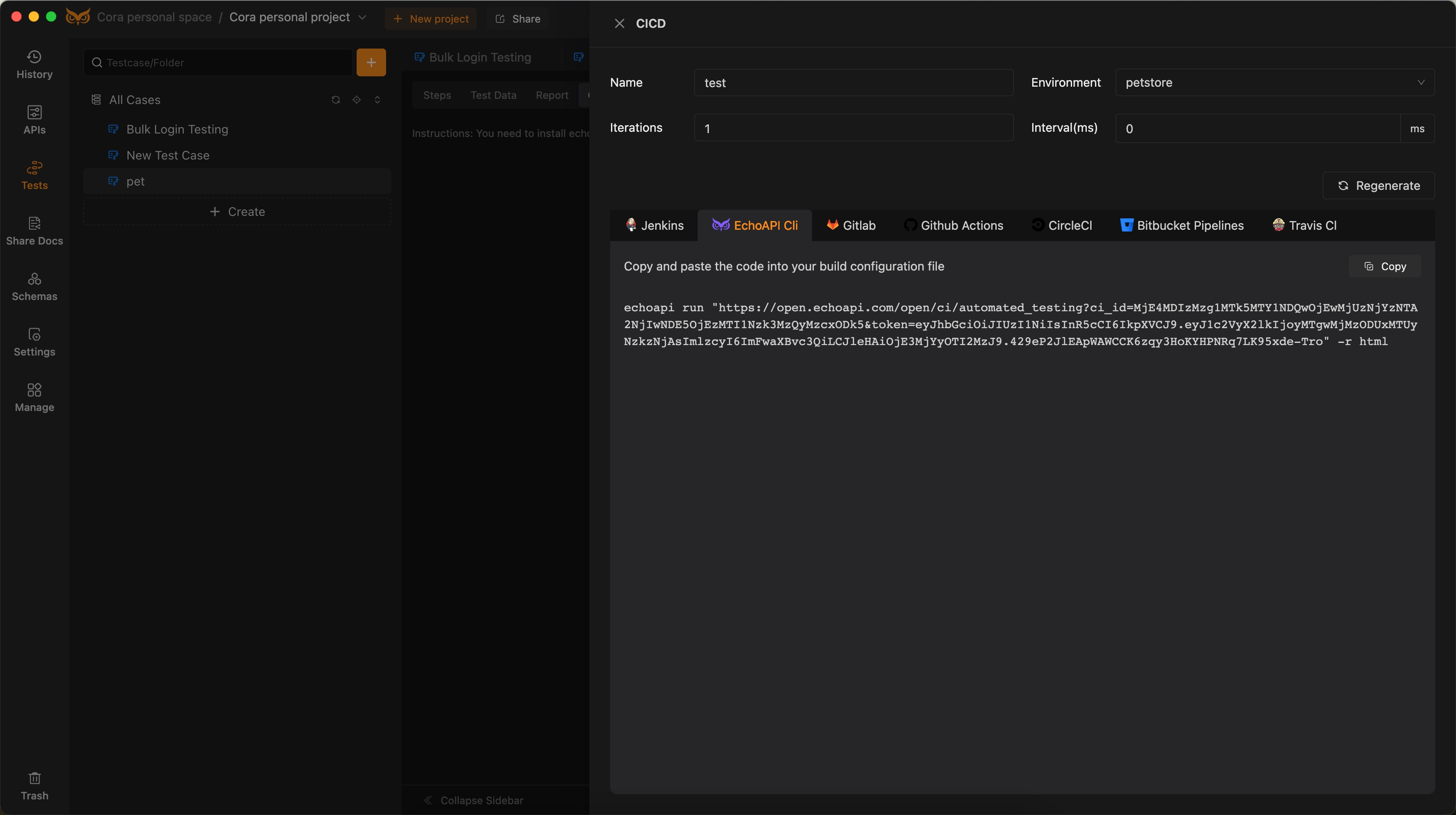
Integrate EchoAPI with your CI/CD pipeline to continuously monitor load performance and quickly identify regressions.
Example curl-format.txt:
echoapi run "https://open.echoapi.com/open/ci/automated_testing?ci_id=MjE4MDIzMzg1MTk5MTY1NDQwOjEwMjUzNjYzNTA2NjIwNDE5OjEzMTI1Nzk3MzQyMzcxODk5&token=eyJhbGciOiJIUzI1NiIsInR5cCI6IkpXVCJ9.eyJ1c2VyX2lkIjoyMTgwMjMzODUxMTUyNzkzNjAsImlzcyI6ImFwaXBvc3QiLCJleHAiOjE3MjYyOTI2MzJ9.429eP2JlEApWAWCCK6zqy3HoKYHPNRq7LK95xde-Tro" -r html
Conclusion
Optimizing front-end performance is an ongoing process that requires a comprehensive approach, combining best practices and modern tools. By minimizing HTTP requests, leveraging CDNs, optimizing images, implementing caching, minifying files, and using lazy loading, you can significantly improve load times. Tools like EchoAPI further aid in monitoring and comparing performance, ensuring that optimizations lead to measurable benefits. Faster load times enhance user experience, boost SEO rankings, and drive higher conversion rates—key factors for any successful web project. Happy optimizing!
