What is Thunder Client? A Complete Guide to Its Advantages and Disadvantages
Thunder Client is a widely used extension for VSCode, specifically designed for API testing. In this article, we'll explore how to effectively use this extension based on firsthand experience and discuss whether it can truly replace Postman.
What is Thunder Client?
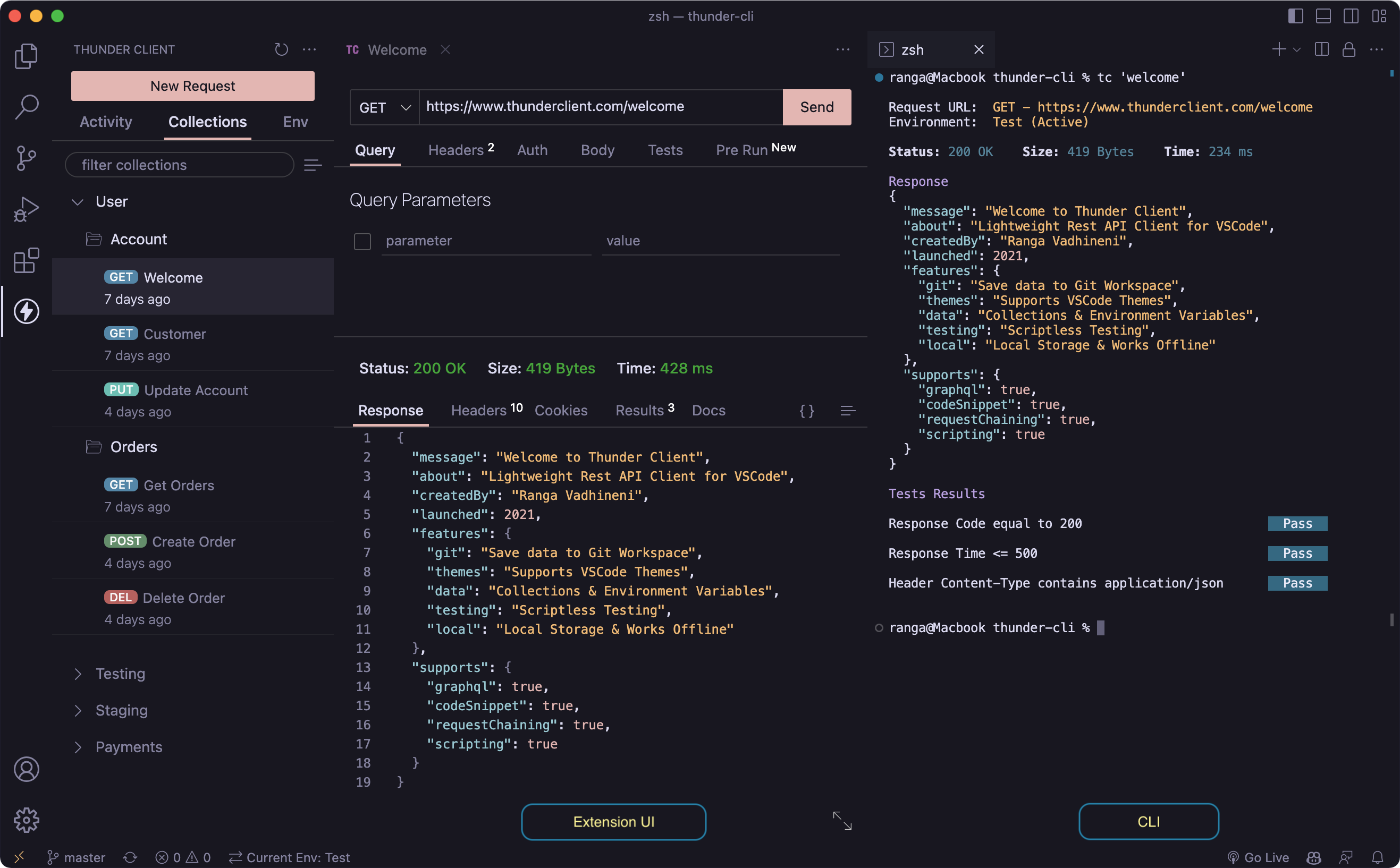
Thunder Client is an extension for Visual Studio Code that serves as an API client. It offers features such as API testing, collections, test scripts, CI/CD integration, Git collaboration, and local storage. Many users prefer Thunder Client as a lightweight GUI API testing tool within VS Code, often using it as a substitute for Postman.
Key Features of Thunder Client
Despite being a lightweight tool, Thunder Client is fully equipped for API testing. For example:
- GUI-based configuration for API parameters, headers, and body, allowing users to send requests easily.
- View response results directly within the GUI.
- Built-in testing functionality without the need for scripts, enabling users to check response results against specified conditions.
- Organize requests into collections for bulk execution.
- Supports environment variables, allowing for multiple sets of variables for testing and production.
- Capable of importing Postman collection files for use.
For those looking to test APIs directly and quickly from within VSCode during development, Thunder Client is an excellent choice.
How to Use Thunder Client
So how can you test APIs using Thunder Client in VS Code? Here, we'll introduce the main features available in Thunder Client.
Installing Thunder Client
To use Thunder Client, first install it as an extension in Visual Studio Code. Follow these steps:
- Open Visual Studio Code and click on the Extensions icon in the left menu.
- Type Thunder Client in the search box at the top.
- Click on Thunder Client in the search results, then hit the Install button.
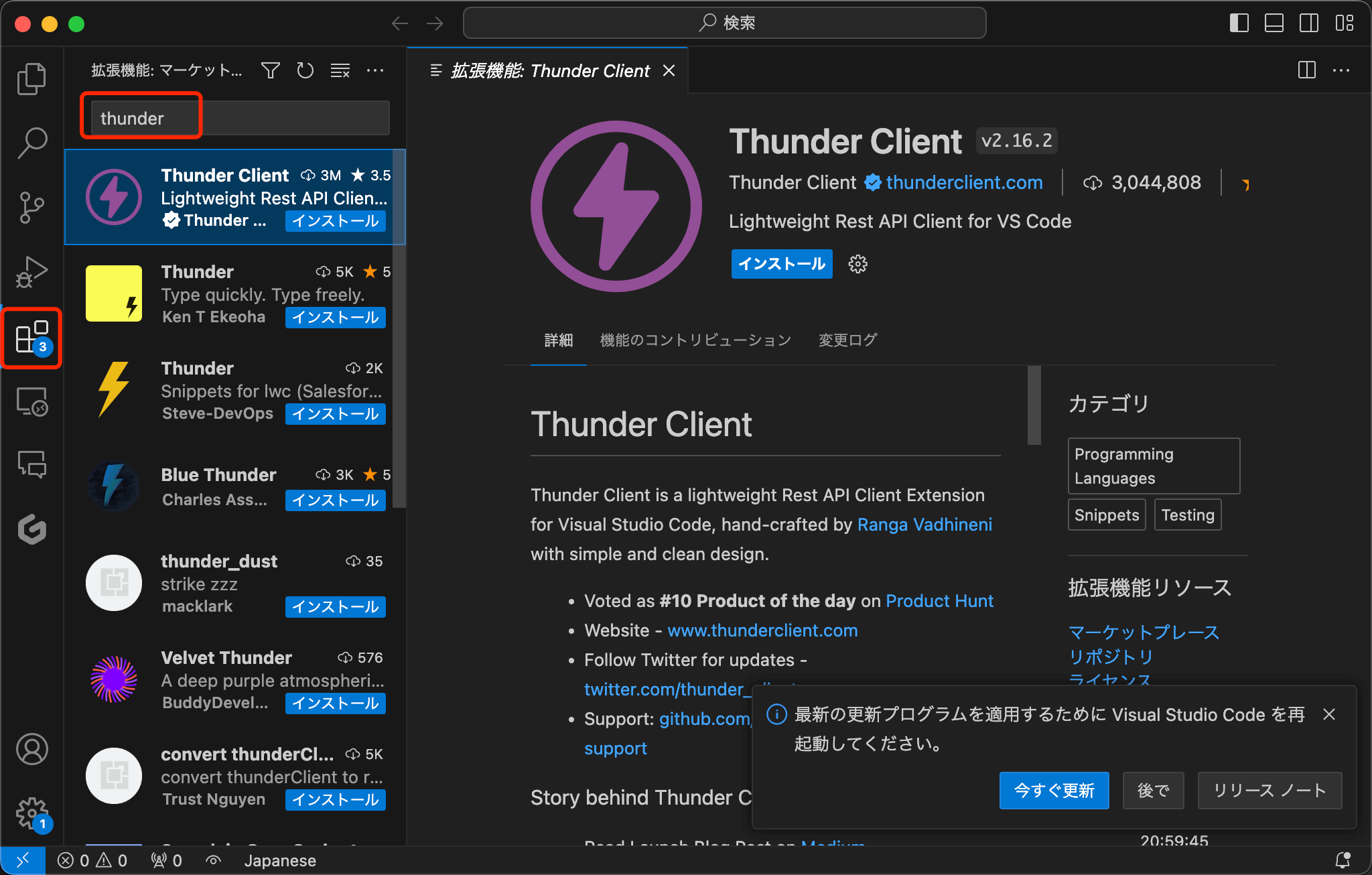
Now, the Thunder Client extension will be installed on your computer.
Testing APIs with Thunder Client
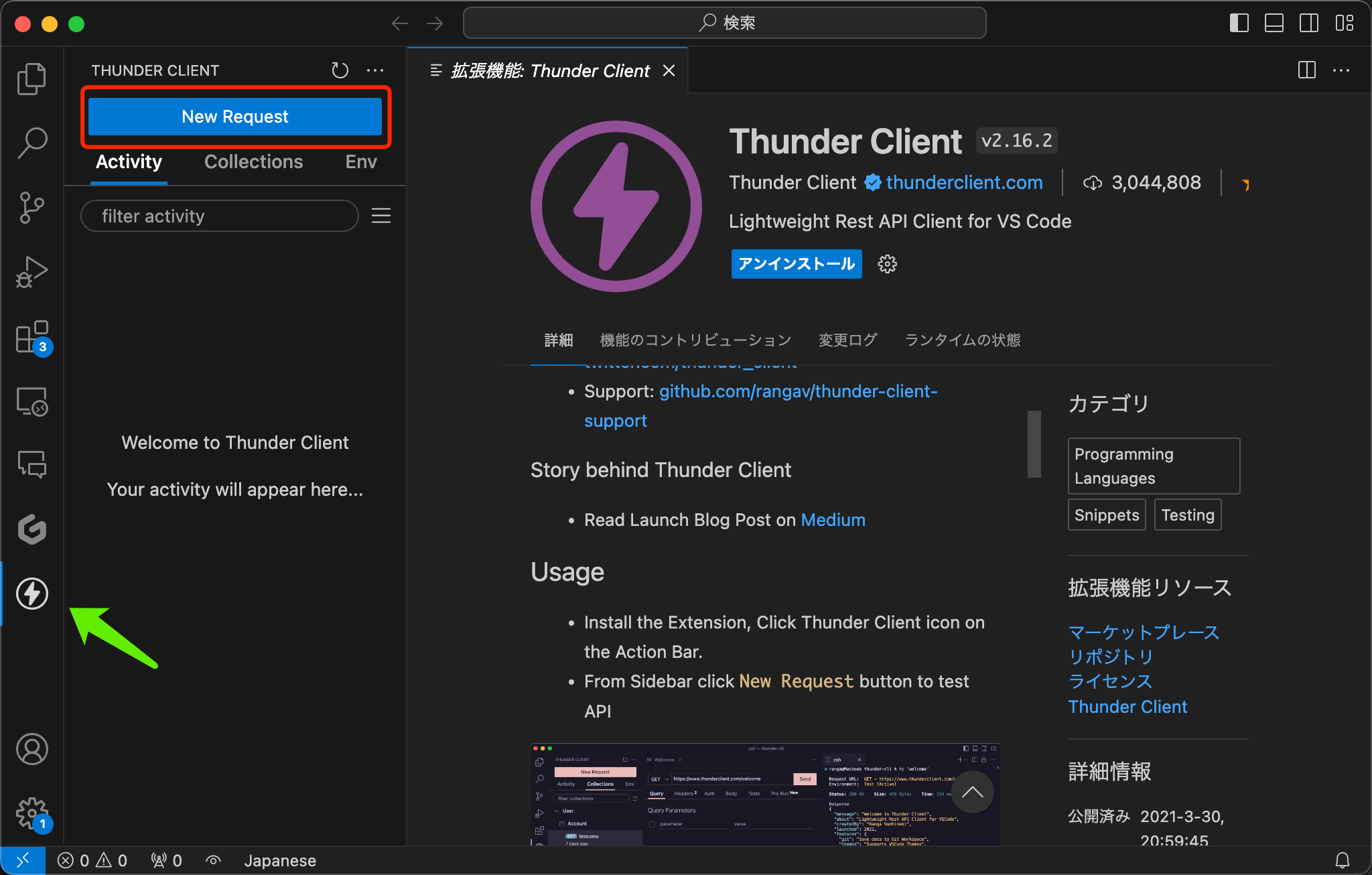
Once Thunder Client is installed, you’ll see an icon for it in the left menu of VS Code. Click on this icon to start using Thunder Client.
Step 1: To begin testing an API, click the New Request button at the top of the screen.
Step 2: The API configuration screen will appear. Here you can enter the HTTP method, API endpoint, and required parameters. Click the Send button to submit your request.
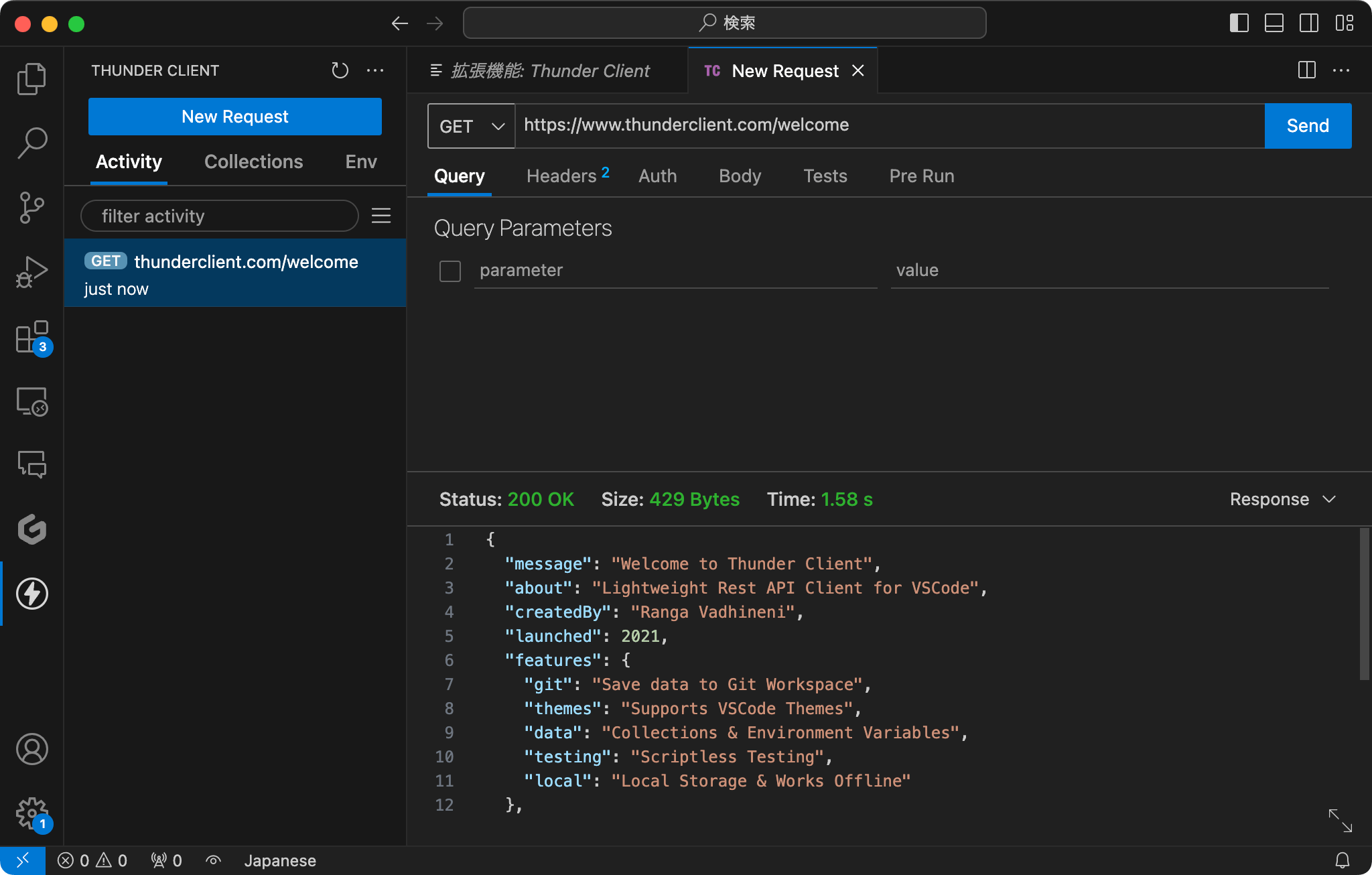
All sent requests will be displayed in the Activity tab on the left.
Validating API Response Data
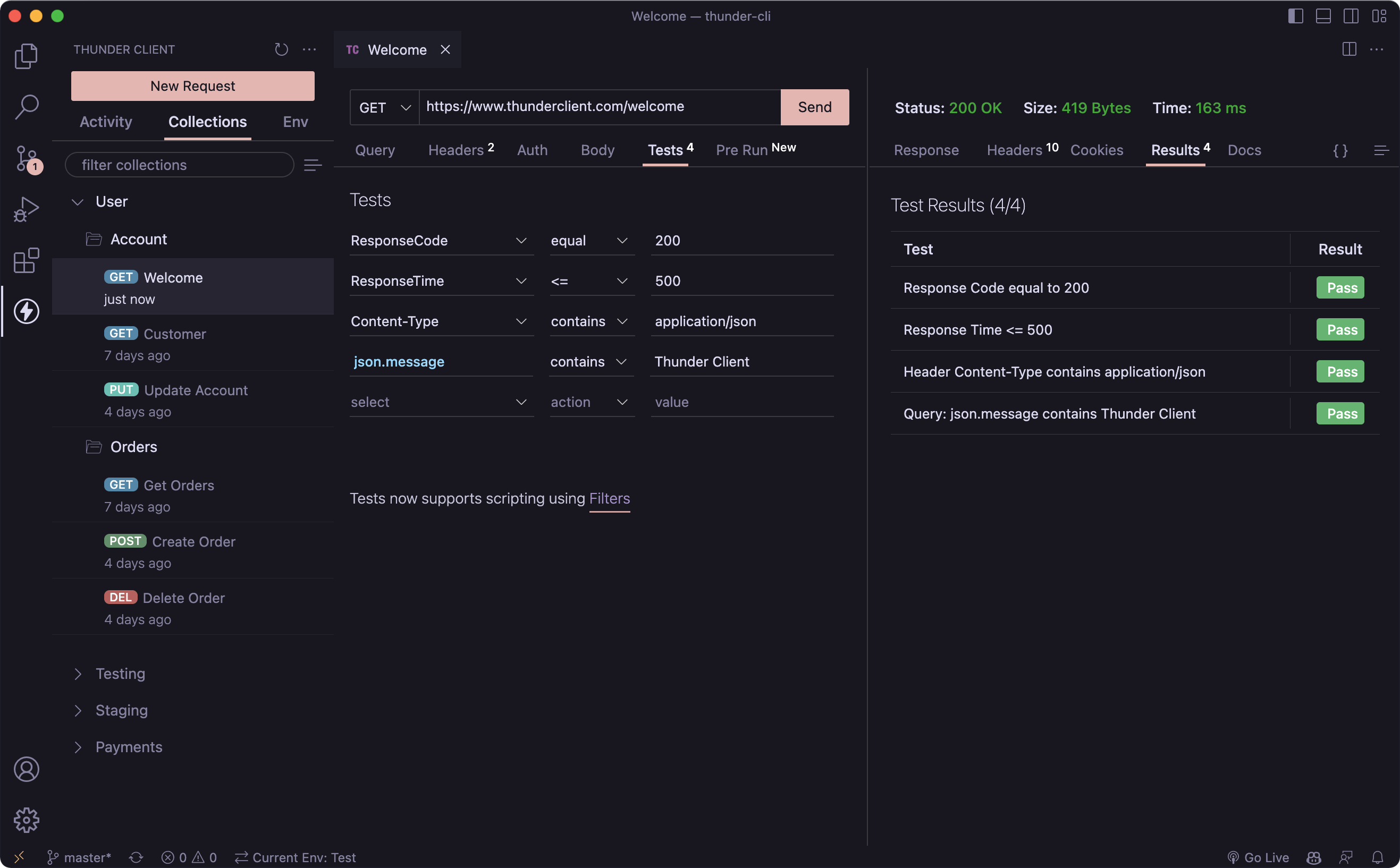
After receiving response data from the server, you can use Thunder Client's testing functionality to validate that data.
In the API execution screen, click on the Tests tab to add validation conditions.
For example, you can set conditions like:
- Response code is 200
- Response time is under 500 milliseconds
- Data format is JSON
When you click the Send button, the results of your response validation will be shown in the rightmost panel.
Running Collections in Thunder Client
Similar to Postman, Thunder Client supports collection execution. You can add previously sent requests to a collection via the Activity tab or create new requests within the collection.
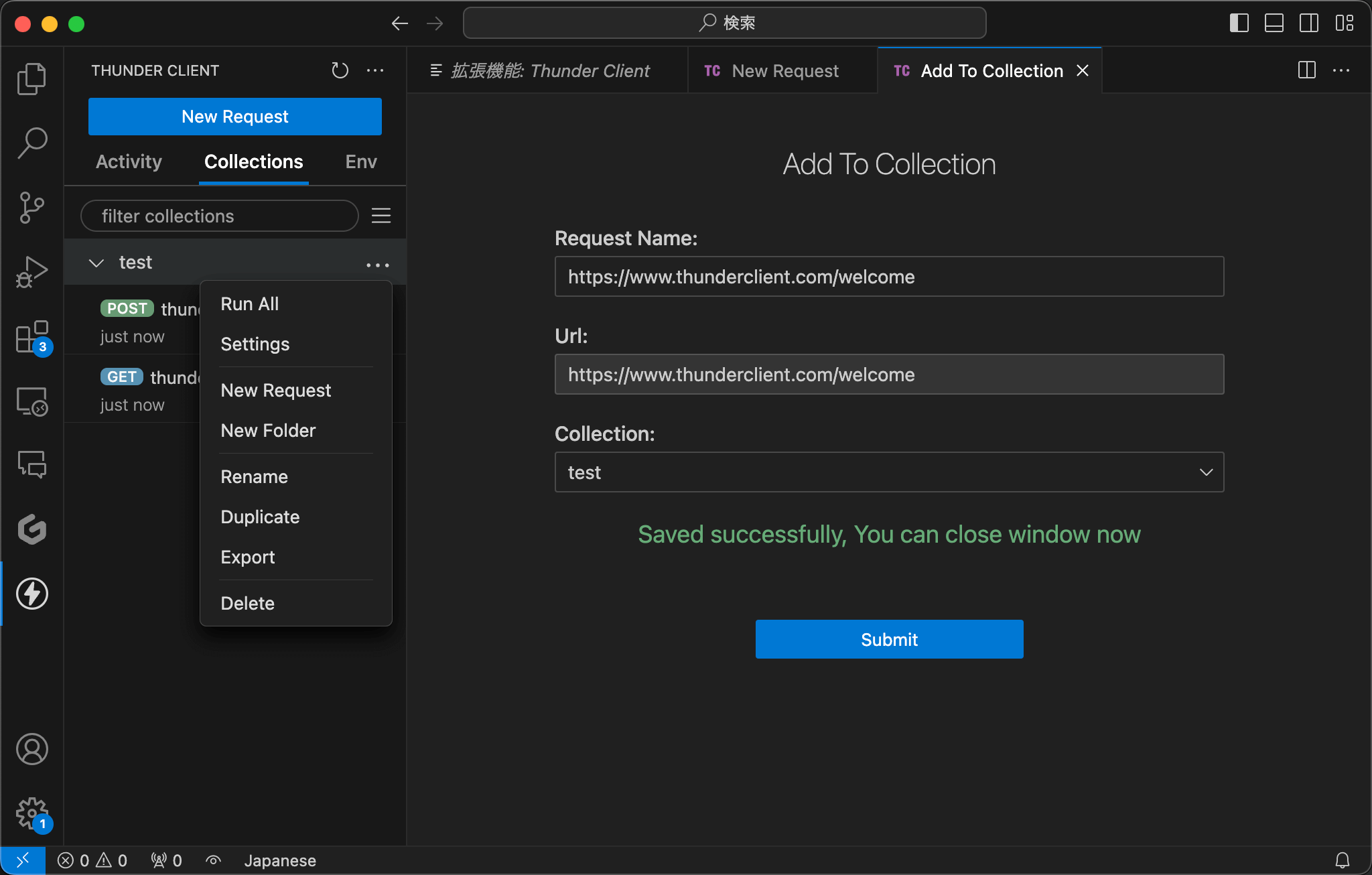
While Thunder Client allows you to send multiple requests in bulk, it lacks more advanced testing features, such as request grouping and condition-based testing for automation.
Additionally, like Postman, the execution of collections is limited. In the free version, you can only execute collections 30 times a month.
Related Reading:
Resolved: Solutions to Postman Collection Runner Limitations
When you hit the limit on Postman's collection runner, you encounter the "You have exhausted all the runs." error, which can be disruptive. This article provides solutions for overcoming the Postman collection limits for free.
Can Thunder Client Replace Postman?
Can the Thunder Client extension for VS Code fully replace Postman? In short, while Thunder Client is useful, Postman offers a more specialized and feature-rich API testing experience, making Thunder Client a temporary substitute. However, if you only need to send API requests directly from VS Code during development, Thunder Client is quite handy.
Next, let's look at the reasons why Thunder Client may fall short.
Mandatory Paywall: Significant Limitations on the Free Version
First, Thunder Client imposes a paywall that restricts access to many of its features in the free version. This limitation can significantly hinder your ability to fully utilize the tool for API development. In contrast, Postman offers a more comprehensive set of features even in its free version, allowing users to set up mock servers, automate tests, and collaborate on projects.
However, the free version of Postman also comes with certain limitations, such as restricted usage limits for its advanced features. Although both tools have their constraints, the mandatory payment model of Thunder Client can make it challenging for users looking to access a wide range of functionalities without incurring costs.
Powerful Free Version of EchoAPI
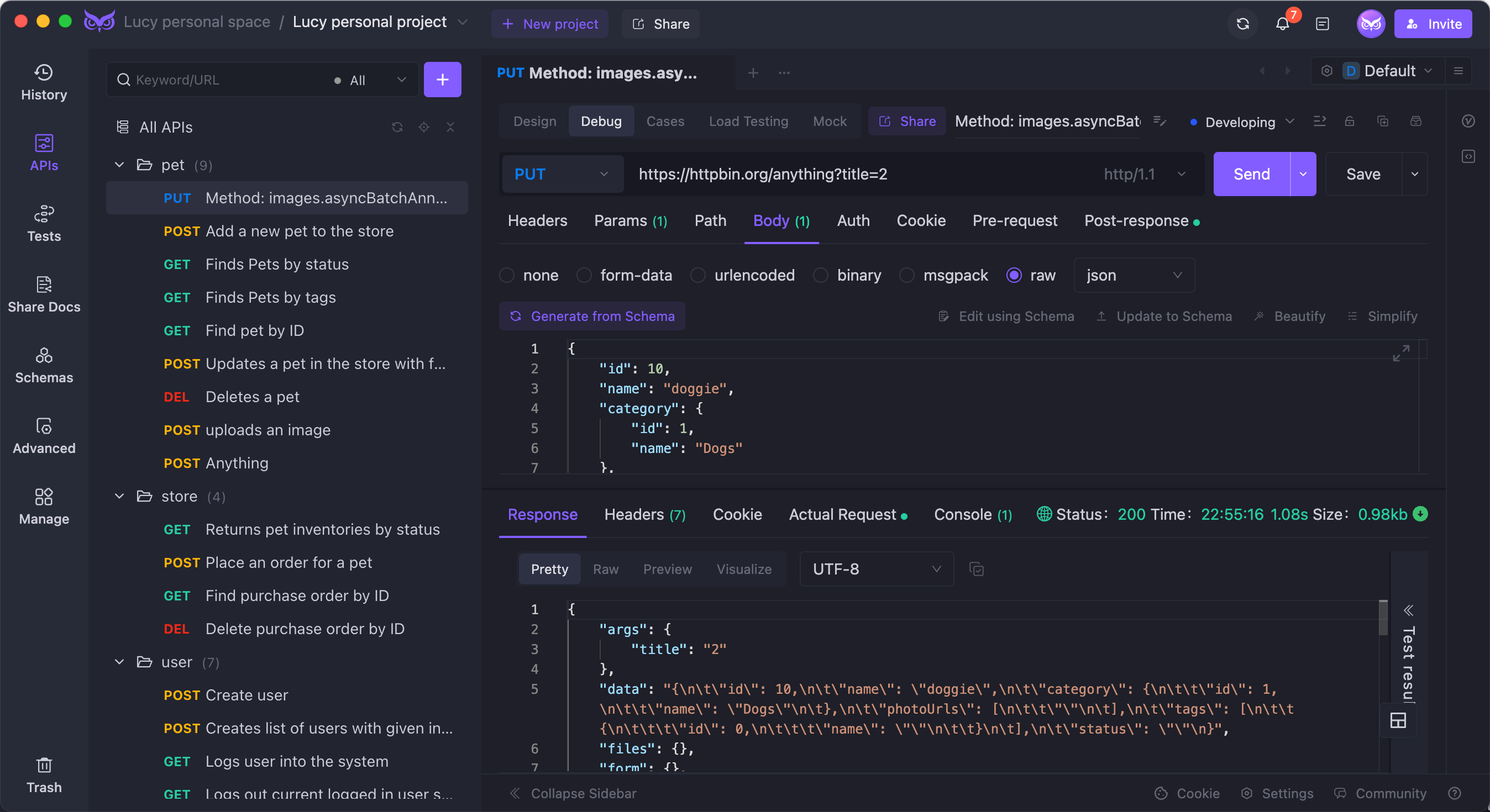
This is where a more powerful API testing tool like EchoAPI shines, offering robust features even in its free version.
Advanced Testing and Automation
While Thunder Client allows you to execute multiple requests at once by adding them to the same collection, it does not offer advanced testing features such as request grouping or conditional branching. In contrast, Postman provides the ability to leverage collection features and customize testing steps with various conditions through its flow functionality, making API test automation straightforward.
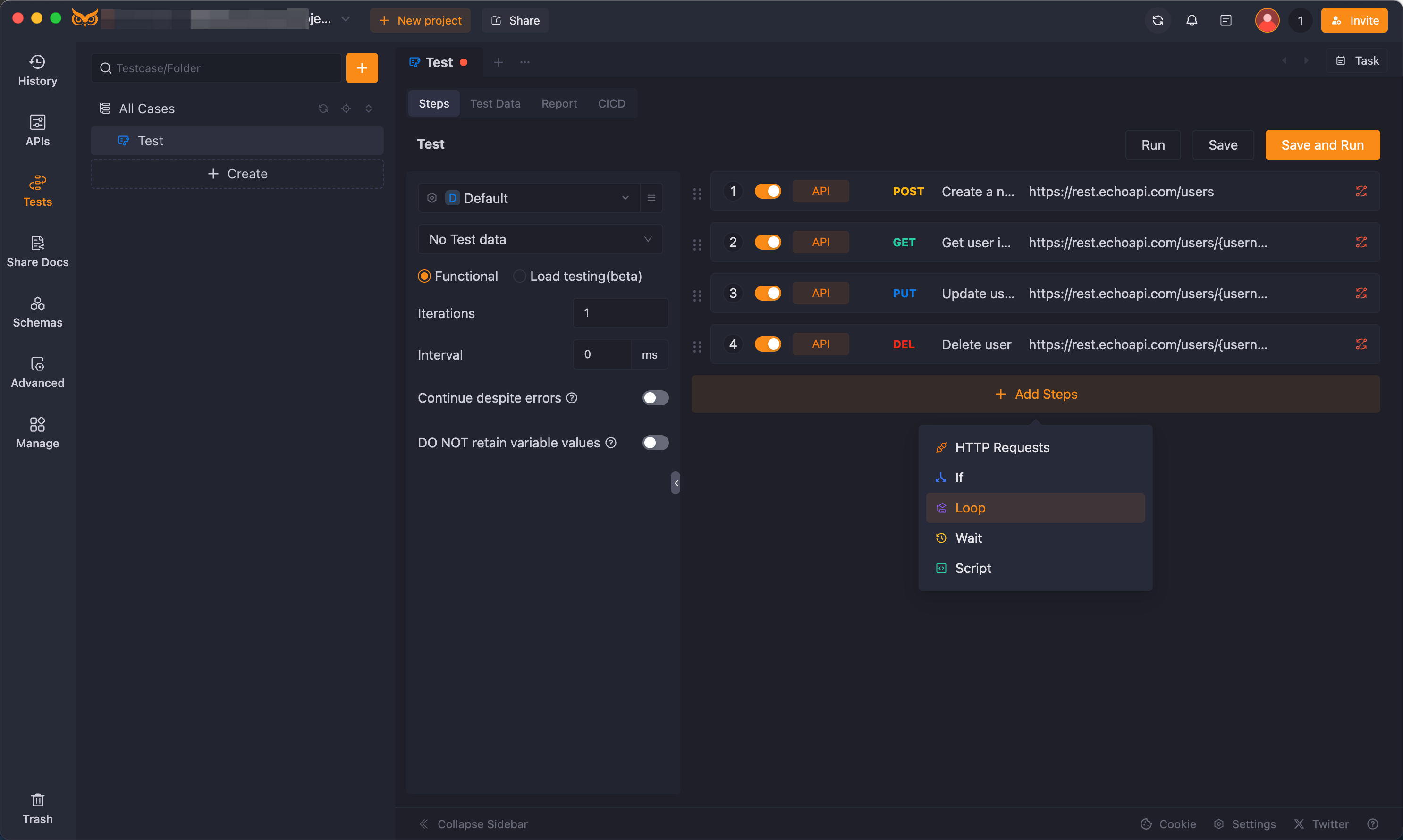
For a more user-friendly experience in conducting advanced testing and automation, EchoAPI stands out. Unlike Postman, where collection and flow functionalities are separate, EchoAPI enables intuitive GUI interactions to add testing steps and apply conditions, enhancing convenience significantly.
Collaboration Challenges
When working in a team on API development, Thunder Client can be quite limiting. It lacks an account system, making it difficult to collaborate with other team members and share API data with them. On the other hand, Postman offers collaboration features that allow seamless updates to API data among team members.
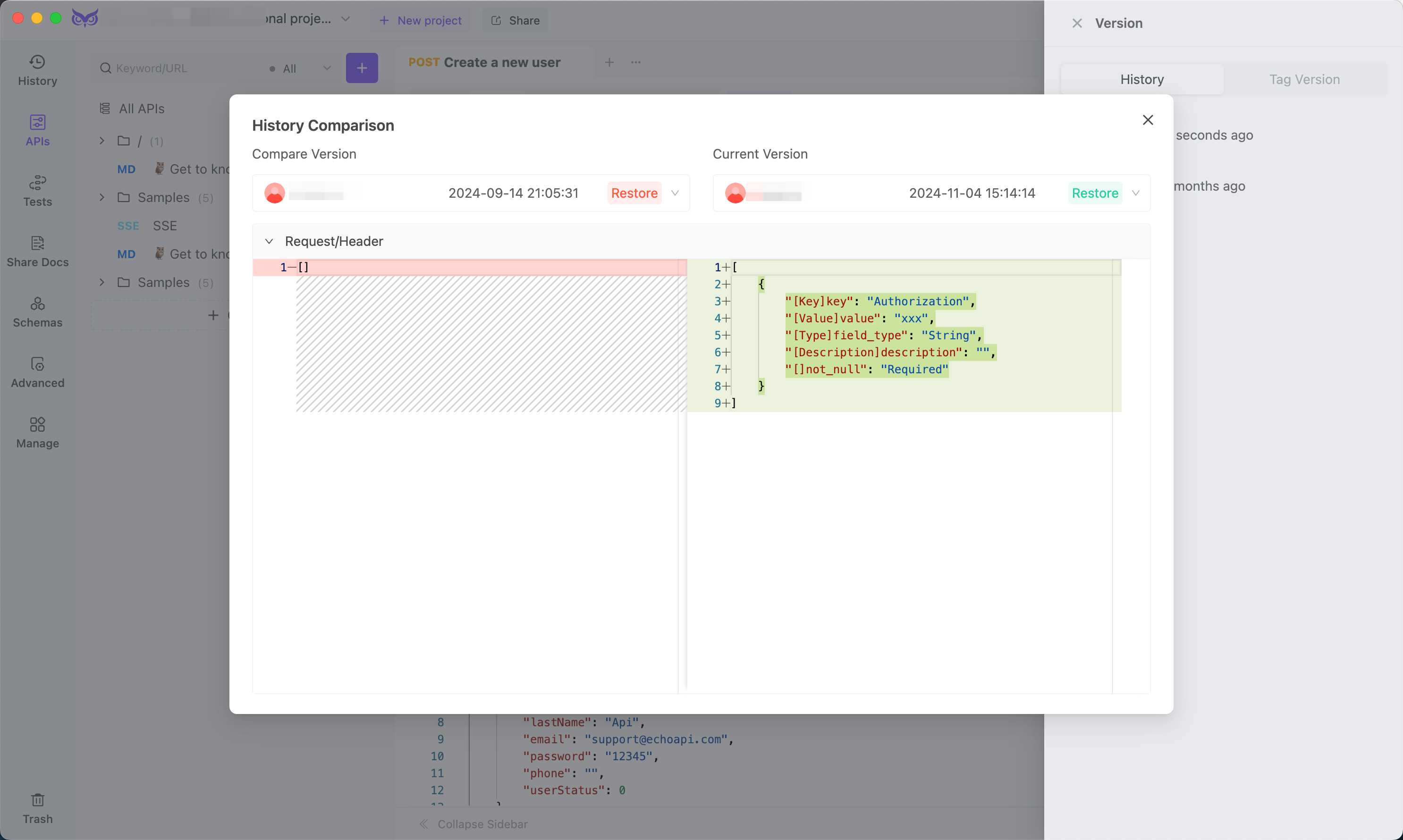
Additionally, EchoAPI provides collaboration functionality similar to Postman. Any changes made within a project are synchronized with all team members seamlessly. EchoAPI also supports a "sprint branch" feature akin to Git, where team members can create their own branches to introduce changes without affecting the Main branch data. After completing changes, they can merge them into the Main branch, further improving collaboration efficiency in API development.
Conclusion
This article has explored the use of Thunder Client, a VS Code extension, and its viability as an alternative to Postman.
Thunder Client provides essential features for API testing, such as GUI-based validation of response results and bulk execution of multiple requests. However, it lacks the advanced functionalities found in Postman, particularly in areas like mock server setup, test automation, and collaboration. Therefore, while Thunder Client is useful for simple API requests, Postman remains better suited for rigorous API testing.
For thorough API testing or development that emphasizes collaboration, EchoAPI emerges as a compelling alternative to Postman, offering ease of use and more straightforward advanced testing capabilities.
