
Globe
Your trusted source for dynamic, news-driven travel coverage

Tim Hortons is more than just a coffee shop—it's a cultural institution. From its humble beginnings in 1964 as a single coffee and donut shop in Hamilton, Ontario, it has grown into a global phenomenon with over 6,000 locations worldwide. In 2026, the brand is pushing boundaries like never before, with regional innovations that cater to local tastes while maintaining the comforting classics Canadians (and the world) love.
Whether you're looking for the latest high-protein beverage in the United States, an indulgent Nutella collaboration in India, or a seasonal Banoffee treat in the United Kingdom, the Tim Hortons menu in 2026 has something for everyone. This guide breaks down the most exciting new offerings and timeless staples across the globe.
The 2026 Menu Landscape: Regional Highlights
Tim Hortons' strategy in 2026 is clear: maintain core quality while innovating regionally. Here are the biggest stories from key markets.
United States: Protein Power & Spring Refresh
The US market is seeing a significant push toward functional beverages and seasonal flavors. Starting the year off strong, Tim Hortons US introduced a lineup that caters to health-conscious consumers and those seeking indulgence.
The 1,2,3 Value Menu (Available Now)
Value is king in 2026. The 1,2,3 Menu is designed to offer flexibility and savings. Here's how it works: buy any beverage at regular price and choose:
A Classic or Specialty Donut for $1
A bagel (with cream cheese) for $2
An eligible breakfast sandwich for $3
This menu allows guests to customize their morning meal without breaking the bank, pairing their favorite coffee with exactly the right amount of food.
Protein Lattes: A Game Changer
Launched January 28, 2026, the new line of Protein Lattes is one of the most significant beverage innovations in recent memory. These drinks are crafted with a high-protein blend of milk and whey, available in both hot and iced versions.
Chocolate Pistachio Collection
For those who prefer indulgence, the Chocolate Pistachio lineup combines bold espresso with smooth chocolate and subtly nutty pistachio flavors. It's available as a hot latte, iced latte, and as a frozen Iced Capp.
TimBoost Energy Beverages
In partnership with Red Bull, Tim Hortons offers TimBoost Energy Infusions. These are not energy drinks mixed with coffee, but rather Red Bull-flavored infusions served over ice.
Ruby Rush: Made with Red Bull's Red Edition (strawberry & watermelon)
Tropical Sun: Made with Red Bull's Yellow Edition (tropical mango)
Caffeine Note: Each 16-oz serving contains 80mg of caffeine, and they are not recommended for children or pregnant women.
Spring 2026: Golden Cinnamon & Bakery Refresh
As spring approaches, Tim Hortons US is launching the Golden Cinnamon Cold Foam. This limited-time flavor can be added to any cold drink, including cold brew, iced coffee, iced lattes, and iced matcha lattes. There is also a dedicated Golden Cinnamon-flavored Iced Capp.
The bakery case is getting cozy with three new items:
Choco Chip Banana Bread Donut: A donut version of the classic comfort food.
Choco Chip Banana Bread Timbits: Bite-sized versions of the same flavor.
Blueberry Cheesecake Mini Pastries: Flaky croissant dough with creamy cheesecake and blueberry filling.
Looking ahead to March 18, 2026, spring-themed treats will arrive, including a Spring Chick Donut, Spring Egg Donut, and a Timbits Spring Bucket filled with 30 Timbits for sharing.
United Kingdom: Hot Honey & Banoffee Magic
The UK menu, particularly in locations like Belfast, is seeing exciting new items that blend savory heat with sweet indulgence.
The Hot Honey Collection
Tim Hortons UK has introduced a range of items featuring Roquito® Hot Honey, a sweet and spicy condiment that elevates classic items.
Sandwiches & Wraps:
Hot Honey Crispy Chicken & Bacon Sandwich: Crispy chicken breast coated in hot honey, with bacon, cheddar, lettuce, and onions on a brioche bun (632 kcal).
Hot Honey Crispy Chicken & Bacon Stack: Same as above but stacked with a hash brown for extra heartiness (722 kcal).
Hot Honey Meatless Sandwich: A plant-based patty from The Vegetarian Butcher with the same hot honey treatment (552 kcal).
Wraps & Sides:
Hot Honey Crispy Chicken & Bacon Wrap: Two chicken tenders, bacon, cheese, lettuce, and onions drizzled with hot honey in a tortilla (478 kcal).
Hot Honey Loaded Fries: Lattice fries topped with ham hock, cheese sauce, and a hot honey drizzle.
Hot Honey Tenders: Available in portions of 3 or 5, these tenders are drizzled with hot honey and topped with crispy onions.
The Banoffee Collection
Banoffee (banana + toffee) is a beloved flavor in the UK, and Tim Hortons is embracing it fully.
The Timeless Staples: What You Can Always Count On
While the innovations are exciting, the heart of the Tim Hortons menu remains its classics.
Coffee & Espresso
Tim Hortons is synonymous with coffee. The brand uses a proprietary blend of 100% Arabica beans. Here are the essentials:
Original Blend Coffee: Available in small, medium, and large. Ask for it "double double" (two creams, two sugars)—a phrase so iconic it was added to the Canadian Oxford Dictionary.
Dark Roast: A bolder, richer option for those who prefer a stronger cup.
Espresso-Based Drinks: Lattes, cappuccinos, and Americanos made with fresh espresso shots.
Nutrition Snapshot (Iced Latte): A standard Tim Hortons Iced Latte (473ml serving) contains approximately 120 calories, with 6g of protein, 4g of fat, and 15g of carbohydrates.
The Famous Iced Capp

The Iced Capp is a frozen coffee drink that has a cult following. It's sweeter and smoother than a traditional iced coffee, almost like a coffee slushy.
Light Iced Capp: For those watching their intake, the Light Iced Capp (Medium) contains 152 calories, with just 1g of fat and 32g of sugar. It achieves this by using skim milk and a sugar-free base.
Timbits
No guide to Tim Hortons is complete without mentioning Timbits. These "bite-sized donut holes" are perfect for sharing (or not). Classic flavors include:
Chocolate Glazed
Old Fashioned Plain
Sour Cream Glazed
Honey Dip
Cinnamon Sugar
In 2026, you'll also find specialty Timbits tied to seasonal promotions, like the ValenTIMS Day Timbit (glazed with pink sprinkles) and the Choco Chip Banana Bread Timbit.
Donuts
The donut case is always stocked with a variety of options. Look for:
Classic Donuts: Boston Cream, Apple Fritter, Maple Dip, Chocolate Dip.
Specialty/ Deluxe Donuts: More elaborate creations like the Raspberry Chocolate Donut (chocolate cake donut with raspberry icing) or the Banoffee Deluxe Donut.
Breakfast & Sandwiches
Breakfast Sandwiches: Served on biscuits, croissants, or bagels with choices of bacon, sausage, or ham with egg and cheese.
Egg White Wraps: A lighter option introduced in 2026, featuring spinach egg whites, Swiss cheese (or American cheese in the Southern US), and a choice of bacon or sausage with a creamy herb sauce.
Soups: Select locations (and retail stores) carry Tim Hortons-branded soups, such as the Chicken & Rice Soup, which offers a comforting option with 80 calories per cup.
How to Order: Pro Tips & Customization
Know Your Lingo
"Double Double": Two creams, two sugars.
"Triple Triple": Three creams, three sugars.
"Iced Capp": Frozen coffee drink.
"Timbit": Donut hole.
Use the App
The Tim Hortons app is the best way to:
Order ahead for pickup.
Earn rewards through the Tims Rewards program.
Access exclusive offers and early notifications about limited-time items.
Customize Your Drink
Milk Alternatives: Many locations offer almond, oat, or soy milk for an upcharge.
Sweetness Level: You can ask for fewer pumps of syrup in flavored lattes.
Cold Foam: Add Golden Cinnamon or plain cold foam to any iced beverage to elevate it.
Protein Boost: Ask to substitute the milk in your latte with the high-protein blend (where available) for an extra protein kick.
FAQs
What is Tim Hortons known for?
Tim Hortons is best known for its freshly brewed coffee (especially the "double double"), Timbits (donut holes), and a wide variety of donuts. It's a staple of Canadian culture.
Does Tim Hortons have a value menu?
Yes! In the US, the 1,2,3 Menu allows you to buy any beverage and add a donut for $1, a bagel for $2, or a breakfast sandwich for $3.
What is the Tims x Nutella menu?
This is a 2026 collaboration available in India featuring Nutella-infused beverages like the Hazelnut Dream Frappe and treats like the Chocolate Nutella Donut and Nutella Timbits.
Are there healthy options at Tim Hortons?
Absolutely. Options include:
Protein Lattes: Up to 28g of protein.
Egg White Wraps: Lower in calories and fat than traditional breakfast sandwiches.
Light Iced Capp: 152 calories for a medium.
Chicken & Rice Soup: Only 80 calories per cup.
Unsweetened Iced Coffee/Tea: Zero-calorie bases.
Does Tim Hortons have plant-based options?
Yes. In the UK, they offer a Hot Honey Meatless Sandwich made with The Vegetarian butcher. In other markets, you can customize drinks with plant-based milks, and the menu includes items like the Impossible™ Breakfast Sandwich (availability varies).
What is Golden Cinnamon Cold Foam?
It's a limited-time spring 2026 topping in the US. It's a lightly spiced cinnamon-sweet cold foam that can be added to cold brew, iced coffee, or iced lattes.
How many calories are in a Tim Hortons Iced Capp?
It varies by size and type:
Light Iced Capp (Medium): 152 calories.
Regular Iced Capp: Calorie counts are higher due to sugar and cream content. Check the in-store guide for specifics.
What are Timbits?
Timbits are bite-sized donut holes available in all the classic donut flavors. They come in counts of 10, 20, or 40, and are perfect for sharing.
Does Tim Hortons serve food all day?
Yes. While the full breakfast menu is typically available in the morning, items like sandwiches, wraps, soups, and donuts are available throughout the day.
Is Tim Hortons' coffee good?
With a 62% market share in the Canadian coffee market, it's safe to say millions of people think so. The coffee is a smooth, medium-bodied 100% Arabica blend that is consistently fresh.
The Tim Hortons menu in 2026 is a testament to the brand's ability to evolve while staying true to its roots. Whether you're grabbing a Protein Latte after a workout in the US, indulging in a Nutella Timbit in India, or trying the latest Hot Honey Chicken Sandwich in the UK, the experience is consistently comforting and satisfying.


CHARLOTTE, NC – Rosensteel Fleishman Car Accident & Injury Lawyers announced a significant milestone for their law firm after surpassing $100,000,000 recovered for injured clients across North Carolina. Established in 2005, the Charlotte based personal injury law firm has spent the past two decades representing individuals and families affected by car accidents and serious injuries. The milestone reflects years of case work focused on helping clients pursue financial compensation after life changing events.
Over the years, Rosensteel Fleishman has represented thousands of clients in personal injury matters, including complex truck accident cases involving commercial vehicles, disputed liability, and layered insurance coverage. As a truck accident law firm rooted in Charlotte, the firm has handled cases throughout North Carolina, offering legal support to individuals facing serious injuries, mounting medical expenses, lost income, and long-term recovery needs after a crash involving a semi-truck or other large commercial vehicle. Many clients seek out a truck accident lawyer during some of the most stressful and uncertain moments of their lives. The firm remains focused on providing clear communication, thorough case evaluation, and steady representation when navigating trucking company policies, federal regulations, and aggressive insurance carriers.
Among the matters contributing to the $100 million recovery milestone is a $2.3 million result involving a fatal intersection crash. The firm represented the family of a married mother with minor children who was killed in a collision with no independent witnesses. Despite the other driver claiming the right of way and toxicology results indicating the client was legally intoxicated, Rosensteel Fleishman challenged the denial of liability and filed suit in State Superior Court. The case ultimately resulted in a substantial recovery for the family.
In another notable case, the firm secured a $2.2 million recovery for family members injured by a drunk driver. While the at fault driver carried only minimum insurance coverage, Rosensteel Fleishman conducted an extensive investigation that identified a bar that had served the driver prior to the crash. After litigation and discovery, the bar’s insurance carrier tendered policy limits rather than proceeding to trial. The outcome highlighted how thorough preparation and persistence can impact results even when liability is initially denied.
Rosensteel Fleishman is led by attorneys Corey Rosensteel and Matthew Fleishman, who have built the firm around client advocacy and trial readiness when necessary. With more than 1,000 verified Google reviews, the firm’s work is reflected in longstanding client trust and consistent feedback. While every case is different, the firm continues to focus on representing injury victims with care, preparation, and attention to detail.
“Reaching this milestone is something Corey and I are extremely proud of because it represents real people who trusted us during their most difficult moments.” said Attorney Matthew Fleishman. “Looking ahead, our focus remains on representing injury victims across North Carolina with the same level of care and preparation that have defined our firm since the beginning, while continuing to pursue meaningful financial results for our clients.”
Individuals injured in a serious accident can contact Rosensteel Fleishman Car Accident & Injury Lawyers to discuss their situation and learn more about their legal options. Free consultations are available by calling 1-704-714-1450.
* The results listed above are not all the results the firm has achieved. Each case is different and case results depend upon a variety of factors unique to each case. Prior results do not guarantee a similar outcome in future cases.
About Rosensteel Fleishman Car Accident & Injury Lawyers
Rosensteel Fleishman Car Accident & Injury Lawyers is a Charlotte, North Carolina based personal injury law firm that has served individuals and families across the state since 2005. Over the years, the firm has represented thousands of clients in legal matters, including auto accidents and other serious injury cases. Their experienced accident injury lawyers are prepared for trial and dedicated to pursuing favorable outcomes for North Carolinians seeking financial compensation during difficult times.
Led by attorneys Corey Rosensteel and Matthew Fleishman, the firm focuses on client advocacy, clear communication, and thorough case preparation at every stage of the legal process. With more than 1,000 verified Google reviews reflecting decades of client trust, Rosensteel Fleishman continues to support injury victims through consistent representation and a strong commitment to the Charlotte community and surrounding areas.
Contact
Attorney Matthew Fleishman
Law Firm: Rosensteel Fleishman Car Accident & Injury Lawyers
Phone: 1-704-714-1450
Email: info@rflaw.net
Website: https://www.rflaw.net
Location: Charlotte, NC
Country: United States

If you are reading this, you probably know the incredible feeling of building something from nothing. You had an idea, you wrote the code late at night, and you launched your project to the world. Then, one day, you hear that magical sound: your very first paying customer. Someone pulled out their credit card and paid for the software you built.
In the indie hacker world, reaching this milestone is a massive reason to celebrate. You have proven that your idea works. But getting your first few customers also changes everything. Your project is no longer just a fun experiment; it is a real business. People are relying on your application to work perfectly every single day.
When you are a solo founder or running a very small team, this new responsibility can feel terrifying. You have to wear every single hat. You are the head of marketing, the customer support team, the lead programmer, and the person who fixes the computer servers when they break. In this article, we are going to look at how solo founders can manage their growing applications. We will use simple language to explain how you can keep your digital product running smoothly and protect your users' data without working 100 hours a week.
The Weight of the Cloud
To build software today, almost every founder uses "the cloud." Instead of buying a physical computer to host your application, you rent digital space on giant computers owned by companies like Amazon, Google, or DigitalOcean.
Starting in the cloud is incredibly cheap and easy. But as your business grows and more users sign up, your cloud setup becomes much more complicated. You might add a database to store user information, a separate system to send out welcome emails, and a tool to process payments. Suddenly, your simple app is a complex web of connected digital parts.
If you do not manage these parts correctly, things will start to break. Your app will load slowly, users will get error screens, and the server might crash completely when you get featured on a big website or a popular newsletter. When your app goes down, you lose money, and your users lose trust in you.
Automating Your Daily Chores
As a solo founder, your time is your most valuable asset. You cannot afford to spend your whole day watching your server to make sure it does not crash. You cannot wake up at 3:00 AM every night to restart a frozen database. You need to automate your maintenance so you can get back to building new features and marketing your product.
In the technology industry, organizing all these moving parts is done through proper service management in cloud computing.
While that might sound like a fancy corporate term, for an indie hacker, it simply means setting up a smart system to manage your digital tools for you. It means using software that constantly watches your cloud servers. If the system notices that your app is getting a massive flood of new users, it can automatically turn on extra computer power to handle the crowd. If a piece of your software freezes, the system can automatically restart it before your customers even notice a problem.
By setting up these rules and automated monitors, you build a digital engine that basically takes care of itself. This takes the heavy burden of daily maintenance off your shoulders, allowing you to sleep peacefully knowing your app is running smoothly.
The Target on the Solo Founder's Back
Keeping your app online is a huge victory, but you also have to protect it. Many indie hackers make a very dangerous assumption: they think their business is too small for hackers to care about. They think, "I only have 500 users, why would a cybercriminal target me instead of a giant bank?"
This is a massive mistake. Modern cybercriminals do not sit at their keyboards picking targets one by one. They use automated robot programs—often called bots—to scan the entire internet at once. These bots do not care if you are a solo founder or a billion-dollar company. They are simply looking for open doors and mistakes in computer code.
When you build an app by yourself, you are moving fast. Sometimes, you might accidentally leave a digital folder open to the public. Sometimes, you might use a free, open-source piece of code that has a hidden flaw in it. To a hacker's bot, these tiny mistakes are unlocked windows.
If a bot finds an unlocked window in your app, it will break in. Once inside, the damage can destroy your entire business. Hackers can steal the private email addresses and passwords of your paying customers. They can delete your database, or they can use your rented cloud servers to mine cryptocurrency, leaving you with a massive server bill that you cannot afford to pay. If your users' data is stolen, your reputation as a founder is ruined, and your business is over.
Your Automated Security Guard
So, how do you defend your hard work? You cannot hire a team of security experts, and you certainly do not have the time to manually read thousands of lines of code every single day looking for a tiny mistake.
To fight against automated hacker bots, solo founders must use automated defense tools. You need a system that actively tests your own digital walls to find the unlocked windows before the bad guys do. The absolute best way for an indie hacker to protect their product is by using continuous Vulnerability Scanning.
Think of this scanning software as an incredibly thorough, robotic security guard that works for you 24/7. This tool is programmed with a constantly updated list of every single trick, broken code, and lock-picking method that hackers use today.
Every single day, this automated scanner inspects your entire application. It looks at the code you wrote, the databases you use, and the cloud servers you rent. It constantly pushes on your digital doors, trying to break into your system just like a real criminal's bot would.
If the scanner finds a weak spot—for example, if it notices you are using an outdated tool that has a known security hole—it immediately sends you an alert. It tells you exactly where the problem is located. You can then spend ten minutes writing a quick fix to lock the window tight, rather than spending months trying to recover from a stolen database. By constantly hunting for your own weaknesses, you make your app incredibly difficult to break into.
Conclusion: Building for the Long Term
The path of the indie hacker is incredibly rewarding. You have the freedom to build whatever you want, control your own schedule, and create real value for your users.
But as your project transforms from a fun weekend experiment into a real, money-making business, you have to treat it like one. You cannot rely on luck and duct tape to keep your application running.
By investing a little time into setting up strong, automated cloud management, you ensure your app is always fast, reliable, and ready to grow. By using automated security scanners to constantly check your digital walls, you ensure that your users' trust is never broken. When you build a strong, secure foundation early on, you stop worrying about your servers crashing and start focusing on what you do best: building a great product and growing your business.

Most lean SOC teams aren’t failing because of bad analysts. They’re failing because someone designed their workflow for a team twice the size — and nobody stopped to fix it.
Key Takeaways
• Over 70% of daily alerts go uninvestigated, per the SANS 2022 report
• Manual triage is the single biggest drain on investigation throughput
• Smarter prioritization — not more headcount — is how small teams scale
• Behavioral filtering and correlation can cut false positives by up to 50%
• MTTD and MTTR are the two metrics that expose where throughput actually breaks down
Why Volume Alone Isn’t the Real Problem
The average enterprise generates more than 10,000 alerts per day. Lean SOC teams — usually three to five analysts — are supposed to process hundreds of those every shift. You can already see where this is going.
Most alerts arrive with no context, no priority, and no way to tell them apart at a glance. Analysts open each one, pull logs from a SIEM, check an IP against a threat intel feed, review identity data, and then decide if it matters. One alert. Thirty to forty-five minutes. Multiply that across a full queue.
Over 73% of alerts go uninvestigated on any given day — not because analysts are skipping work, but because the math physically doesn’t allow for anything different. That gap is where real threats live.
The Hidden Cost of Manual Investigation
Manual investigation doesn’t just slow things down. It grinds people down.
Nearly three out of four SOC analysts rate their daily stress between 6 and 9 out of 10. Up to 64% leave their jobs every year — not for a raise, but because they’re running on empty. When experienced analysts walk out, they take months of institutional knowledge with them.
The biggest throughput killer is context-switching. One alert investigation means jumping between a SIEM, an EDR console, VPN logs, a ticketing system, and a threat intel platform. Every switch breaks focus. Every break in focus adds time.
And then there’s the skimming problem. After six hours of staring at alerts that all look the same, the human brain stops distinguishing between them. Research links analyst burnout directly to alert misclassification and delayed investigations — and 27% of breaches in the industry tie back to fatigue-related human error.
The queue keeps growing. The threats keep coming.
Where Lean Teams Actually Get Ahead
Small teams with sharp processes consistently beat large teams with sloppy ones. The difference isn’t headcount — it’s what analysts actually spend time on.
High-performing lean SOC teams do a few things differently:
• They use behavioral baselines. Instead of alerting on every anomaly, rules are tuned to flag deviations from known-normal patterns for specific users and assets. That alone cuts a significant amount of noise.
• They correlate before escalating. Related alerts get grouped before they reach a human. One incident investigation replaces five separate alert reviews.
• They prioritize by risk, not by arrival time. Alerts tied to privileged accounts, high-value assets, or active attack patterns go first — not whatever landed in the queue first.
• They track metrics that matter. Mean Time to Detect (MTTD) and Mean Time to Respond (MTTR) tell you exactly where your alert triage process is bleeding time.
The SANS Institute’s work on detection engineering has long made the case that tuning your detection logic is worth more than adding another tool. That holds especially true when the budget is tight and the headcount isn’t growing.
A team of three analysts handling 35 to 40 alerts per day with accuracy does more real security work than a team of ten chasing 300 alerts and missing the ones that matter.
How to Improve Throughput Without Hiring
Throughput goes up when analysts stop doing work that doesn’t need a human.
Enrichment is the obvious one. Looking up an IP’s reputation, pulling a user’s login history, checking whether a host has had prior incidents — these steps are repeatable and rule-based. They don’t require judgment. They require consistency. Doing them manually, hundreds of times a day, is pure time loss.
Correlation is the other one. When five alerts from five different tools are all pointing at the same suspicious login event, they should arrive as one case — not five separate tickets that each require individual review.
Prioritization scoring, built around asset criticality and threat severity, removes the guessing game from what to look at first. Analysts open their queue and the most critical items have already surfaced.
This breakdown of how investigation workflows change when enrichment and correlation are removed from manual hands is worth a read if your team is still doing most of this by hand.
The teams that improve fastest are the ones that sit down and honestly map where analyst time actually goes — then remove every step that doesn’t require human reasoning. Ponemon Institute’s research consistently shows that organizations with more automation in SOC workflows see lower breach costs and faster containment. The gap between them and everyone else isn’t shrinking.
FAQs
What metrics should a Director of SOC track to measure investigation throughput?
MTTD, MTTR, your alert-to-confirmed-incident ratio, and the percentage of alerts closed without any investigation. Those four give you a clear read on where time is being wasted and where real threats are being overlooked.
How do lean SOC teams handle 24/7 coverage without burning out staff?
Risk-based prioritization means overnight queues only surface high-confidence, critical alerts. Analysts on off-hours shifts aren’t buried in noise — they’re focused on what genuinely can’t wait until morning.
Can a small team realistically improve throughput without increasing headcount?
Yes. The gains come from reducing time per alert through correlation, enrichment, and smarter scoring — not from adding bodies. Teams that rebuild their workflows regularly handle two to three times more alerts per analyst per shift, with better accuracy.
Why do alert backlogs keep growing even after teams add more tools?
Because new tools add more alerts, not fewer. Without correlation and active tuning, every new layer of tooling increases noise. Throughput only improves when teams connect signals across tools and clean out low-fidelity detections from their queues.
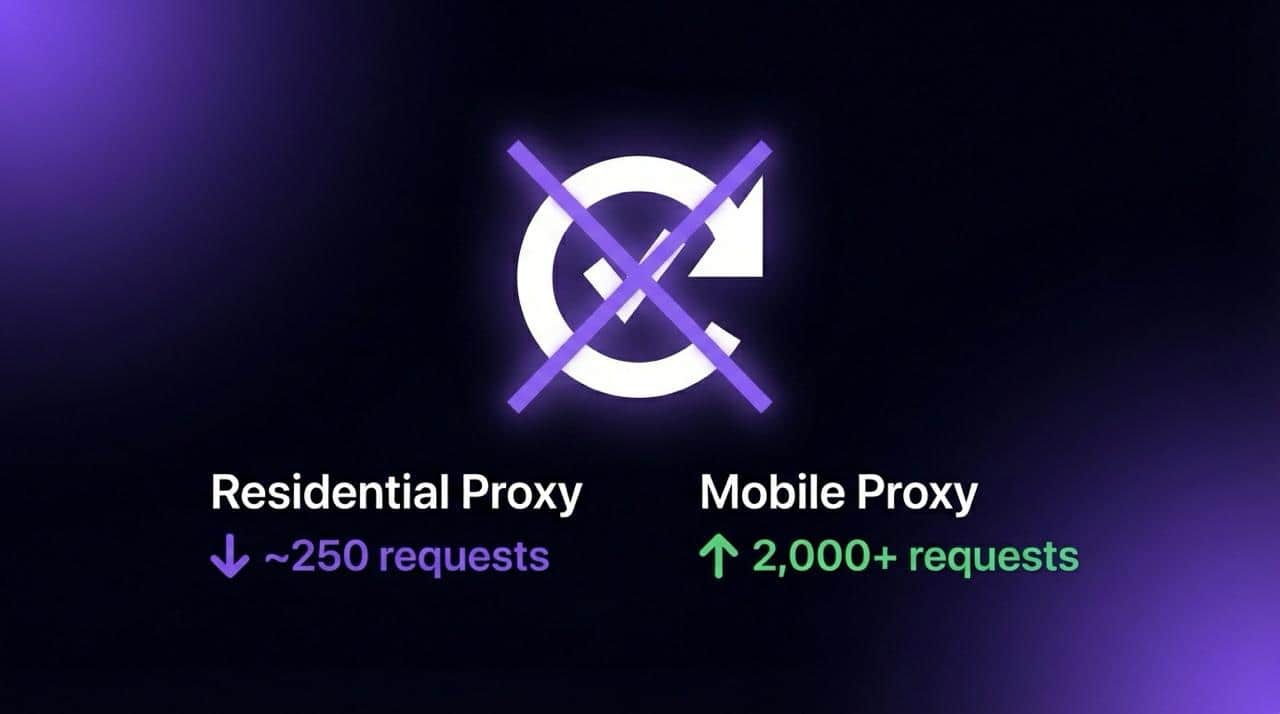
Residential proxies work for a few hundred requests, then reCAPTCHA drops in and kills the session. The 2Captcha bill keeps climbing. The proxy provider promises "clean" IPs. The IPs are not clean, and the approach itself is broken.
Solving CAPTCHAs faster is a losing strategy. The better move is building sessions that never get challenged in the first place.
Why Residential Proxies and VPNs Keep Failing
Google's anti-bot system evaluates far more than IP reputation. It scores a composite signal: ASN classification, connection fingerprint, behavioral cadence, TLS stack, and historical abuse data tied to that subnet. Residential proxies technically carry "residential" ASN labels, but the subnets they operate on are shared across thousands of users. Google knows this.
VPN providers have it worse. Datacenter ASNs get flagged almost immediately. Most scrapers running through a VPN will hit a CAPTCHA wall within 60-100 requests.
The core issue with residential proxies: that "clean" IP was probably used by multiple other scrapers this week. Google assigns cumulative risk to entire IP ranges, not just individual addresses. Once a subnet crosses the abuse threshold, every user on it inherits the penalty.
In practice, residential proxies trigger CAPTCHA challenges between request 250 and 350. Session survival rate after a challenge appears hovers around 40-45%. After the challenge, most sessions die entirely because automated solvers can't keep pace with reCAPTCHA v3's scoring model.
There's another problem that doesn't get discussed enough. Every IP switch resets the session cookie context, and Google reads that as suspicious. Rotating every 5 minutes looks exactly like bot behavior. But staying on one IP for hours burns it out. There's no winning configuration with shared pools.
How Dedicated Mobile Proxies Change the Equation
Mobile IPs sit in a completely different trust tier within Google's classification system. Carriers like AT&T, Verizon, and T-Mobile assign IPs dynamically to millions of real smartphone users through CGNAT (Carrier-Grade NAT). Google can't aggressively block these ranges without locking out legitimate mobile traffic, which represents over 60% of search volume.
A dedicated mobile proxy on a real SIM device is more than something that looks like a phone user. It is phone-level infrastructure, using the same mobile core network architecture as billions of legitimate devices.
Residential vs VPN vs Dedicated Mobile: Side by Side
The key advantage of a dedicated setup is exclusivity. When a mobile proxy runs on a real SIM device assigned to a single user, there's no inherited abuse history from someone else's campaign. Pair that with 24-hour sticky sessions and the same IP persists long enough to maintain cookie continuity and behavioral consistency, two signals that carry more weight than most people realize.
Staying Clean: What Actually Matters in Practice
Even with carrier-trusted IPs, sloppy implementation causes problems. These are the details that make or break a scraping setup.
Fingerprint consistency is critical. A mobile carrier IP paired with a Windows desktop user agent is an immediate red flag. The user agent needs to match a real Android device on the same carrier network. Viewport dimensions should mirror an actual phone screen (412x915 for a Pixel 8, for example). Timezone has to align with the proxy's geographic exit point. Mismatched signals trigger bot detection faster than burned IPs.
Request pacing matters more than people think. Firing 200 requests in 60 seconds triggers rate limits regardless of IP quality. Spacing requests 2-5 seconds apart with randomized jitter keeps things looking natural. Google's system tracks request cadence per session, and consistent intervals are a tell.
Cookie and session persistence. Don't clear cookies between requests on the same IP. Google uses cookie continuity as a trust signal. With 24-hour sticky sessions on a dedicated mobile proxy, maintaining a persistent browser context reduces suspicion significantly.
DNS leaks. If the proxy routes HTTP traffic but DNS resolves locally, Google sees a mismatch between the IP geolocation and DNS resolver location. Route DNS through the proxy or use a resolver in the same region.
If CAPTCHAs do appear (rare on carrier IPs but possible during high-abuse periods), don't solve them programmatically in a loop. Back off for 15-20 minutes, then resume. Aggressive solver loops actually increase the trust penalty on the IP.
CAPTCHA Thresholds Across Google Properties
Google Search, News, and Scholar each have different CAPTCHA thresholds, and the gap between residential and mobile IPs is significant across all three.
Scholar is by far the most aggressive. Dedicated mobile proxies handle all three because trust scoring applies at the carrier ASN level, not per-service. Zero solver costs across the board.
For teams scraping across multiple Google properties simultaneously, running separate sticky sessions per property (each on its own dedicated proxy) provides the cleanest separation. Scholar in particular benefits from slower pacing, 4-6 seconds between requests is the sweet spot.
Choosing the Right Proxy Provider
Most large proxy providers like Bright Data and Oxylabs offer mobile proxy access through shared pools. These pools work for general scraping and data collection, but the IPs rotate frequently and carry cumulative reputation risk from other users on the same pool. For CAPTCHA-sensitive targets like Google, shared mobile pools still trigger challenges, just less often than residential proxies.
Two providers worth looking at for dedicated mobile access are IPRoyal and VoidMob. IPRoyal offers dedicated port access to mobile IPs, which gives exclusivity over shared pools but still runs through pooled carrier infrastructure. VoidMob takes a different approach with full SIM device assignments on real 4G/5G handsets, meaning each proxy runs on its own physical device with its own carrier session. The full SIM setup produces longer session stability and cleaner carrier fingerprints since the connection behaves identically to a real phone on the network, not a port forwarded through shared hardware.
The Takeaway
The entire playbook comes down to infrastructure that never gets challenged. Carrier-trusted IPs, exclusive access, sessions that persist for 24 hours, and fingerprint alignment with the proxy type.
Sessions that look human work because the infrastructure behind them is the same infrastructure humans use. A faster solver will never compete with that.

The financial landscape of 2026 is defined by an unprecedented volume of data and a diverse array of participants seeking a clearer path to market engagement. In an era where digital noise often obscures meaningful market signals, the role of the modern brokerage has shifted from being a mere intermediary to becoming a comprehensive technological partner. Observing how different systems manage the influx of real-time information is essential for understanding the current standard of service in the industry. This Inverest.com Review seeks to explore the technical framework and user-centric innovations that shape the experience of those interacting with global markets today. By prioritizing a structured approach to access and information, a platform can significantly influence how a participant develops their strategy over time.
As the industry moves away from generic, one size fits all software, the emergence of in house technology has become a hallmark of forward thinking services. Inverest follows this trajectory by utilizing a proprietary system designed to consolidate various market functions into a single, cohesive environment. The objective is to provide a workspace that feels integrated rather than fragmented, allowing for a more focused analysis of global trends. When a service owns its underlying code, it gains the ability to refine the user journey with a level of precision that third-party platforms often lack. This focus on internal innovation is a primary factor in how the platform differentiates itself within a crowded market, aiming to offer reliability and clarity in an increasingly complex financial world.
Technical Architecture: A Foundational Inverest.com Review
The foundation of any trading environment is its technical stability and the speed with which it processes vast amounts of data. In a journalist’s assessment of modern systems, the architecture of the platform is often the most revealing element. Proprietary software allows for a more direct connection between the user and the market data feeds, which is essential for maintaining a responsive experience. By building a system from the ground up, the firm has eliminated much of the technical friction that can occur when different software components are layered on top of each other. This results in a streamlined engine that manages price updates and chart rendering with consistent efficiency, even during sessions of significant market movement.
Innovations in Performance and Scaling
Furthermore, the scalability of the technology ensures that the platform remains functional regardless of the volume of participants or the intensity of the data stream. Modern innovation in this space is often measured by how well a system handles high-definition charting and multiple technical indicators simultaneously. The platform’s engine is calibrated to maintain performance levels even when a user is running complex simulations or monitoring dozens of different watchlists. This Inverest.com Review identifies this technical depth as a core component of the platform’s utility, providing a professional grade environment that remains stable under pressure.
User Experience and Interface Ergonomics
Beyond the technical engine, the interface design plays a critical role in how a person perceives and interacts with the markets. A well designed dashboard acts as a filter, highlighting essential data while moving less relevant information to the background. The user experience here is characterized by a minimalist approach that favors clarity and ease of navigation. Instead of a cluttered array of menus, the interface is organized into logical clusters that reflect common trading patterns. This ergonomic design is particularly beneficial for those who spend significant periods analyzing charts, as it reduces visual fatigue and supports sustained concentration.
The primary dashboard provides a high-level overview of global market activity, allowing users to see at a glance how various sectors are performing. Navigation between different asset classes is handled through a streamlined menu system that categorizes options into stocks, indices, and commodities. This sense of order is essential for maintaining a disciplined approach to market participation.
Progressive Account Structure: An Integrated Inverest.com Review
A service’s effectiveness is often judged by how well it supports the growth of its users over time. The platform addresses this through a tiered account structure that provides a clear roadmap for development. This system is designed to match the level of support and tool access to the user’s experience and commitment. Beginning with more accessible tiers, the structure gradually introduces more sophisticated features as the participant becomes more comfortable with the proprietary system. This progressive model respects the fact that market expertise is built through consistent engagement and education rather than immediate immersion.
Educational Framework and Market Intelligence
At the heart of this progression is a strong emphasis on education and market intelligence. The platform provides an extensive library of resources designed to help users interpret market signals and develop their own analytical methodologies. These materials are presented in a journalistic and objective tone, focusing on the mechanics of the market rather than promotional hype. From video tutorials on using the proprietary software to written guides on the theory behind different indicators, the education is aimed at promoting independence and confidence.
The research hub further supports this mission by providing a steady stream of factual data and updates on global market trends. This hub acts as an internal newsroom, filtering out the noise of the broader internet and presenting users with the information that actually matters. By providing the "why" behind price movements, the service helps participants understand the interconnected nature of the global economy. This focus on intelligence ensures that every action is backed by a solid foundation of data, which is the most valuable asset a market participant can have.
Market Connectivity and Service Continuity
In the final assessment, a platform is defined by its ability to maintain a professional relationship with its users. This involves not only providing advanced technology but also ensuring that support is available when it is needed. The support structure is integrated directly into the service experience, providing a direct line of communication with account representatives who are experts in the proprietary system. This human element adds a layer of continuity to the digital environment, ensuring that technical questions are resolved quickly and clearly.
This Inverest.com Review finds that the platform is in a state of constant evolution, with regular improvements to speed and user resources. This commitment to ongoing innovation ensures that the system remains at the forefront of the industry in 2026, providing a stable and sophisticated environment for all its participants.
Disclaimer: The content of this article is provided for general informational purposes only and should not be interpreted as personalized financial or trading advice. The author makes no representations or warranties regarding the accuracy, completeness, or timeliness of the information presented. Market dynamics are subject to frequent change, and past insights may not reflect current conditions. Readers should independently verify all facts and consult with a qualified financial advisor before making any investment decisions. The author and publisher accept no responsibility for any financial losses, decisions, or consequences resulting from reliance on this content. All actions taken based on this information are at your own risk.

When beginning the journey into financial markets, the sheer volume of information can be daunting. A 21VC.io Review often highlights how a new participant can navigate this complexity without feeling lost in technical data. For a first-time trader, the initial goal is to find an environment that balances sophisticated tools with a clear, logical structure. 21VC.io offers a space where these two elements coexist, providing a foundation for those starting to understand the mechanics of the global economy. The entry is less about making immediate decisions and more about finding a reliable window into the price movements of various assets across the globe.
The Architecture of the 21VC.io Interface
The primary focus of the proprietary interface is on organization. For a new participant, the layout of a trading dashboard can be a significant guide. The design avoids unnecessary distractions, opting for a clean aesthetic that prioritizes clarity. When a trader logs in, they are met with a dashboard that categorizes information logically, preventing the feeling of being overwhelmed by too many flashing lights. The goal is to provide a calm environment where data can be analyzed with a clear head.
Navigating the Market Categories
Organization is a central theme within the navigation system. Assets are grouped into distinct sectors, making it simple to find specific areas. For example, a person might start by looking at major global indices before drilling down into specific stocks or commodities. This hierarchical approach allows new users to build their understanding step by step. Instead of searching through a random list of assets, the system guides the eye toward organized categories that make sense in a real world context.
The charts provided within the system focus on clarity. High definition visuals allow for a detailed look at price history, essential for identifying trends. A beginner can start with basic charts and, as knowledge grows, incorporate advanced tools. The responsiveness of these charts is a key feature, changing timeframes or adding indicators happens without lag, which is vital when trying to keep up with live data. This 21VC.io Review finds that the technical stability of the platform is a major contributor to a positive first experience.
Accessing a Diverse Range of Global Assets
One of the most informative aspects of the platform is the breadth of assets available. For someone new to the markets, understanding how different sectors interact is key. The service provides access to various global instruments, allowing for a well-rounded view of the world’s economy. This variety ensures that a user is not restricted to one single market but can instead explore different areas as they become more comfortable.
The equity section is extensive, featuring companies from various regions and industries. For a first timer, this is the most recognizable area of the market. Being able to follow the performance of global brands provides a sense of connection to the real world. In addition to individual stocks, the platform highlights major market indices. Tracking an index provides a broader perspective on the health of a country's economy or an industrial sector, such as technology or consumer goods.
This structured access helps a new participant develop a more nuanced understanding of market dynamics. By seeing how a shift in a tech focused index might correlate with the movement of individual stock prices, the user begins to perceive the underlying patterns of the economy. The data is updated in real time, ensuring information is current and accurate. This focus on factual data is a hallmark of a professional trading environment.
Expanding Knowledge Through Integrated Research
Education is woven into the fabric of the platform. There are guides and tutorials explaining how to use technical tools and interpret market data. This integration means a user doesn't have to leave the platform to find an explanation for a term. This 21VC.io Review notes that the tone of these materials is neutral and informative, focusing on providing facts rather than making grand predictions.
The research hub also categorizes news by sector, allowing users to stay focused on relevant areas. If a participant is watching the energy sector, they can quickly find updates on global production. This tailored approach helps prevent information overload, encouraging an analytical approach to market participation.
Service Tiers and Professional Support
The journey from a curious observer to an active participant is supported by a tiered account structure. This system recognizes that different users have different needs based on experience levels. Starting at basic levels like the Essential tier, a new participant can access fundamental tools. As skills develop, they can look toward advanced tiers that offer deeper analytical capabilities and more personalized service.
Technical Stability and Service Continuity
Stability and reliability are core to the service model. In the fast-moving environment of 2026, a platform must handle high volumes of data without interruption. The proprietary technology used by 21VC.io is designed for this performance. Beyond the technical side, the human element of the service is key. When a user has a question about a feature, they have access to a professional support team that understands the system.
Knowing a team of experts is available to provide direct assistance builds confidence. Whether asking about navigation or seeking clarification on a tool, the response is tailored to the situation. This ensures the participant can focus on analysis, knowing technical and administrative sides are managed professionally.
Final Observations on the Market Environment
The approach taken by this service focuses on removing noise and providing a stable foundation for market engagement. For a first time trader, the combination of a proprietary interface, global assets, and a research hub creates an environment that is both professional and approachable. The focus is on the long-term development of the user, providing the resources needed to grow into a more informed participant.
The emphasis on technical innovation ensures the platform stays relevant in a rapidly changing landscape. By developing its own technology, 21VC.io can adapt to trends more quickly than services relying on external software. This strategy suggests a commitment to providing a high quality experience for all participants. The final impression is of a service that values clarity, accuracy, and professional integrity above all else.
Disclaimer: The content of this article is provided for general informational purposes only and should not be interpreted as personalized financial or trading advice. The author makes no representations or warranties regarding the accuracy, completeness, or timeliness of the information presented. Market dynamics are subject to frequent change, and past insights may not reflect current conditions. Readers should independently verify all facts and consult with a qualified financial advisor before making any investment decisions. The author and publisher accept no responsibility for any financial losses, decisions, or consequences resulting from reliance on this content. All actions taken based on this information are at your own risk.

Living out of a suitcase while trying to stay connected to the financial world is a unique challenge. In 2026, the markets move at a pace that doesn’t pause for layovers. Staying in sync with price shifts without being glued to a desk has been a primary goal. This BrentMarkets.com Review is based on my experience looking for a setup that is light enough for a phone but powerful enough for analysis. When moving between hotel Wi-Fi and mobile data, a system that doesn’t lag or crash is essential.
BrentMarkets recently updated its cross-device data handling. The company provides access to global stocks, indices, and commodities within a single proprietary system. For those without multiple monitors, having everything under one roof is a benefit. The service is designed with a mobile-first mentality, perfect for travelers. Instead of stripping features for mobile, the platform keeps core tools intact, allowing for a consistent experience whether you are in a cafe or on a plane.
A Mobile Focused Proprietary Interface
The first thing that stands out while traveling is the lack of clutter. Many older systems cram too much onto small screens. Here, the design is clean and ergonomic. The dashboard is built so that vital information is front and center. You can see live prices of indices or stocks without digging through menus. This efficiency is vital when you only have minutes between flights to check positions.
Navigating Asset Categories with Ease
The categorization of assets makes sense. Instead of an unorganized list, the platform separates things into clear groups like technology, energy, or consumer goods. Jumping from a major index to a commodity chart in two taps is a lifesaver. The search function is responsive, helping when hearing news on the move and wanting to check a specific company’s performance immediately.
Charting tools are deep for a web-based system. You have access to technical indicators like moving averages and RSI without them getting in the way. You can customize colors and layouts, which is great for low-light environments like a late-night train. Synchronization between devices is a high point; if a trend line is drawn on a tablet, it shows up on a phone instantly. This technical flow makes staying connected feel natural.
The All-in-One Research Hub and Innovation
A recent addition is the Research Hub. Previously, keeping multiple browser tabs open for news and economic calendars was necessary, which drains batteries. This hub gathers everything real-time news feeds, earnings calendars, and sector analysis into one place. This BrentMarkets.com Review notes how much time this saves on limited data plans.
Keeping Up with Market Intelligence
The hub provides a journalistic overview of market movers. You can read how trade shifts affect specific indices or see projections for upcoming reports. Having this context next to your charts helps connect the dots, turning the platform into a full-scale resource for learning. The comparison tool allows you to overlay different assets to see how they move in relation to each other, a change usually reserved for desktop platforms. It shows the firm is listening to users who want to do serious work on the go.
Service Tiers and Professional Support
Account tiers are structured to match experience and planned participation. The Essential tier provides the basics, while Advanced or Institutional levels unlock deeper analytical tools and direct support access. This approach allows the platform to grow alongside a user's knowledge.
Experience with Support and Account Management
Even in a different time zone, access to professional support is essential. When questions about charting features arise, the support team is responsive, providing clear answers without technical jargon. They understand the proprietary system inside and out, an advantage over services using third-party software. Having a real person to talk to when far from home makes the experience feel stable.
Continuity across tiers is handled well. Higher tiers offer in-depth market updates and personalized attention for navigating volatile weeks. The balance between a high-tech platform and a human touch is something the company prioritizes, building a professional relationship that goes beyond just providing a login.
Technical Reliability and User Flow
Technical reliability is the most important feature when traveling. There is nothing more frustrating than a platform that freezes during a move. In various locations, I didn't experience major lags. The proprietary engine is well-optimized for different browsers and operating systems, allowing users to maintain a routine despite changing locations.
Fluidity Across the Trading Day
The platform flow is built around efficiency: log in, check your watchlist, look at news, and check positions. Every step feels intentional without unnecessary clicks. The design is modern but respects traditional needs. This BrentMarkets.com Review finds that user experience focus is visible in small details like search bar speed.
Innovation in 2026 is about making features work better together. Integrating research, charting, and support into a single window reduces the mental load of trading while traveling. For anyone needing to stay connected to global assets, having a reliable workspace is a major advantage. BrentMarkets has created an environment that feels at home in a traveler’s pocket, focusing on proprietary technology and functional clarity to provide a stable, professional framework for engaging with global assets.
Disclaimer: The content of this article is provided for general informational purposes only and should not be interpreted as personalized financial or trading advice. The author makes no representations or warranties regarding the accuracy, completeness, or timeliness of the information presented. Market dynamics are subject to frequent change, and past insights may not reflect current conditions. Readers should independently verify all facts and consult with a qualified financial advisor before making any investment decisions. The author and publisher accept no responsibility for any financial losses, decisions, or consequences resulting from reliance on this content. All actions taken based on this information are at your own risk.

You have one product photo. Maybe it is a flat lay of a dress on a white background. Maybe it is a pair of sneakers shot in your living room. Maybe it is a piece of jewelry photographed on your kitchen table.
From that single image, you now need: social media posts for Instagram, Facebook, and Pinterest. Hero banners for your store. Lifestyle shots showing the product in context. Seasonal variations for holiday campaigns. Maybe even a short video clip for ads.
A year ago, that meant booking photoshoots, hiring models, renting locations, and spending weeks on production. Today, AI image editing tools — powered by the same technology behind Google Gemini and ChatGPT — can take that one photo and produce dozens of unique marketing assets in an afternoon. The product stays the same. Everything around it changes.
The Problem Every Store Owner Knows
Running an online store means you need an almost absurd amount of visual content. Each product needs multiple angles. Each marketing channel wants different dimensions and styles. Seasonal campaigns demand fresh imagery every few weeks.
The traditional options are expensive:
Professional photoshoots: $500-$2,000 per session, plus model fees, location costs, and styling
Freelance retouching: $25-$100 per image for background swaps, color corrections, or compositing
Stock photos for context: $200-$500 monthly subscriptions for generic images that every other store is also using
For a small store with 50 products, creating just three lifestyle variations per product means 150 edited images. At $50 each for professional editing, that is $7,500 — before you have created a single social media post or seasonal campaign.
$7,500+
Typical cost to create lifestyle variations for 50 products using traditional methods
Most small store owners simply cannot afford this. So they settle for plain white-background photos and wonder why their conversion rates lag behind larger competitors with polished, lifestyle-rich catalogs.
What AI Image Editing Actually Does Now
The latest generation of AI models does not just generate images from text prompts. It edits existing images intelligently. You upload your real product photo, describe what you want changed, and the AI preserves your actual product while transforming everything around it. No Photoshop, no design skills required.
Platforms like Deep Dream Generator (DDG) bring multiple AI editing models together in one browser-based workspace, so you can upload, edit, and even animate product photos without switching between tools. Two models on DDG are particularly well-suited for e-commerce work:
NanoBanan Pro: Edit Product Photos Through Conversation
NanoBanan Pro is built on Google DeepMind's Gemini image technology. On DDG, you use it to edit product photos through natural language. Upload a photo and tell it what you want: "Place this dress on a woman walking through a summer market in Barcelona" or "Put these sneakers on a runner in a foggy morning park."
What makes it useful for e-commerce:
Conversational editing: Describe changes in plain English. No layers or masks to manage.
Product preservation: The AI preserves actual product details — colors, textures, logos, stitching — while changing the context around it.
Text rendering: Handles text in images accurately, so promotional overlays or branding elements come out legible.
Up to 4K resolution: High-resolution enough for print materials, not just social media.
Example: One Dress, Five Campaigns
Start with a single flat-lay photo of a summer dress. Using NanoBanan Pro on DDG:
"Show this dress on a woman at a rooftop brunch, natural sunlight" — lifestyle shot for Instagram
"Display this dress on a model walking through autumn leaves in a city park" — fall transitional campaign
"Place this dress on a woman at a beach resort, golden hour" — vacation collection banner
"Show this dress styled with accessories at a minimalist indoor setting" — product page lifestyle image
"Present this dress on a different model with a casual street style look" — diversity in marketing imagery
Five distinct marketing assets from one original photo. Each with a different model, setting, and mood.
SeeDream: Batch Consistency at Scale
SeeDream is ByteDance's image generation and editing model, also accessible on DDG. Its strength is handling multiple reference images and producing consistent results across batches — meaning you can maintain visual coherence across your entire catalog.
Key capabilities for e-commerce:
Multi-image input: Feed it up to ten reference images at once — your product plus style references or mood boards — and it synthesizes them into cohesive output.
Product consistency: Your red handbag looks like your red handbag in every variation. Identifying details are preserved with high accuracy across scenes.
Batch generation: Up to six variations in a single request, all visually consistent. Critical for cohesive product galleries or campaign sets.
Natural language editing: Like NanoBanan Pro, you describe edits conversationally. "Remove the background and place this on a wooden shelf in a rustic kitchen" works as a prompt.
Pro tip: Use SeeDream when you need a consistent set of images across an entire product line. Upload your hero product photos as references and generate seasonal campaign imagery in one session — the visual style stays unified across every output.
From Still Image to Video
Static images convert well. Video converts better — product pages with video consistently see significantly higher engagement and conversion rates. The problem has always been cost: professional product video production starts at $1,000 per clip.
Once you have edited your product lifestyle images on DDG, you can animate them into video clips on the same platform. DDG provides access to several AI video models — including Google's Veo 3, Hailuo AI, Kling 2.1, and Seedance 1.0 Pro. The workflow:
1. Upload your AI-edited product lifestyle image
2. The video model animates the scene — fabric moves naturally, hair flows, lighting shifts subtly, the model walks or turns
3. Output: Full HD (1920x1080) video at 30 FPS, up to 10 seconds
Ten seconds is the sweet spot for product ads on Instagram Reels, TikTok, and Facebook. Short, eye-catching clips are what performs best in social media advertising.
Example: From Photo to Video Ad
Step 1: Upload your product photo to DDG, select NanoBanan Pro. Prompt: "Show this leather jacket on a man walking confidently down a rainy city street at night, neon reflections."
Step 2: Feed the generated lifestyle image to the video generator.
Step 3: The AI animates the scene — the man walks, rain falls, neon lights reflect off wet pavement, the jacket moves naturally with each step.
Result: A product video clip suitable for social ads. Total time: under 10 minutes.
Practical Workflows for Store Owners
Product Page Enhancement
Most product pages have 3-5 photos on white or plain backgrounds. AI editing can expand that to 8-12 images mixing studio shots with lifestyle context:
1. Keep your original product photos as the primary images (customers want to see the real product)
2. Use NanoBanan Pro to generate 3-4 lifestyle variations showing the product in use 3. Use SeeDream to create a consistent "lookbook" set if you sell multiple related items 4. Add one video clip showing the product in motion
The original photos build trust. The lifestyle images build desire. The video builds engagement.
Seasonal Campaign Refresh
Instead of shooting new content every season, regenerate contextual imagery from existing product photos:
Spring: "Place this product in a bright garden setting with cherry blossoms"
Summer: "Show this product at a sunlit beach house, casual coastal vibe"
Fall: "Display this product in a cozy cabin interior with warm autumn tones"
Holiday: "Present this product in an elegant gift-giving scene with soft golden lighting" Four seasonal campaigns from the same product photos, created in hours instead of weeks.
Weekly Social Media Pipeline
Monday: Generate 5-7 lifestyle product images for the week
Tuesday: Animate the two best images into short video clips
Rest of week: Post across Instagram, Facebook, Pinterest, and TikTok with a mix of stills and video
Total time investment: 2-3 hours at the start of the week.
What This Actually Costs
Method Cost per Product Time per Product
Professional photoshoot + editing $150-$500 Days to weeks
Freelance photo editing $50-$200 1-3 days AI editing (5 lifestyle variations + 1 video) Under $5 30-60 minutes
Most AI editing platforms offer free tiers to test the workflow, with paid subscriptions typically in the $9-$30/month range. The cost per image is orders of magnitude lower than traditional methods.
For OpenCart store owners: You do not need to change your existing product
photography workflow. Shoot your products as you normally would. Then use AI to multiply each photo into lifestyle imagery, seasonal variations, and video content. Your original photos remain the product page foundation — AI adds the marketing layer on top.
When AI Works and When It Does Not
Where AI Excels
Background and context changes: Placing products in new environments. Lighting, shadows, and reflections are handled convincingly.
Model placement: Putting clothing on different body types and poses, with natural fabric behavior.
Mood and atmosphere: Changing lighting conditions, color grading, and overall feel. Perfect for seasonal campaigns.
Video animation: Subtle, realistic motion — fabric flowing, hair moving, gentle camera movement.
Where Humans Still Win
Fine product details: Verify the AI preserved exact details like precise button placement or logo positioning. Occasionally fine details shift.
Complex multi-product scenes: Arranging multiple products in specific spatial
relationships can require several attempts.
Brand-critical hero shots: For flagship campaign imagery, consider using AI for concepts and a designer for final polish.
Getting Started
If you want to try this approach:
1. Pick three products from your catalog — ideally ones where you wish you had better lifestyle imagery.
2. Go to Deep Dream Generator and upload a product photo. Select NanoBanan Pro and start simple: "Place this product in a modern living room with natural light."
3. Iterate on the prompt. Add specifics about mood, setting, model appearance, lighting. Each generation teaches you what works.
4. Try video. Take your best generated image and feed it to the video generator. 5. Compare results against what you currently have in your store.
The experiment takes about an hour and costs nothing on the free tier. The results will speak for themselves.
The Bottom Line
The gap between how large and small e-commerce stores present their products has always been a budget gap. Big brands hire agencies, book studios, and produce polished lifestyle content at scale. Small stores make do with whatever photos they can afford.
AI image editing is narrowing that gap. A single product photo can become a set of lifestyle images, seasonal variations, model diversity shots, and video content. The technology is not perfect and will not replace professional photography entirely. But for the day-to-day visual content demands of running an online store, it is a practical option that did not exist a year ago.
In e-commerce, where customers cannot touch or try products, visuals matter more than almost anything else. The tools to create those visuals are now accessible to stores of any size.

The use of a proxy has become common these days, given how huge the internet is, with unlimited data being circulated and easier ways for scamsters to steal your personal and financial data. While there are some benefits all types of proxies offer, some of them are preferred over others, and datacenter proxies are one of them. It offers more stable speed, and when compared to other proxies, the price is affordable for the majority.
If you have a couple of needs for a proxy service, datacenter proxies are the best choice. However, there are multiple uses of it and we are sharing some major uses that you can benefit from using dedicated proxies.
Web Scraping
Web scraping is one of the most common and major reasons people use proxies for, and some people might have doubts whether a datacenter proxy supports it. Web scraping means pulling out a large volume of data from a website without being noticed or detected as an automated request and looking like a request from a real IP address. Datacenter does serve the purpose by rotating IP addresses like any other proxy.
App Testing
As a company or a development company, a datacenter proxy will prove efficient. You developed an app and deployed it all over the world, but there are certain locations where you can’t see how your app is performing. With the help of a datacenter proxy, you can change your geographical location and check even blocked locations for the performance of your app, and make the needed changes even before the final deployment.
Social Media Marketing
For many companies and individuals, social media marketing is the most efficient tool to make money, but many platforms have a policy of a single user on a single IP address. Here, a datacenter proxy can be highly useful, and you can use multiple accounts as it helps automate its use and management. These proxies add an extra layer of security, anonymity, and helps bypassing restrictions, blocks, and CAPTCHA tests.
Bypassing Geographical Restriction
As is widely known, the use of proxy is done mostly to access geographical blocked content and if you are looking for a proxy to access certain content online which is blocked in your location, then there is no better option than datacenter proxies. By changing your IP address to another country where that content is accessible, a datacenter proxy allows you to access that content easily.
SEO Monitoring
It is known to every online business owner or service provider how important it is to appear on the search engines. This requires constant efforts and a lot of skills, but at times, it becomes harder to track your company’s performance on search engines correctly. However, this can be achieved by using datacenter proxies and seeing where you are appearing. You can also use the proxy to monitor your competitor’s ranking, pricing, and customer flow.
Datacenter proxy is like any other proxy, with the only exception that it is not a dedicated ISP, but is hosted on a datacenter server. You get to enjoy the same benefits, and it offers pretty much the same uses as other proxies.
Comment