I'm building SaaS and documenting the process. Day 26: polishing the main page
This is the twenty-sixth episode in the reality show about the development SaaS app from scratch. The previous episodes:
Open SaaS development from scratch: why and what
Day 1: requirements and UI wireframes
Day 2: admin pages
Day 3: user pages
Day 4: database models, database update, and a couple of new wireframe pages
Day 5: started API and made changes to the database models
Day 6: created the admin board and new problems
Day 7: board settings page
Day 8: board settings page, more details and tabs
Day 9: board settings page, more tabs
Day 10: finished all 4 meta lists for board settings page
Day 11: experimenting with subdomains
Days 12 & 13: subdomains, separate apps, and user interface
Day 14: end-user UI for creating and editing posts
Day 15: end-user UI - bug fixes and list of user's posts with paging
Day 16: the skeleton of public page with the list of posts
Day 17 & 18: working on the public page
Day 19: Post view and voting
Day 20: finished voting functionality and started comments
Day 21st: finished comments, improved voting, and started board admin panel for user mngment
Day 22nd: finished board admin user management
Forced break and the startup idea for those who want new ideas
Day 23: verified user and publishing posts
Day 24: adding a touch of beauty to list of user's posts
Break 2 (flu and new components) and day 25: finishing board admin
Yesterday I started working on the main page showing list of published posts. It looked that:
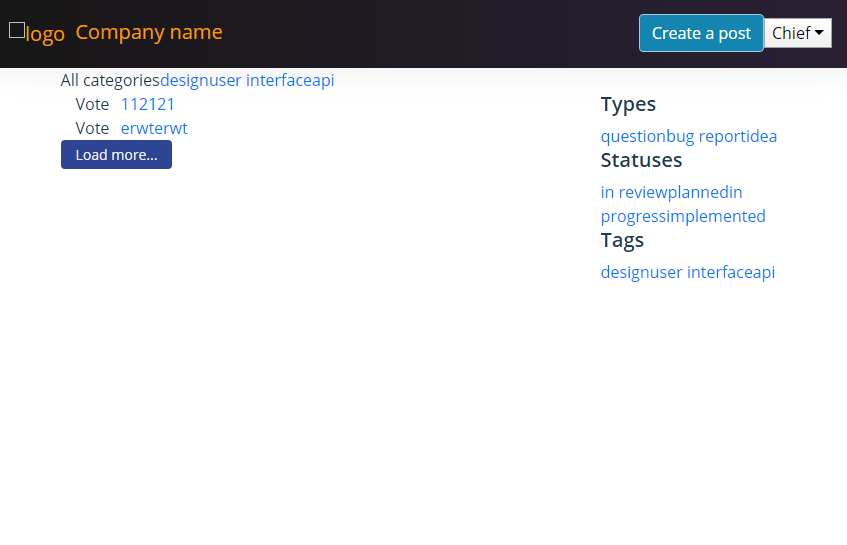
I added nicer (still not perfect) styles and now it looks like this:

I marked the current problems with the red.
Also, I completely refactored the paging. Before I wanted to provide nice pagination with changing in URL (for example, when you move to page 2 your URL in the browser would change too). But it turned out I mixed several approaches and it didn't work well. Keeping this approach I load more posts dynamically when a user clicks on the "Load more" button at the end of list and it is in a contradiction with the approach described before. When you load more items in this way you never expect changing URL because you actually not moving to the next page but just load more instead. So, I changed the logic to just loading more without changing URL.
Also, I connected styles that an admin board can define for his/her board with the actual appearance. But it still looks pretty ugly and doesn't allow to change all the colors so may be I will postpone this feature for a while:

Time spent: 4 hours
Total time spent so far: 62.5 hours
Thanks! Stay tuned!

Loving the documenting and behind the scenes. It's always interesting to see how other people work on projects and get things done, as we hardly every see the background processes.
Good luck with the product!
Thank you very much!!
This seems like a great way to document your progress and work in public. Thanks for sharing :)
Thanks! I wish I had more time for this project each day :-\