
Denam
The best startup ideas often come from the tasks you hate do
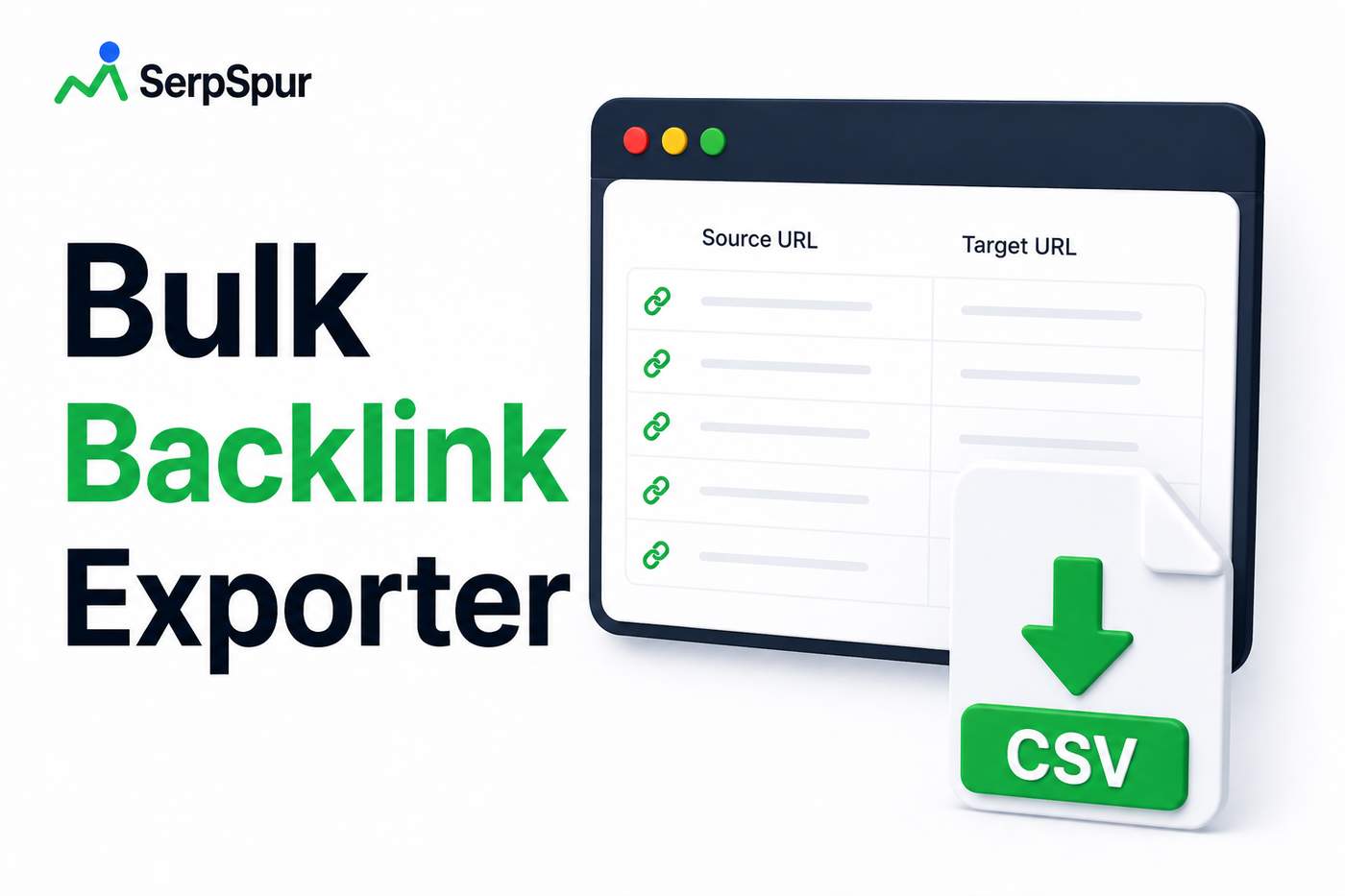
Backlinks are the currency of SEO, but managing them at scale is a nightmare. I have over 2,000 backlinks across 12 projects. Every month I export them from Ahrefs or Majestic, clean the data, and check for lost links. Takes hours. I built a simple bulk exporter that pulls all backlinks from a domain into a CSV in seconds. No API limits, no spreadsheets. I just paste the URL, click export, and get a clean list with anchor text, domain authority, and status. I use it to find broken links, spot patterns in my link profile, and prep reports for clients. If you manage multiple sites, this saves you a ton of time: https://serpspur.com/tool/bulk-backlink-exporter/

For a long time, my SEO troubleshooting process relied more on instinct than evidence.
When a client's website suddenly lost traffic, I'd check rankings, inspect backlinks, and review recent changes. Sometimes I'd find the problem quickly. Other times, I'd spend hours chasing the wrong issue because I didn't know one simple fact:
When did search engines last crawl the page?
That question became impossible to ignore after working with a client whose newly updated pages weren't appearing in search results. They had refreshed their content, fixed technical issues, and submitted a new sitemap, yet nothing changed for weeks.
My first assumption was that Google wasn't happy with the content.
I was wrong.
The Missing Piece
After digging deeper, I realized the updated pages hadn't been crawled since the changes went live.
Everything we'd optimized was sitting there, waiting for search engines to revisit it.
Without fresh crawl data, Google couldn't evaluate the improvements we'd made.
That experience completely changed how I approach technical SEO.
Now, before making assumptions about rankings or indexing problems, I always check crawl activity first.
Why Crawl History Matters
A page can be perfectly optimized, but if search engines haven't revisited it, those improvements won't influence rankings immediately.
Knowing the last crawl date helps answer questions like:
Has Google seen my latest changes?
Is a page being crawled regularly?
Did a sitemap update increase crawl frequency?
Are important pages being ignored?
Is crawl budget being spent efficiently?
Instead of guessing, you can work with actual evidence.
A Tool That Simplified the Process
To make this easier, I started using SERPSpur's Crawler Accessibility & Archival Forensics tool.
Rather than digging through server logs or relying on expensive enterprise platforms, the tool provides a quick snapshot of crawl and archival signals for a URL.
It helps you understand whether search engines are actively revisiting your pages and offers historical context that can be useful during technical SEO audits.
When I'm troubleshooting indexing issues, it's now one of the first tools I open.

How It Fits Into My Workflow
Whenever I publish significant updates, migrate pages, or optimize existing content, I check crawl activity afterward.
My typical workflow looks like this:
Publish or update the content.
Submit the sitemap if necessary.
Monitor crawl activity.
Compare crawl frequency over time.
Investigate if important pages aren't being revisited.
This process has saved me from making unnecessary changes simply because I assumed Google had already processed my updates.
Who Can Benefit?
This type of analysis isn't only useful for SEO agencies.
It can also help:
Website owners monitoring indexing issues
Bloggers publishing new content regularly
Developers after site migrations
Technical SEO specialists
E-commerce stores managing thousands of product pages
Anyone trying to improve crawl efficiency
Having visibility into crawl activity makes it much easier to diagnose problems before they impact traffic.
Final Thoughts
One of the biggest lessons I've learned is that SEO isn't just about creating better content or earning stronger backlinks.
Sometimes the real question is much simpler:
-
1
I appreciate the caution—I've had a similar scare with a site that looked clean on the surface but had a history of policy violations. A tool like this would have saved me hours of manual research. What's the third signal you check beyond AdSense status? Is it something like domain age or backlink quality?
-
1
Interesting approach—triple-signal audit sounds way more reliable than just checking one source. Have you found any false positives for sites that were reinstated after a ban? That'd be handy for domain flippers especially.
-
1
That triple-signal approach sounds solid. Relying on gut feeling is risky when one bad partnership can take months of revenue. Have you considered open-sourcing the methodology behind the checks? It could help the community build their own in-house vetting processes.


I almost entered my credit card details on a fake site last month.
The design looked professional. The content was well-written. But something felt off.
I ran a quick trust check and found:
• No SSL certificate (on a site asking for payments)
• Missing security headers
• A domain registered just 3 weeks ago
• No email authentication set up
That was enough to walk away.
Since then, I've made it a habit to check a few key trust signals before sharing any sensitive info, signing up for a service, or partnering with a site:
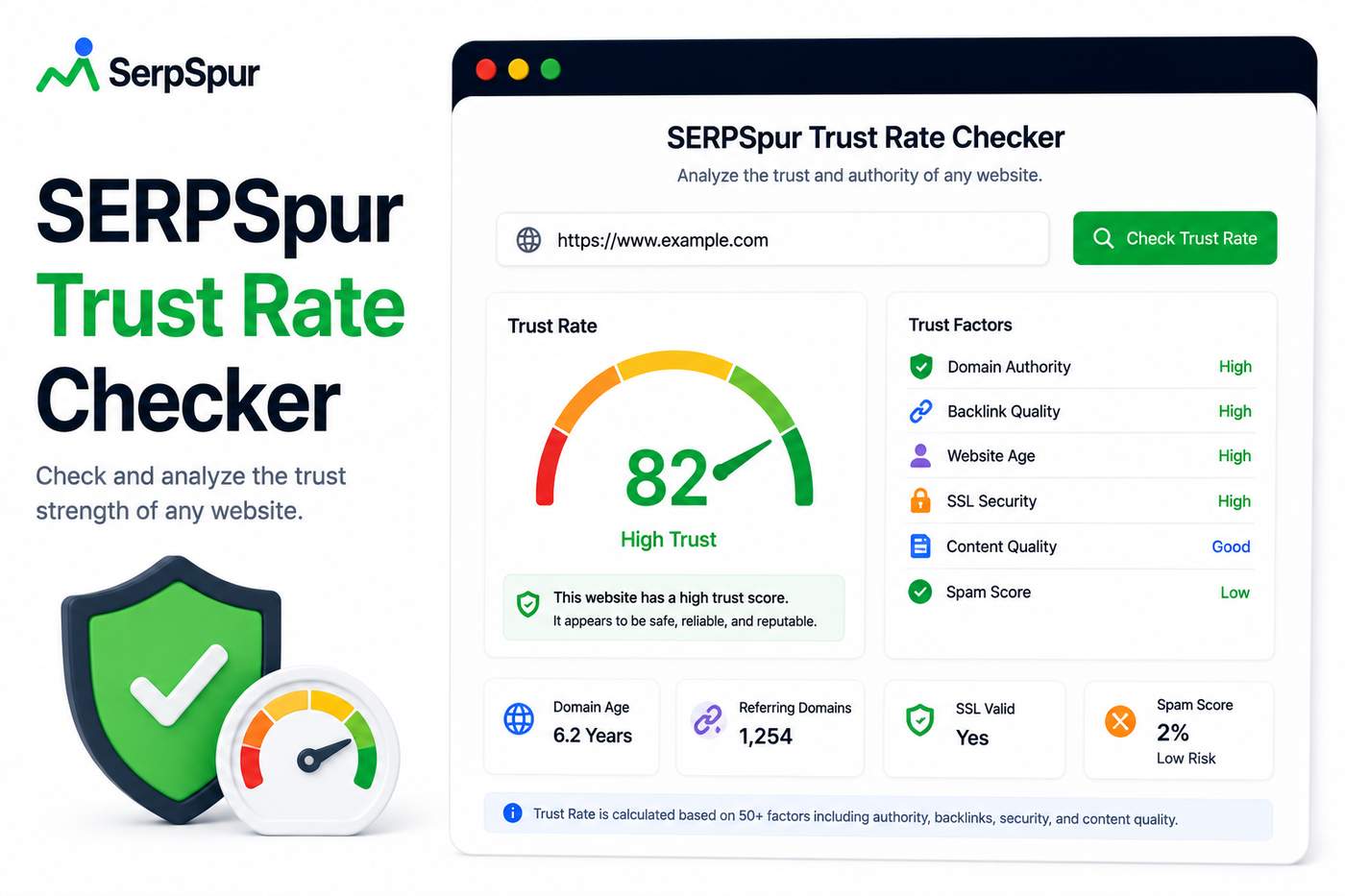
• SSL validity and encryption strength
• SPF and DKIM email records
• Security headers (HSTS, X-Frame-Options, etc.)
• Domain reputation and blacklist status
• Overall technical trust score
Most of these are easy to overlook, but they reveal a lot about whether a site is legit or just looks the part.
I built a tool that automates this check—the Trust Rate Checker. It scans all these signals and gives you a simple score.
https://serpspur.com/tool/serpspur-trust-rate-checker/
Curious—do you have any horror stories from trusting a site that looked legitimate? What's your personal checklist for verifying a website's trustworthiness?
-
1
Good catch on the email authentication — most people don't check SPF/DKIM before handing over data. I once got burned by a fake SaaS that had a valid SSL but was registered last week; now I always cross-reference the domain age and look for real user reviews outside the site itself.
-
1
I had a similar close call with a fake job portal. The design was flawless, but the URL was one character off from the real company's domain. Now I manually type URLs instead of clicking links, and I always check for those security headers you mentioned.
-
1
Close call! I've had a similar experience—almost signed up for a 'free trial' that required a credit card, but the SSL was self-signed. Now I always check the domain age first; anything under 6 months is a red flag for me.
I used to build backlinks and then just... wait. Wait for Google to notice them.
Sometimes it took weeks. Sometimes months. And sometimes they never got indexed at all.
I tried various pinging services, but most were either slow or required manual submission to dozens of services.
So I built a simple backlink pinger that does the heavy lifting—sends ping requests to multiple search engines and indexing services with one click.
Now, after I publish a guest post or get a new backlink, I run it through the pinger. It doesn't guarantee instant indexing, but it definitely speeds up the discovery process.
If you're tired of waiting for your backlinks to get noticed, this might help. https://serpspur.com/tool/backlink-pinger-indexer/
-
1
Nice tool! I've been using a similar approach with a custom script, but one-click pinging sounds way more efficient. Have you noticed a significant difference in indexing time compared to just waiting?
-
1
Interesting—I've always wondered if pinging actually makes a difference beyond the initial crawl. Do you think it's more effective for certain types of backlinks (like guest posts vs. forum links)?
-
1
Nice tool idea. I've found that submitting the page URL to Google Search Console's URL inspection tool right after placing the link also helps speed things up—worth combining with your pinger.
-
1
Nice, automating the ping process is a real time-saver. I've found that combining this with a quick social share (like posting the link on Twitter or Reddit) often gives an extra boost to indexing speed—might be worth adding a social ping option too.
-
1
Nice tool idea. I've always found the waiting game frustrating too. Do you have any data on how much faster indexing is on average compared to just waiting naturally?


I've been doing local SEO for years, but I kept running into the same problem—how do I know what my site actually looks like in search results for a specific city or country?
VPNs are slow, unreliable, and often get flagged by Google. Browser extensions work sometimes, but not consistently. And asking friends in different locations to check? Not scalable.
So I started building a tool that simulates local search results by country, city, region, and language. No VPN needed, no manual checks.
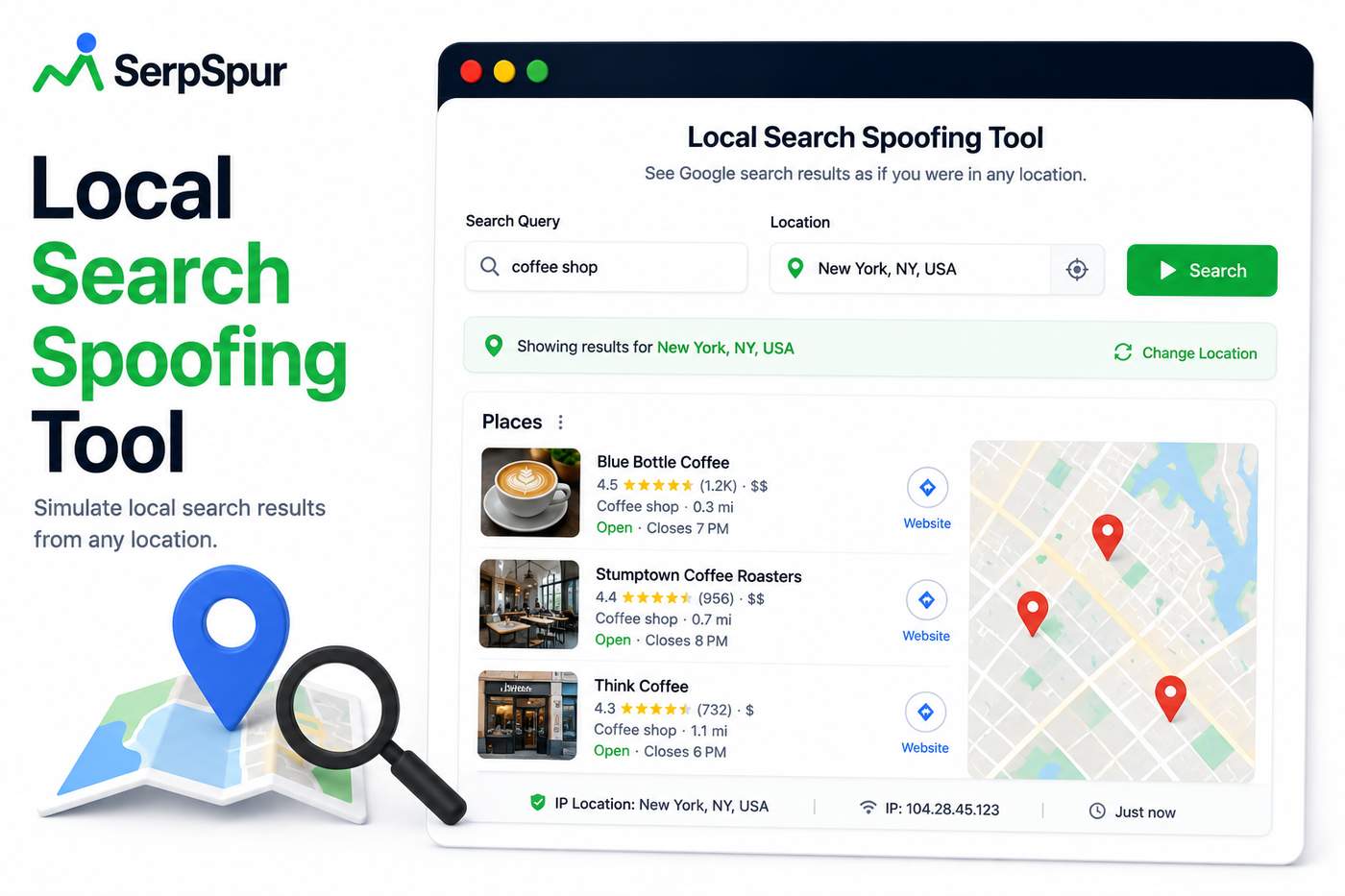
Now, before I optimize a page for a new market, I run it through the spoofing tool first. I can see exactly where my site ranks in that location, what competitors show up, and whether my local signals are working.
It's saved me hours of manual testing and helped me avoid optimizing for keywords that weren't actually ranking in my target area.
-
1
Nice solution to a frustrating problem. I've been using a similar approach with a headless browser + proxy rotation, but it's a hassle to maintain. Does your tool also show map pack results, or is it purely organic?
-
1
This is such a common pain point for anyone doing serious local SEO. I've wasted hours with VPNs and proxy services—your tool sounds like a huge time-saver. How do you handle edge cases like cities that span multiple countries or regions?
-
1
Glad you found it useful! Have you run into any tricky locations that were hard to verify?
-
Building a local business site for a client in Berlin. I needed to see how they rank for "coffee shop" in German vs. English results.
Most tools show global or US-centric data. That doesn't help when your audience is hyper-local.
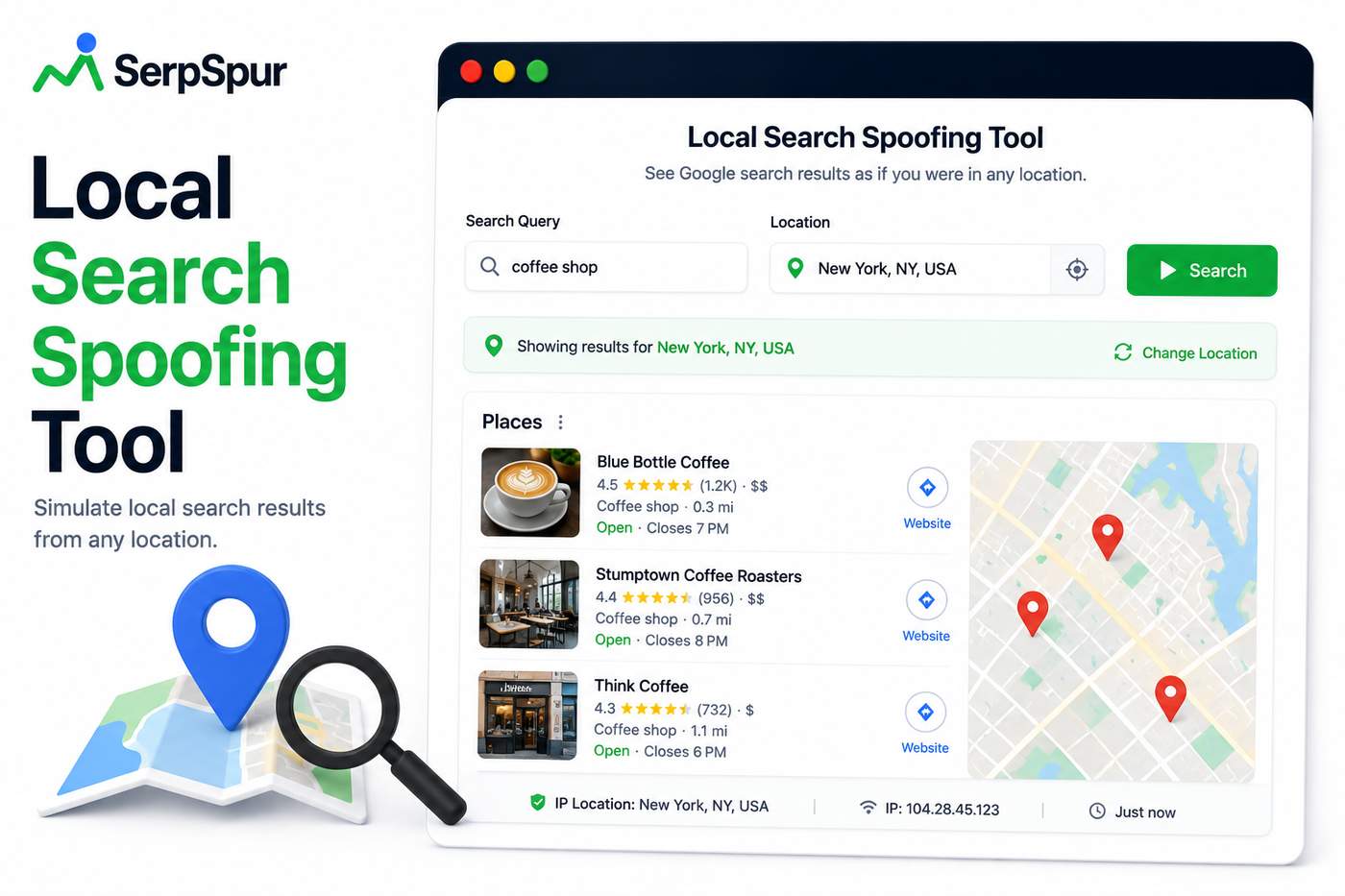
I started using a local search spoofing tool to simulate results by:
• Country
• City
• Region
• Language
It revealed something interesting:
the client's German pages weren't indexed properly for local queries. A quick fix improved visibility within days. For anyone targeting specific locations, this kind of analysis is gold. What's your approach to local SEO? https://serpspur.com/tool/local-search-spoofing-tool/
-
1For your Berlin client, the language mismatch is the real story here—German pages not indexed for local queries is common when hreflang tags or localized meta data are missing. Spoofing tools give you the symptom, but the fix often starts with checking Google Search Console's international targeting and ensuring each language version has unique, translated titles and content. I'd also audit internal linking: German pages should link to each other, not just the English versions. For local SEO, I always layer in Google Business Profile data and local citations—those often outrank on-page content for 'coffee shop' queries. What's your strategy for managing duplicate content across language versions?
-
1Great question. Local SEO is tricky because most tools default to a broad region. What worked for me was combining the spoofing tool with Google Business Profile data—cross-referencing simulated results with actual map pack placements. Also, make sure your client's hreflang tags and language-specific URLs are properly set up; that's where we found the indexing gap. For Berlin specifically, also check your NAP consistency across local directories. What's the biggest challenge you're hitting with local queries?
-
-
1
Great insight on the German indexing issue—I've seen similar with French pages that weren't getting crawled. For hyper-local, I also check Google My Business insights alongside search spoofing; that combo often reveals content gaps that tools alone miss.
-
1
This comment was deleted 2 months ago
I spent hours last week manually hunting for sitemap URLs on client sites. It's one of those tedious tasks that feels necessary but drains time. Most founders I talk to don't realize how many sites hide their sitemaps in non-standard locations. I've seen them buried in robots.txt, nested in subdirectories, or missing entirely.
Here's what I've learned about sitemap detection:
• Always check /sitemap.xml first (most common)
• Look for sitemap indexes in robots.txt •
Some CMS platforms use /sitemap_index.xml •
WordPress often uses /wp-sitemap.xml
Missing sitemaps directly impact crawling efficiency. Googlebot might still find your pages, but it wastes crawl budget guessing. I built a free tool that automates this detection process. It scans common locations, parses multiple formats, and flags issues like broken sitemaps or missing XML declarations.
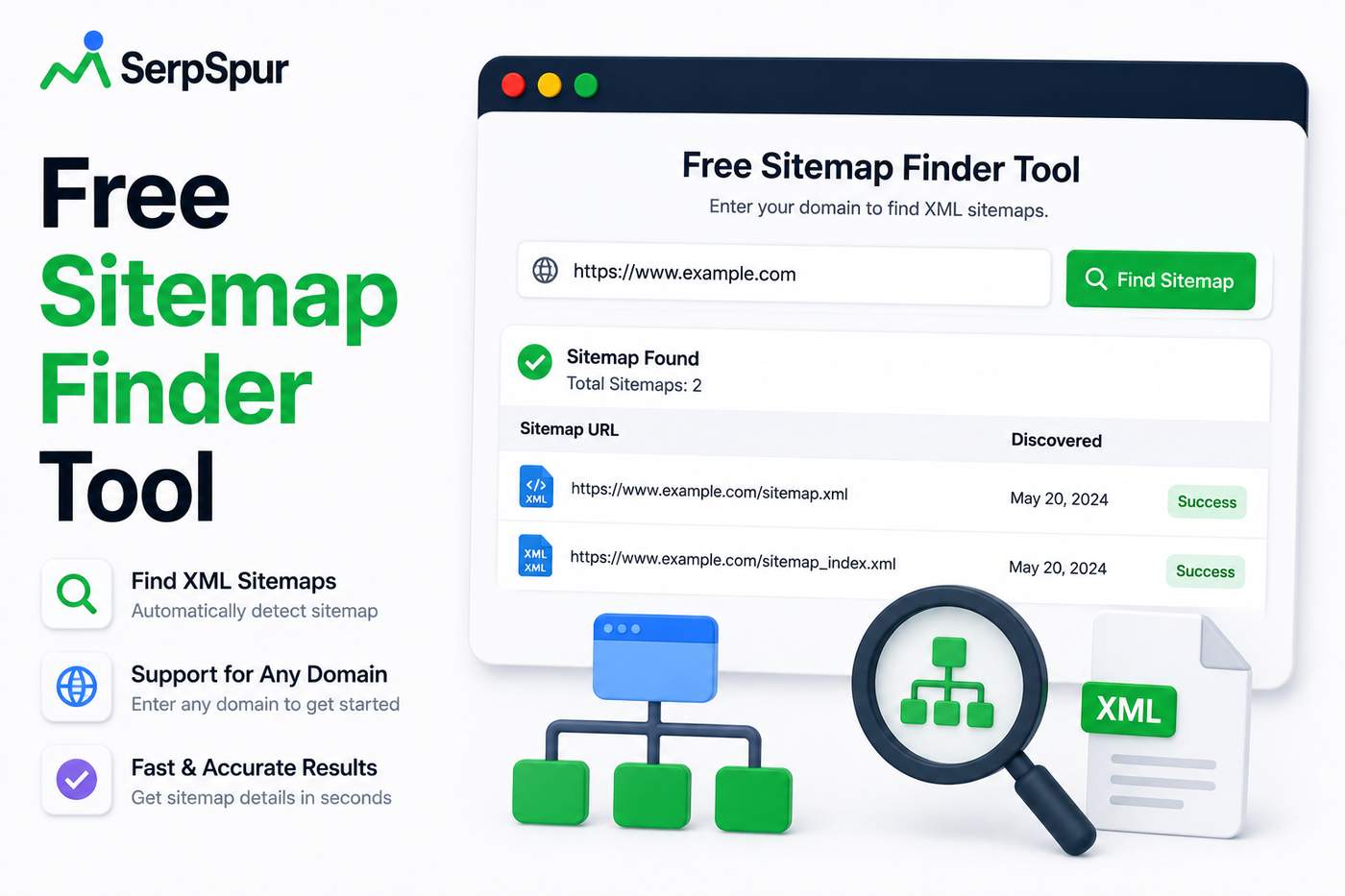
Quick wins after running it:
✓ Found a hidden sitemap for an old blog section
✓ Detected a broken sitemap that was returning 404
✓ Identified duplicate sitemaps causing confusion
If you're doing site audits manually, this might save you some frustration. https://serpspur.com/tool/free-sitemap-finder-tool/
-
1
I've been using this approach for a while now—it's shocking how often a simple sitemap check reveals pages you didn't even know existed. One tip: also try /sitemap.xml.gz for compressed files, I've seen those slip through some scans.
-
1
Great point about the non-standard sitemap locations. I once found a client's sitemap buried in a subdomain's root directory—/blog/sitemap.xml—while their main site had none. Having a tool to catch those edge cases would've saved me an afternoon of digging through server logs.
-
1
Your tool sounds like a real time-saver. One thing I'd add: some sites use dynamic sitemaps generated by plugins that change URLs with every update, which can confuse crawlers if not properly cached. Does your scanner handle those, or just static XML files?
-
1
Great point—sitemap detection is one of those things that feels simple until it isn't. Have you run into any sneaky locations I missed?
-
1
This is a huge time-saver! I've also noticed that some sites have sitemaps with incorrect XML declarations that still work in browsers but confuse crawlers. Have you found any particular CMS that consistently hides sitemaps in the weirdest places?
-
1
Thanks for dropping by—glad the sitemap finder resonated with you. Have you encountered any tricky sitemap locations in your own audits?
-
If you've been around the SEO industry for a while, you probably remember Alexa Rank.
For years, it was one of the most recognizable website metrics on the internet. Whether you were running a blog, an e-commerce store, or a corporate website, checking your Alexa Rank was almost a ritual. A lower number meant more traffic, more visibility, and, at least in theory, more authority.
It wasn't perfect, but it gave website owners a quick way to benchmark their online presence.
Then Amazon retired Alexa Rank.
Just like that, one of the web's most recognizable metrics disappeared.
The Problem With Looking Backward
Even today, I still come across website owners who ask about Alexa Rank.
Usually, they're researching an old domain, evaluating a potential acquisition, or trying to understand how a site performed historically.
And that's completely reasonable.
Historical data can provide valuable context.
A domain that once ranked highly may have built strong brand recognition, earned quality backlinks, or established authority within a niche.
But there's a major limitation:
Historical popularity doesn't tell you what's happening right now.
A website that performed exceptionally well five years ago may be struggling today.
Likewise, a domain with modest historical metrics may have become a strong performer through consistent optimization and growth.
That's why modern SEO requires more than historical benchmarks.
Why Live Site Health Matters More
When evaluating a website today, I care less about what happened years ago and more about what's happening now.
Questions like these are far more important:
Is the site technically healthy?
Are pages loading quickly?
Is the backlink profile strong?
Are there crawlability issues?
Is the site maintaining trust and authority?
Are there technical SEO problems limiting performance?
These factors directly impact rankings, user experience, and long-term growth.
Unfortunately, historical metrics alone can't answer any of those questions.
From Historical Context to Real-Time Insights
While researching domain quality, I found that combining historical data with live performance metrics provides a much more complete picture.
That's one reason I started using the SERPSpur Trust Rate.
Instead of focusing solely on legacy popularity indicators, it evaluates a site's current health and authority.
Think of it as a health monitor for your website.
Rather than telling you where a site stood years ago, it helps you understand its condition today.
What the Trust Rate Reveals
A comprehensive site audit should provide actionable insights rather than vanity metrics.
The Trust Rate looks at factors such as:
Backlink Quality
Not all links are created equal.
A handful of authoritative backlinks often provide more value than hundreds of low-quality links.
Technical Performance
Site speed, crawlability, and technical optimization play a major role in both rankings and user experience.
Domain Trust
Strong domains tend to demonstrate consistent quality signals across multiple areas.
Overall Website Health
Instead of evaluating a single metric, the Trust Rate provides a broader assessment of a site's current condition.
A Real-World Example
Recently, I was reviewing an older website that had once been considered highly successful.
Historical Alexa data suggested it had enjoyed substantial traffic and visibility in the past.
At first glance, that seemed promising.
But when I checked the site's live Trust Rate, the picture changed dramatically.
The site had:
Lost valuable backlinks
Developed technical issues
Experienced performance declines
Seen a drop in overall authority
Without the live audit, I might have assumed the domain still carried significant value.
The historical data provided context.
The Trust Rate provided reality.
Together, they told the full story.
Why SEO Needs Better Metrics
One of the biggest challenges in SEO is separating meaningful insights from vanity metrics.
A metric is only useful if it helps you make better decisions.
That's why I increasingly prefer tools that focus on:
Current performance
Actionable recommendations
Technical health
Trust and authority signals
These are the factors that influence rankings today.
Not a popularity score from years ago.
The Future of Website Evaluation
The retirement of Alexa Rank marked the end of an era.
But it also highlighted an important shift in SEO.
The industry has moved away from simple popularity indicators and toward deeper, more meaningful performance metrics.
Website owners now have access to tools that evaluate:
Technical SEO
Site speed
Backlink quality
Trust signals
Search visibility
These metrics provide a far clearer understanding of a website's actual potential.
Final Thoughts
I still find historical Alexa data interesting.
It offers valuable context when researching domains, evaluating acquisitions, or understanding a website's past performance
One of my favorite things about building tools is that the best ideas rarely come from brainstorming sessions.
They come from frustration.
A repetitive task.
A workflow bottleneck.
A problem you encounter so often that eventually you stop asking, "Why does this exist?" and start asking, "Why hasn't anyone fixed this?"
That's exactly how many successful software products begin.
Recently, I came across a project that reminded me of this principle. Instead of tackling a flashy trend, it focused on solving a practical SEO problem that affects agencies, consultants, and website owners every day: understanding how search results actually look in different locations.
The Local Search Problem
For years, local SEO professionals have faced a common challenge.
A client asks:
"How do we rank in London?"
Or:
"What does our search result look like in Manchester?"
Or:
"Why is our competitor outranking us in Birmingham but not in Leeds?"
The problem is that Google personalizes and localizes search results heavily.
What you see from your own device often isn't what users in another city, region, or country see.
This creates a major obstacle when diagnosing ranking issues.
Why Traditional Checks Fall Short
Many SEO professionals still rely on:
VPNs
Incognito mode
Manual searches
Third-party screenshots
Rank tracking estimates
While these methods can be useful, they don't always provide a clear picture of localized search visibility.
Small differences in location can produce dramatically different search results.
For local businesses, those differences matter.
A lot.
Turning a Pain Point Into a Tool
That's why I appreciate projects that emerge from genuine workflow frustrations.
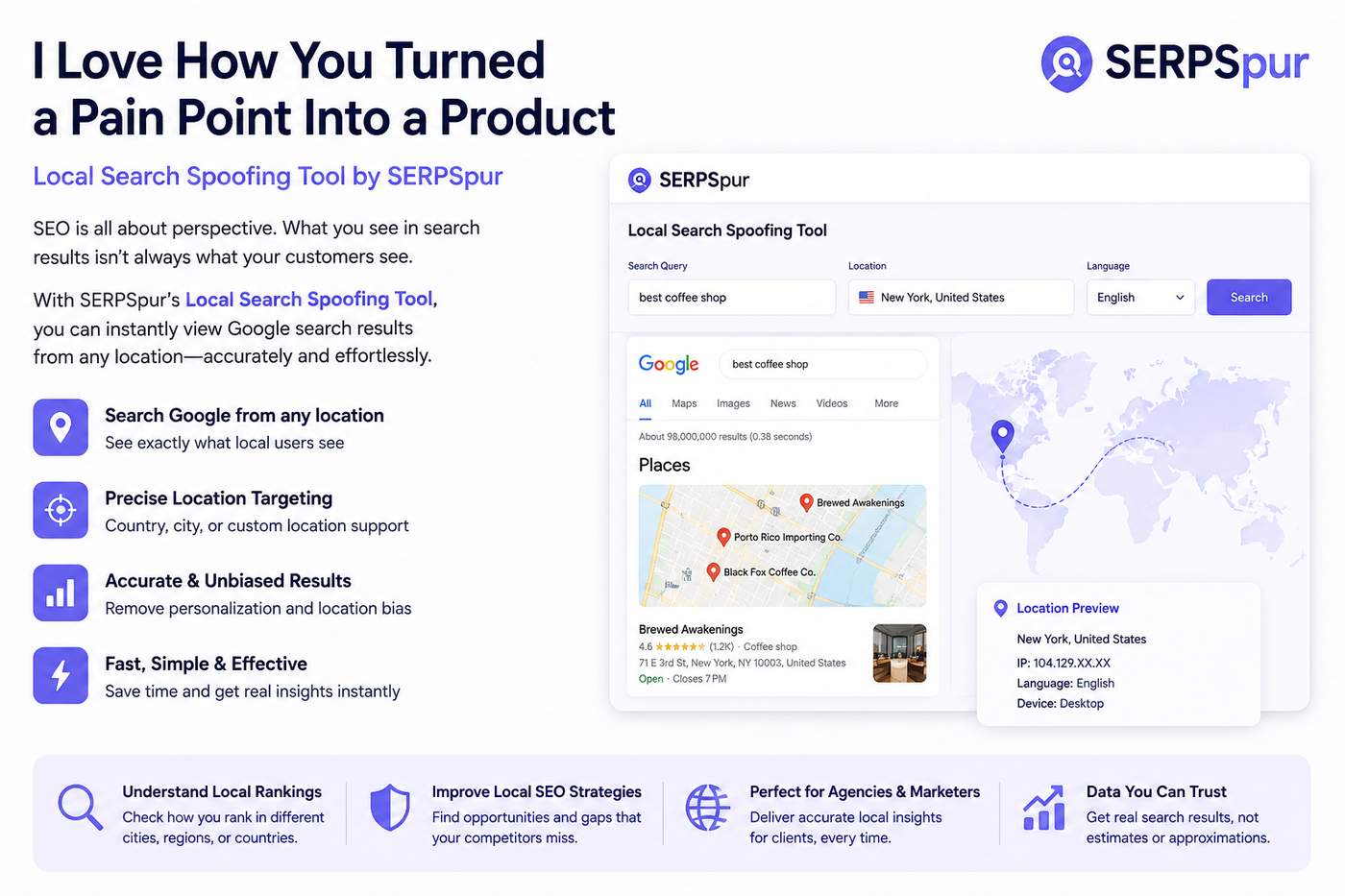
The Local Search Spoofing Tool from SERPSpur is a great example.
Instead of forcing users to rely on manual workarounds, it allows them to view search results as if they were searching from different locations.
Simple idea.
Huge practical value.
These are often the most successful tools because they're built to solve a real problem rather than chase a trend.
The Hidden Value of Local Search Data
Many website owners focus solely on national rankings.
But local search behavior often tells a very different story.
A business might:
Rank #2 in one city
Rank #12 in another
Appear in local packs for some regions
Disappear entirely in others
Without location-specific visibility, it's easy to draw incorrect conclusions.
You might think an SEO campaign is failing when it's actually performing exceptionally well in target regions.
Or worse, assume rankings are healthy while missing major opportunities in key markets.
Why Small Tools Often Win
One thing I've learned from building and testing SEO software is that users don't necessarily want more features.
They want fewer headaches.
The most useful products are often those that remove friction from existing workflows.
They save time.
They eliminate guesswork.
They make decisions easier.
That's exactly why niche SEO utilities continue to gain traction despite competition from larger platforms.
Solving Real Problems Creates Real Value
There's an important lesson here for anyone building products.
Don't start with technology.
Start with a problem.
Look for:
Tasks you repeat constantly
Questions clients ask repeatedly
Data that's difficult to obtain
Processes that require unnecessary workarounds
Those frustrations often contain the seeds of valuable software.
The Local Search Spoofing Tool exists because local search visibility is difficult to analyze accurately.
By simplifying that process, it provides immediate value to SEO professionals and marketers.
If you manage multiple social media accounts, you already know the struggle.
One tab for scheduling posts.
Another for content ideas.
A third for engagement tracking.
Then there are spreadsheets, calendars, analytics dashboards, and endless browser tabs competing for attention.
For a long time, that was my daily routine.
Managing content across multiple platforms felt less like marketing and more like administrative work.
Eventually, I realized I was spending more time organizing social media tasks than actually creating content.
That's when I decided to build a better solution.
The Problem With Managing Multiple Social Accounts
Social media management sounds simple until you're responsible for several accounts at once.
Each platform has its own audience, posting schedule, content format, and engagement strategy.
On a typical day, I found myself:
Planning content ideas
Scheduling posts
Responding to comments
Tracking engagement goals
Managing multiple publishing calendars
Switching between different social platforms
None of these tasks were particularly difficult individually.
The problem was fragmentation.
Everything lived in different places.
As a result, even simple workflows became unnecessarily time-consuming.
Why Organization Matters More Than Automation
Many social media tools focus entirely on automation.
While scheduling is important, automation alone doesn't solve the bigger challenge.
The real issue is workflow management.
You still need a clear strategy for:
What content gets published
When it gets published
Which audience it's targeting
What engagement actions need to happen afterward
Without an organized system, automation simply helps you become disorganized faster.
Building the Social Strategy Builder
To solve this problem, I created the Social Strategy Builder.
The goal wasn't to create another complicated social media dashboard.
Instead, I wanted a central workspace where I could:
Plan content
Schedule posts
Queue engagement activities
Organize platform-specific workflows
Track execution across multiple accounts
The focus was on reducing context switching and keeping everything in one place.
The Impact Was Immediate
After implementing the system into my daily workflow, the difference was obvious.
Tasks that previously required bouncing between multiple tabs could now be managed from a single workflow.
Content planning became more structured.
Scheduling became faster.
Engagement activities became easier to track.
Most importantly, I spent less time managing social media and more time creating content that actually mattered.
Over time, I estimated that the tool reduced my daily social media management workload by roughly 40%.
Why Context Switching Is the Real Productivity Killer
One lesson I learned during the process is that the biggest productivity drain wasn't the work itself.
It was the constant switching between platforms.
Research consistently shows that context switching reduces efficiency and increases mental fatigue.
Every time you jump from:
Instagram to LinkedIn
LinkedIn to X
X to Facebook
Facebook to a spreadsheet
your focus resets.
Those interruptions add up quickly.
Centralizing workflows removes much of that friction.
A Better Way to Manage Social Strategy
Successful social media marketing isn't just about publishing content.
It's about building repeatable systems.
A structured strategy helps ensure:
Consistent Posting
Content gets published regularly across all channels.
Better Engagement
Important interactions don't get overlooked.
Improved Planning
Content ideas stay organized and actionable.
Greater Efficiency
Less time is spent managing processes and more time is spent executing them.
Who Benefits Most?
The biggest benefits come from people managing multiple accounts, including:
Content creators
Marketing consultants
Agencies
Freelancers
Startup founders
Small business owners
Community managers
If you're only posting occasionally, manual management may be enough.
But once multiple platforms and campaigns are involved, organization becomes critical.
Final Thoughts
Social media management doesn't have to feel chaotic.
Most of the frustration comes from fragmented workflows, disconnected tools, and constant context switching.
Building the Social Strategy Builder helped me centralize planning, scheduling, engagement, and workflow management into a single process.
The result was less busywork, more consistency, and significantly better use of time.
If you're managing multiple social accounts and feel like you're spending too much time jumping between platforms, it may be worth rethinking your workflow.
-
1
That's a smart way to streamline things. I've been using a similar approach but with a spreadsheet and timers—definitely not as elegant. How does your tool handle different posting frequencies for each platform? For example, Twitter needs more volume than LinkedIn.
-
1
Love the focus on centralization—this is exactly what I’ve been missing. Do you also handle cross-posting variations for different audiences, or is it more about universal scheduling?
4 Comments
Nice tool. What I'd love is something that also tracks the context around the link—like the surrounding paragraph content. That would make pattern spotting way easier for outreach campaigns.
Interesting approach. Have you considered automating the cleanup process itself with something like a Zapier integration that flags lost links based on your CSV output? That could cut down the monthly maintenance time even further.
Appreciate the comment! Have you tried automating the export yet, or are you still doing it manually?
Interesting approach. For my clients I've been using a custom script that checks for nofollow vs dofollow changes over time too. Have you thought about adding historical comparison to spot when links drop off?