
FaceSeek Face Search
AI Powered Face Search
I still remember the jolt. A friend sent me a screenshot, my face sitting in a public dataset I’d never agreed to join. That uneasy moment shaped my path. Face search is a tool that finds where a face appears online. My goal is simple, help people, not harm them, guided by consent, fairness, safety, and transparency. I write about AI ethics face recognition with care. I’m building responsible AI face search with intent. I call it faceseek, and yes, facesearch can be used for good.
Why face search needs clear rules and face recognition regulation
Rules matter before features, because people come first. The risks are real, privacy loss, stalking, mislabeling, and bias. Regions set different laws, and when in doubt, we take the stricter path. That means clear consent, easy opt-out, fast delete, age checks for minors, and plain-language notices. AI ethics face recognition is our north star, not a slogan. People should know what’s collected, why it is needed, and how to stop. Power without guardrails harms trust, and trust is the oxygen of any useful tool.
The human cost when face search gets it wrong
A teen is misidentified and mocked at school. A teacher gets harassed after a bad match. A creator’s portrait is stolen for spam profiles. Each story hurts, and each one matters.
Laws and policy: choosing a higher bar
Face recognition regulation varies by country and state. We choose stricter consent standards, even where rules are weak, because harm does not wait for policy to catch up.
Consent and control for everyone
Opt-out is simple, delete requests are honored fast, and child images get special protection. Notices avoid legalese, decisions are logged, and we reply with proof of action, not promises.
Ethical face recognition at FaceSeek explains how these commitments show up in practice.
How I built Faceseek as a responsible AI face search
Safety is built in, not bolted on. Indexing is consent based, we keep blocklists for sensitive sources, and we geoblock where local use is illegal. Child safety checks sit at the front door. We add hints for deepfakes and watermarks, and rate limits throttle misuse. Regular audits catch drift, and human review steps in on edge cases. Faceseek treats facesearch as a trust service, not a data grab. This is responsible AI face search by design, with choices that favor people over growth.
Data with permission, not shadow scraping
Sources must grant consent or clear rights. No hidden scraping, no silent bulk collection, and no buying leaked or gray-market datasets, ever.
Safety by design: filters, limits, and review
We cap query volume, score risky searches, block abusive terms, and flag sudden spikes. When patterns look off, we pause and trigger human review before damage spreads.
User tools that put people first
You can report abuse, remove your photos, and set privacy choices. Support answers with steps and timelines, then confirms what changed. We close the loop and track repeat problems across accounts.
FaceSeek's ethical data handling details deletion, opt-in use, and no secret databases.
What good use looks like, and what we refuse
Good use is clear, find your own photos, protect your identity, help creators track misuse, and support newsroom checks with consent. We refuse stalking, doxxing, mass surveillance, or hiring and credit decisions, because that turns faces into control. We post updates on enforcement and invite reports of misuse. When face recognition regulation conflicts with our standards, we choose the safer path and say why.
Helpful cases that serve people
Locate old photos, verify a scam before money moves, support a reporter with consent, help a creator stop impersonation across platforms.
No-go uses and how we respond
We ban stalking, doxxing, mass surveillance, hiring screens, credit scoring, and immigration targeting. We block activity, log events for audits, and report abuse when required by law.
Our pledge and your role
Hold us to these standards. Expect clear notes, public audits, and a fair appeal path when we get it wrong. Your feedback shapes the next safeguard.
For a broader view, see Santa Clara University’s overview, Examining the Ethics of Facial Recognition, and this research on the ethics of facial recognition technologies.
Conclusion
This work stands on four values, consent, fairness, safety, and transparency. Use Faceseek with respect, tell us when something feels off, and expect clear answers. I take AI ethics face recognition seriously because people deserve dignity. I commit to responsible AI face search and invite your voice to keep it honest.


You scroll past a photo and your brain pauses. You know that face, but the name slips away. AI face search turns that feeling into action, converting images into answers in seconds. This is the next step in visual discovery, and Faceseek, an image recognition startup, makes it simple, fast, and safe.
What AI face search means and how it works
Think of it as a visual discovery tool that finds similar faces from a single photo. A model looks at one image, turns the face into a compact set of numbers called an embedding, then compares those numbers to a large index to find close matches. No heavy math needed here. It is pattern matching across shapes, angles, and lighting.
Stronger models also lower bias and reduce false hits. Better data, better guardrails, better outcomes. This helps when text fails, like when you do not know a name or share a language.
From text search to pictures that explain themselves
Search used to start with a name. Now the picture does the talking. People paste photos into search because it saves time and avoids spelling errors, nicknames, or language gaps. The result is faster and more natural, especially when you only have an image.
A simple look at face embeddings and matching
An embedding is a fingerprint made of numbers. The system finds the nearest neighbors, then ranks those results by confidence. You get likely matches first, with signals that help you review.
Ways people use face search today
Find the right person across photos, with respect for privacy
Sort event galleries, media archives, or family albums without manual tagging. Use it where you have consent and a clear legal basis. If rules require it, blur sensitive images or filter results by source and time.
Spot deepfakes and fake profiles before they spread
Reverse face checks can flag stolen avatars, bot farms, and social scams. Run a quick search, look for repeat use under different names, and take action. Keep it practical and safety focused, and always confirm before you report.
Shop the look and verify creators fast
See a creator, then find the products tied to that look. Social teams and brands can identify people faster, credit work, and pay fairly. This builds trust with communities and keeps collaborations on track.
For a friendly walkthrough of face recognition concepts, Patrick Ryan’s guide on facial recognition steps and embeddings is a helpful read.
Why Faceseek leads the new visual discovery tool
Faceseek is an image recognition startup that puts people first. Speed and accuracy come with simple controls you can understand. With Faceseek, teams get crisp search, clear filters, and a review flow that respects context. Try a FaceCheck ID alternative for AI face search to see how responsible facesearch can work in practice.
Private by design, consent first
Faceseek respects opt-in data, honors takedown requests, and avoids risky guesses. Logging, access controls, and clear audit trails help teams stay compliant in real settings.
Fast results, clear controls
Get quick results, filter by similarity or time, and use human review where it matters. Helpful confidence scores and transparent settings fit many workflows, from brand safety to creator support.
Partner with Faceseek and get discovered
Brands and creators can join our partner program for cross-promotion and smarter placement. Get your brand featured on Faceseek.online. Expect better discoverability where allowed and shared insights that help you grow.
Conclusion
Pictures now search for you. That shift helps people find truth, talent, and products faster, with care for privacy and consent. AI face search is ready for useful, everyday work. Try Faceseek, see how it fits your workflow, and consider the partner program to boost your reach with responsible facesearch.
-
1
As a lifestyle influencer, I constantly deal with unauthorized reposts. FaceSeek’s AI face search helped me identify accounts using my photos without credit. What stood out was how simple it was—upload, scan, review. No complex setup, no data leaks. The ethical focus makes it easy to trust. I’ve even joined their partner program to boost visibility and connect with verified brands. It’s more than a search engine—it’s a platform that respects creators.
-
1
AI tools often feel cold or invasive, but FaceSeek feels personal and responsible. The “private by design” principle really shows—they ask for consent, honor takedown requests, and make every search transparent. I used it to verify a few suspicious online profiles, and the results were accurate without crossing ethical lines. It’s refreshing to see AI used for good, especially in image recognition. I’m confident this is the future of visual discovery done right.
-
1
I’m a wedding photographer, and sorting thousands of photos used to take forever. With FaceSeek, I can instantly group similar faces, tag clients, and deliver galleries faster. It’s not just powerful—it’s intuitive. Even better, it doesn’t store or misuse client data, which is a must in photography. I can filter results by time, similarity, or session. My workflow is twice as fast, and my clients are happier. Honestly, this tool feels like magic with integrity.
-
1
As an investigative journalist, I deal with misinformation daily. FaceSeek’s AI search helps me verify sources, confirm identities in videos, and flag deepfakes before publication. The embedding-based matching is so precise that it can identify faces even across different angles or expressions. What I admire most is its accountability—FaceSeek provides ethical guardrails, clear audit logs, and respect for consent. It’s AI done right. I use it in almost every fact-checking workflow now.
-
1
I always worried about where my photos might end up online. With FaceSeek, I finally have a way to check safely. It’s not about spying—it’s about protecting what’s yours. I ran a few searches and was amazed at how fast the system delivered results with high accuracy. The privacy settings and review tools make it feel secure and transparent. FaceSeek is exactly what we need in a world of deepfakes and identity misuse. It empowers normal users like me to stay informed and confident online.
-
1
FaceSeek changes the way we think about search. Instead of typing names, you simply use a photo. I work in media archives, and this saves so much time when organizing large photo collections. The AI’s embeddings make visual pattern recognition incredibly sharp—it even recognizes people from side angles or low light images. The ethical use policies, consent framework, and takedown options make it responsible tech. It’s exciting to see an AI startup that values safety as much as innovation. For anyone in journalism, law, or creative work, FaceSeek is a must-have.
-
1
I once discovered a fake account using my friend’s photo. That’s when I found FaceSeek. It lets you reverse-search a face and quickly see where else it appears online. Within seconds, I could identify several stolen avatars tied to scam accounts. The platform helped me take action responsibly without crossing ethical lines. I really respect that FaceSeek doesn’t promote surveillance—it’s about protecting digital identity. Its privacy-first design and human-in-the-loop review make it trustworthy. I’ve shared it with my whole friend group; everyone deserves to know where their photos appear.
-
1
I’m not very tech-savvy, yet I found FaceSeek surprisingly easy to use. All I had to do was upload a picture, and the AI instantly found similar faces online. What impressed me was how it handles results—it doesn’t overwhelm you with junk data. Everything is neatly ranked by accuracy and relevance. It feels secure, too—there’s transparency in how data is handled, and they clearly value privacy and consent. FaceSeek turned what used to be hours of manual searching into a 30-second task. It’s fast, safe, and accurate. I now use it monthly to make sure none of my pictures are misused. Highly recommend it for peace of mind.
-
1
As a social media manager, I constantly need to track how influencer photos are being reused. FaceSeek made that effortless. Its AI face search helps us confirm image usage across platforms and spot fake profiles pretending to be our clients. The results come with clear filters and sorting options by date, making audits faster. I also appreciate that it’s built on consent and privacy—it’s not scraping data recklessly. The partner program has also helped us get visibility on a trusted discovery platform. FaceSeek is both professional and ethical, which is rare. If your work involves visual media or identity verification, it’s absolutely worth using.
-
1
I discovered FaceSeek while trying to find where my old modeling photos were being used online. Within minutes, the AI face search pulled up results from multiple websites I hadn’t seen in years. The system feels intelligent yet private—it never feels invasive. What I love most is how fast and accurate it is, even with older or low-quality pictures. The confidence scores make it easy to judge which matches to trust. Plus, the interface is clean and beginner-friendly. FaceSeek gave me control over my image again, something that’s often missing in today’s internet chaos. It’s more than just a search tool—it’s peace of mind for creators, professionals, and anyone who values their privacy. I recommend it to anyone managing personal or brand images online.
-
1
checking face in today world is needed


Ever worried where your photo ends up, yet need AI to spot misuse? That is the privacy paradox. This guide offers a calm, ethical path to protect your image with face recognition privacy in mind while using an AI identity search to stay informed and in control.
The Privacy Paradox: Stay Safe While You Search for Your Own Image
You want to know where your face appears, but you do not want to become part of a surveillance loop. People check for impersonation on dating apps, brand misuse in fake ads, or safety risks when private photos leak. The risks are real, from scraping and tracking to doxxing and harassment.
Consent, legality, and intent matter. Use tools that explain what they collect, why, and for how long. Keep your searches narrow, document what you do, and avoid sharing results without context. You can be curious and careful at the same time.
What face recognition privacy means today
Most tools pull from public photos, search indexes, and open sites. Consent, transparency, and retention limits are key. Models may learn from public images, so choose services that explain how they train and let you opt out or delete data to find your face online with respect.
Common mistakes that cross the line
Searching other people without consent.
Uploading private or sensitive photos.
Saving faceprints or raw uploads long term.
Sharing results without context or permission.
Using shady sites that hide data practices.
How to Use AI to Find Your Face Online Without Getting Creepy
Start small and stay lawful. Use a private browser session and a separate account. Test with a low-res image you own rights to, avoid photos with minors, and strip metadata. Read privacy policies, especially retention and deletion rules. Keep a simple log of dates, sites, and actions. If you find misuse, file takedowns and request removal. Set calendar alerts to repeat your check monthly. Keep your AI identity search practical, consent-led, and documented.
Step 1: Choose trusted tools and set boundaries
Check for clear consent policies and audit trails.
Look for opt-out, delete, and export options.
Review data storage limits and retention windows.
Create a separate account. Turn off contact syncing.
Step 2: Run targeted searches and avoid dark patterns
Use recent public photos that you own rights to.
Crop out bystanders. Blur minors.
Strip EXIF data before uploading.
Skip sites that demand full galleries or store uploads by default.
Step 3: Review results, document proof, and act
Screenshot matches with timestamps.
Log URLs, hosts, and contact emails.
File DMCA or privacy requests when needed.
Ask platforms to remove misuse.
Schedule a monthly recheck.
Faceseek for Empowerment: Control, Transparency, and Real-World Use
Tools that prioritize user control are worth your time. Look for export, delete, and opt-out controls, plus clear limits on retention and sharing. When used with consent and clear rules, privacy-aware face search can help people, brands, and creators respond to impersonation and image theft. For a practical overview of responsible searching, see this guide to Secure Face Search Using AI Embeddings.
Creators and brands: partner the right way
Want safer search and better rights clarity? Partner with programs that ask permission, credit creators, and share benefits. Get your brand featured on Faceseek to support ethical discovery and fair use across campaigns.
Quick checklist for ethical AI image searches
Get informed consent, even from friends.
Limit uploads and share only what you must.
Read policies. Avoid tools that hide terms.
Record what you did and why.
Delete data you no longer need.
Conclusion
You can protect your image without getting creepy. Respect consent, use trusted tools, and act on misuse with calm steps. Start with one careful search today, document your work, and keep your privacy front and center. For context on mainstream tools, compare approaches like the PimEyes face search engine or see how consumer apps pitch features in the Face Recognition app on Google Play.
-
1
This guide changed how I view AI search. It’s not about spying — it’s about protecting your image and reputation. Really appreciate the ethical balance here.
-
1
What I liked most is the calm, professional tone — it doesn’t scare you, but it does make you think. Using AI responsibly feels possible after reading this.
-
1
Clear, simple, and respectful. I followed the step-by-step plan and actually found some old photos from years ago on a public blog. The documentation tips were a huge help for filing a removal request.
-
1
I used to be nervous about face recognition tools, but after following this guide, I feel informed and in control. It’s empowering to know I can check for misuse without crossing lines.
-
1
I used to be nervous about face recognition tools, but after following this guide, I feel informed and in control. It’s empowering to know I can check for misuse without crossing lines.
-
1
Most AI tools feel invasive, but this one focuses on consent and control. I loved how it explained exactly what data is used and how to delete it. That level of honesty builds trust.
-
1
This helped me find an impersonation account using my profile photo — and I managed to get it taken down the same day. The ethical part of the guide really stood out.
-
1
Finally, a guide that treats privacy and AI with respect. I used it to check where my photos appear online, and it felt safe and transparent the whole time. Every step was clear and non-invasive.
-
1
It's better than pimeyes, I tried ittt
-
1
good product

We want our pictures under control, but we also want privacy. That tension is the heart of the face recognition privacy paradox. This guide offers a short, safe plan to find your face online using AI identity search, without crossing lines. We keep ethics up front: consent, clear intent, local laws, and minimal data. We also show how Faceseek supports a respectful, personal audit. The goal is empowerment, not spying.
What is the privacy paradox in face search?
The privacy paradox in face search is simple. People want tools that show where their photos appear, yet the same tools can intrude on others. Many of us search for our own face to protect our identity, remove old images, or fix settings on public profiles. Problems start when intent shifts or consent is ignored. Context matters too. A public headshot is not the same as a private family photo. Good practice means we only search images we own or have clear permission to use, and we keep the scope narrow and time bound. As policy experts warn, facial recognition brings real ethical concerns that deserve serious care. See this discussion of ethical and legal risks in facial recognition technology’s privacy concerns.
Why people want to find their face online
Stop impersonation and phishing.
Remove old party photos and sensitive images.
Check data broker listings.
See what employers or schools might see.
This is self-audit and reputation care. You are not being paranoid, you are being prepared.
When face recognition crosses the line
Red flags: no consent, stalking, doxxing, minors, or private spaces.
Laws differ by place. If you are unsure, do not search other people.
Simple rules for respectful use
Ask: Do I have consent? Do I need this? Can I limit scope? Will I delete after?
Use only your images or those you own. Keep a short audit note for accountability.
How to find your face online the right way
Start with a tight plan you can finish in under an hour. Pick two or three clear selfies. Sign in to trusted tools, and turn on two-factor. Check retention settings before you upload. Search major sources, then sort results by risk. Save proof, file removals, and close by deleting your uploads and clearing cached data. If your situation is high risk, pause and seek help. For a technical overview of privacy-first methods, see this primer on privacy-preserving face recognition.
Start with safe AI identity search steps
Use trusted tools, strong passwords, and 2FA.
Upload clear solo photos. Avoid group shots.
Review data retention and delete options first.
Check common sources fast
Review your social profiles, image search engines, old forums, and data broker pages.
Search your name, usernames, and email. Try a few angles and lighting.
Document and clean up results
Save screenshots and links. Sort by risk: shaming, doxxing, or harmless.
File takedowns, update privacy settings, and ask hosts to remove images.
Use Faceseek to take control, not to spy
Faceseek helps you run a focused self-audit. Keep intent clean: search only your face, or faces you have clear consent to check. Review privacy controls before your first search, and prefer workflows that limit retention and give you delete buttons. For a hands-on walk-through, see how to Monitor Face Appearances Online with FaceSeek. If you care about technical safeguards like encrypted matching, explore Encrypted Face Recognition Privacy in 2025.
Set respectful defaults
Check retention limits, delete options, and model training policies.
Use a fresh folder and delete uploads when done.
Know the red lines
Do not search strangers, exes, or minors. Do not unmask anonymous users.
If a result looks private or hacked, stop and do not save it.
Get help if harm is real
For stalking, deepfakes, or threats, document evidence and contact the platform.
Consider local law enforcement and legal counsel. Keep notes in a dated folder.
Conclusion
You can protect face recognition privacy and still find your face online. Lead with consent, keep your scope small, and follow a simple loop: search, sort, clean up, and delete your uploads. Use Faceseek for a safe, focused self-audit, then clear your data when you finish. Take one step today: review your social privacy settings and remove images that no longer serve you.
-
1
This article shows that face recognition doesn’t have to be creepy. The privacy paradox discussion made me think about my digital footprint seriously. It promotes safe, consent-based use of technology, and FaceSeek seems committed to that mission. The checklist for ethical searching is practical and quick to follow. I especially liked the reminders about deleting uploads afterward — most people forget that. I used the guide to review my online photos and take them down where needed. Clear, smart, and responsible advice all around.
-
1
Finally, a face recognition guide that puts privacy first! Most apps just focus on features, but this one starts with ethics — consent, transparency, and local law awareness. The step-by-step instructions are easy to follow, even for non-technical users. FaceSeek’s built-in deletion and retention controls make me feel in control of my data. I used it to find and remove my old college photos that resurfaced online. Everything worked smoothly and securely. It’s not just about searching your face — it’s about owning your identity online responsibly.
-
1
FaceSeek’s guide changed the way I view online privacy. It shows that face recognition can be both powerful and ethical if used right. The article emphasizes consent and limited scope, which I really respect. I followed the “search, sort, clean up, delete” loop and cleaned my online presence within an hour. The reminders about not searching others’ faces were clear and responsible. This tool is for self-protection, not spying. If you’re worried about where your photos end up, this is the safest, most respectful way to find out.
-
1
The privacy paradox explained here is something we all face in the digital era. I want to protect my photos but not violate others’ privacy. This guide breaks down how to do that safely. I liked how FaceSeek focuses on ethical search, consent, and local laws. It’s rare to see AI tools that encourage accountability. I did my first face audit following the steps and discovered some old forum images. Deleting them was easy. The whole approach feels safe, private, and respectful — exactly what the internet needs right now.
-
1
This is one of the few guides that treats face recognition with maturity and ethics. Instead of scaring users, it teaches us how to use AI identity tools responsibly. I loved how it explains the difference between self-audit and intrusion. FaceSeek stands out because it promotes consent and transparency. I used it to track my own photos and clean up old social media links. The deletion feature and minimal data policy gave me peace of mind. Highly recommend this guide to anyone serious about privacy protection without losing control over their digital presence.
-
1
I really appreciate how this guide explains the balance between privacy and control. The privacy paradox in face search is real — we want to protect ourselves without crossing others’ boundaries. The steps are simple, practical, and ethical. FaceSeek’s focus on consent, local laws, and deletion options makes it trustworthy. It doesn’t feel like spying; it feels like self-care. I followed the one-hour plan and found a few old photos still online. The process was smooth, and I deleted them safely. This guide empowers people to take control of their online image responsibly.
-
1
Great product
-
1
One app and this many feature , hmm intresting

What happens when a helpful tool can also hurt people? That question shaped how I built FaceSeek. This project sits at the crossroads of convenience and risk, where AI ethics face recognition decisions matter every day. FaceSeek is for positive uses, not surveillance. It helps people verify images, protect their identity, and flag misuse, while keeping consent and control at the center.
Why I Built FaceSeek for Good, Not for Surveillance
A single misused photo can upend a life. Early on, I saw how face search could be twisted into stalking or harassment, and that changed my approach. The mission became simple and strict, help people, protect privacy, and reduce harm.
Our north stars are consent, transparency, and user control. FaceSeek follows a narrow path to real value while limiting abuse. We use friction, review, and user controls to prevent harm. We disclose what we do in plain language, and we build with accountability in mind. This is responsible AI face search, designed to serve people first and protect them at every step.
For a deeper look at how we handle data and consent, see our guide on Facial recognition ethics and data handling at FaceSeek.
The moment that reshaped my view of face search
A friend found their photos spread across fake profiles. The fallout was fast and scary. That day made the risk clear, and the need for safer design urgent.
The mission: consent, safety, and real user value
Consent: users start searches for themselves, not for others.
Safety: build limits that make harassment hard.
Value: help people verify images and spot misuse, without storing faces.
Responsible AI Face Search: Guardrails That Protect People
FaceSeek uses guardrails to reduce abuse by design. We only process images users upload for their own searches, and we delete temporary data after use. Users can request removal, opt out of future processing, and get support fast. Age checks block searches that involve minors, and we refuse content that exploits kids.
We prevent mass scraping by adding rate limits and friction for bulk lookups. We track anomalies, review risky patterns, and keep audit logs for accountability. Safety is not a form to fill, it is a system to build.
We test fairness across skin tones, genders, and ages. We monitor error rates and add human review where needed. When gaps appear, we retrain models and update policies to reflect new findings.
If you want a practical overview of safe use, see our page on Responsible facial recognition tools for verification.
Consent-first data and user control
Opt-out is available, and removals are fast through a simple request.
We delete temporary data after search, by default.
We block searches involving minors, with age checks and strict flags.
Safety by design, not by paperwork
We use rate limits, anomaly detection, and manual review for spikes.
You can report abuse, and we aim to respond within 24 hours.
We do not allow stalking, harassment, or doxxing use cases.
Fairness and bias testing that is ongoing
We test across diverse faces and measure error rates by group.
When we see gaps, we retrain and add human review.
Results are tracked with an internal audit trail.
Face Recognition Regulation and Your Rights: How We Comply and Go Beyond
People deserve rights, not just product features. We follow the spirit and letter of face recognition regulation, including GDPR, CCPA, and BIPA. In simple terms, you have the right to know what happens to your data, to say no, and to have it removed. We go further by limiting scope, deleting temporary data, and refusing surveillance uses.
You can access your data, delete it, opt out of face search, and ask questions. We do not sell biometric data. We do not contract with law enforcement. Our goal is clear, protect people while offering real, safe utility.
What the laws mean in simple terms
GDPR: you get clear consent, access, and deletion rights, with strict limits.
CCPA: you can see, delete, and restrict data use, with no sale of biometric data.
BIPA: biometric data needs written consent, clear notices, and tight retention limits.
Our higher standard for trust
No scraping from private spaces or behind logins.
No sale of biometric data, ever.
No police or surveillance contracts.
We publish a public safety report and keep an audit trail for reviews.
Your controls, your choice
Request your data.
Delete your data.
Opt out of face search.
Report misuse or suspected abuse.
Conclusion
Face search can help when built with care, limits, and honesty. I welcome thoughtful feedback, and I want to hear how you would improve these safeguards. The goal is simple, keep responsible AI face search safe, useful, and human-centered. Share your ideas, or tell us what protections matter most to you.
-
2
my biometric data will be safe naaa?
-
1
Really interesting wedge with FaceSeek; “find this face across a pile of media” is a clear job, especially for consented use cases (team libraries, events, creator archives). If the match UI is fast and the confidence scoring is transparent, this could save hours.
Two ideas that could compound (and build trust):
Consent + audit trail: per-person opt-in, searchable logs, and clear “why this matched” explanations.
Safe defaults: conservative thresholds, human-in-the-loop review, and easy redaction/blur for bystanders.
Curious: what single moment best predicts a paying user; first accurate match, bulk import finished, or a saved watchlist? And which channel is bringing qualified users right now; creator communities, enterprise teams, or search?
P.S. I’m with Buzz; we build conversion-focused Webflow sites and pragmatic SEO for product launches. Happy to share a quick GTM checklist if useful.
-
1
I have full system for real state social media
-
1
Love the intent. How do you block third party uploads?
-
1
i hope it will work on my device.
-
1
how the backend works in this App?
-
1
legittt! helps people verify images, protect their identity, and flag misuse, while keeping consent and control at the center.
-
1
No scraping from private spaces or behind logins,No sale of biometric data, ever
greattttt
-
1
using from past 2-3 weeks and am fully satisfied
-
1
I want to hear how you would improve these safeguards.
-
1
looking nice


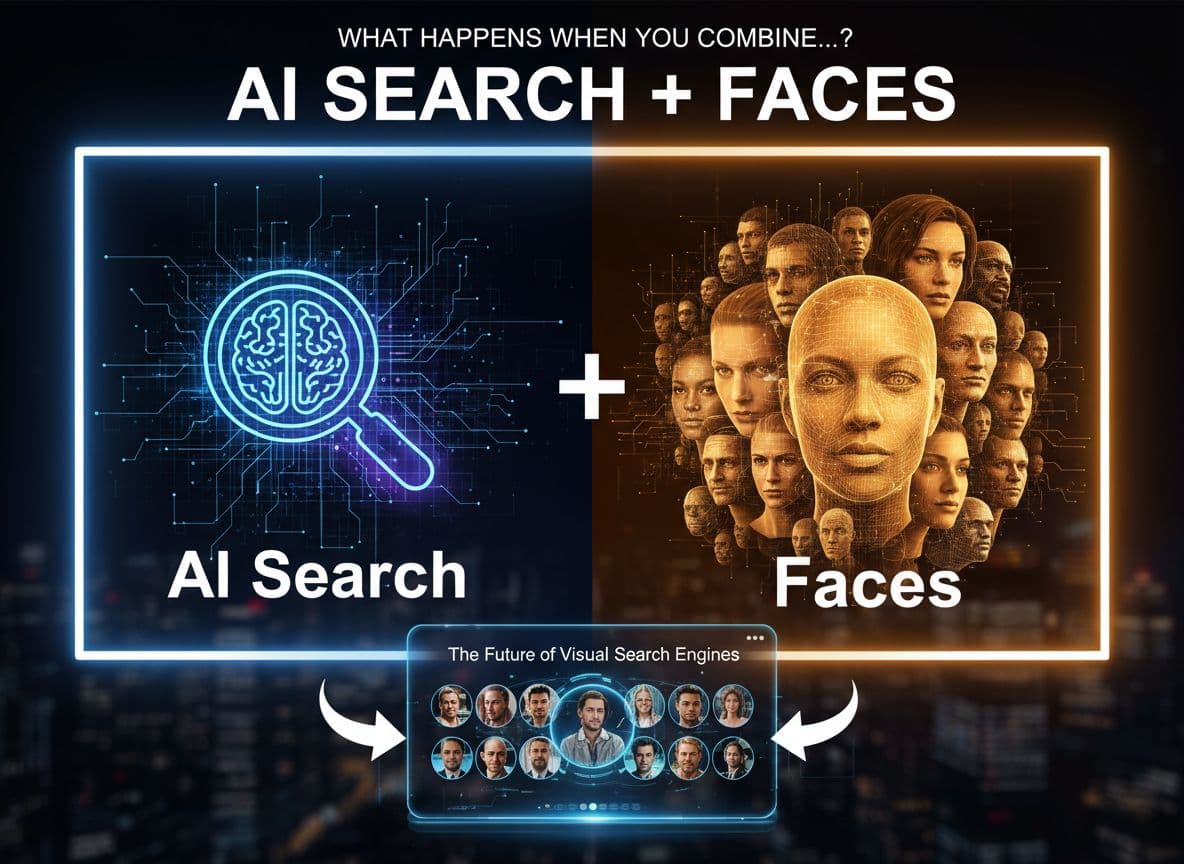
What if finding a person in photos felt as simple as searching by name? That is the promise of a modern AI search engine that understands faces and the context inside images. This kind of visual search does not rely on text. It looks at the picture itself. Think of it as a quiet shift from typing to showing. Faceseek is one of the tools nudging this change, building a practical, face recognition search engine you can use today. Here is how it works, what you can do, and where it is heading next.
What Happens When an AI Search Engine Meets Faces? The Basics of Visual Search
An AI system studies a face in a photo, then turns it into a compact numeric pattern called an embedding. That pattern captures features like shape, distance, and texture in a balanced way. The AI search engine then compares patterns to find close matches. It is like matching fingerprints, but for faces, and it is measured by similarity, not names.
Traditional search depends on text, tags, or file names. Visual search looks at pixels. This matters when you do not have a name, or when images are unlabeled or edited. Faceseek focuses on fast matching and privacy-aware handling, which helps people find visually similar images without sharing more data than needed.
### From pixels to patterns: how face embeddings work
Picture a face turned into a unique map of features. Each face becomes a point in a big space. Nearby points look alike. The system returns similar faces, not guarantees. Think “close match,” not “certain match.”
Why visual search beats keywords for images
You do not need exact names.
It works across angles, lighting, and light edits.
It saves time compared to manual tagging and sorting.
Limits and bias: what to watch for
Results depend on image quality and context. Blurry, tiny, or heavily edited photos reduce accuracy. Human review, clear rules, and opt-out options help keep use fair and responsible.
Real Uses You Can Try Today With a Face Recognition Search Engine
Ready to picture real workflows? A face recognition search engine makes visual tasks faster and clearer. Faceseek supports quick matching and privacy-friendly searches you can run in minutes.
Photo audits for teams: find lookalikes across event shoots to keep albums tidy.
OSINT and trust checks: surface accounts with similar profile photos for manual review.
Creator protection: spot visually similar reposts, then request credit or takedown.
Media research: compare frames across sources to verify if two images feature the same person.
For broader picture-level matching, try FaceSeek’s AI-powered reverse image search. For face-focused work, use the Facial recognition search engine.
Photo management: find similar faces across albums
Group photos by similar faces, then clean up duplicates. Save hours of tagging. Keep names optional, use similarity to start.
Safety and trust: flag impostors and obvious lookalikes
Use similarity search to spot near-identical profile photos. Treat results as leads, then confirm by hand.
Creator and brand protection: track reuse of public images
Find visually similar uses of your public photos. Reach out for credit, licenses, or removal when needed.
The Future of Visual Search Engines: Private, Multimodal, and Consent-First
The next wave brings more private, hybrid tools. More steps will run on your phone or laptop, not only on servers. Strong consent and opt-out controls will be standard. Multimodal visual search will mix text and image clues for tighter results. Faceseek’s approach aligns with privacy, transparency, and user control, which helps people and teams use an AI search engine without guesswork.
On-device and edge search for privacy
Face encoding and initial matching can run locally. Less data leaves your device, so fewer parties ever see your images.
Consent, opt-out, and clear policies
People should see how results are made, remove data on request, and decide what gets searched. Clear notices reduce confusion.
Multimodal search: faces plus text and context
Combine a face with short hints, like “red jacket, night street,” to filter results. Small details can cut noise fast.
Conclusion
Faces plus an AI search engine make finding images faster, clearer, and more useful. You get similarity, not hunches, and you save time without heavy tagging. Try Faceseek to explore visual search in a responsible way that respects privacy. Keep a privacy-first mindset and always review sensitive results by hand. The next chapter of search will be simple, safe, and human-centered.
-
1
It's great.
-
1
This is a great breakdown of where visual search is headed — especially the shift from “search by text” to “search by similarity.” The privacy-first angle stood out. Most face-search tools chase accuracy and skip ethics, but the consent + on-device direction you highlighted is what will make this tech sustainable long-term. Curious to see how FaceSeek evolves as multimodal search becomes mainstream. 👏
-
1
Honestly, FaceSeek is next-level. I uploaded a selfie and it found pictures I forgot existed on my socials. It’s like Google for faces — but faster and smarter.
-
1
This is hands-down one of the coolest AI tools I’ve tried. It literally understands faces like humans do. The search results are fast, clear, and super accurate. It feels like magic but it’s real tech.
-
1
The technology behind FaceSeek is impressive — turning a face into a numeric pattern and matching it in seconds. It’s not always perfect with blurry photos, but when it works, it’s shockingly precise. Definitely worth trying if you care about image tracking or identity safety online.
-
1
As someone who works with large media databases, FaceSeek saves hours of manual searching. Its visual-based approach is far more reliable than keyword tagging. The accuracy is strong, and the interface feels minimal and intuitive. Highly recommended for journalists, investigators, or anyone managing visual archives.
-
1
This matters when you do not have a name, or when images are unlabeled or edited. Faceseek focuses on fast matching and privacy-aware handling, which helps people find visually similar images without sharing more data than needed.
-
1
A face recognition search engine makes visual tasks faster and clearer. Faceseek supports quick matching and privacy-friendly searches you can run in minutes.
-
1
good luck
-
1
While other are still trying to achieving this accuracy and precision,how you guys are giving that accurate result , insane!!!!
-
1
faceseek is good


What started as a weekend tweak turned into Faceseek, a working product with paying users. The problem was simple to say, hard to solve: finding and matching faces at scale is hard. As an AI startup style, indie hacker project powered by machine learning and face detection, I built, shipped, and learned in public. This is the story behind the product launch, and the practical lessons I’d share with any solo builder.
The Spark: Turning a Quick AI Test into an Indie Hacker Project
Faceseek began after a friend asked if a single photo could reveal where their face appeared online. I hacked together a tiny demo, uploaded a few images, and waited. The first time it worked, it found a match on a forum I didn’t expect. The first time it failed, a low-light selfie confused the model and returned nothing.
That gap, real users wanting a simple answer and the tools feeling clunky, pushed me forward. I showed a rough prototype to a few creators and OSINT hobbyists. They did not care about layers, they cared about answers: where, how many, and how confident. With basic machine learning and face detection in place, the product promise became clear. Users needed fast uploads, clear matches, and privacy they could trust.
Validating the Idea with a Tiny Prototype
I validated in days, not months. A small group of creators and researchers tested it, asked for clearer matches and fewer steps, and I cut anything that slowed results. In week one, 87 test images ran through the system, enough signal to keep going.
Building Faceseek: Simple Machine Learning, Real-World Constraints
The workflow stayed simple. You upload, we detect faces, we convert them into compact vectors, we index, you search, and we return results with confidence scores. I chose smaller models for speed, batch jobs for heavy indexing, and caching for repeat queries. It kept costs sane and responses fast.
One key choice shaped everything. I did not store raw photos longer than needed to compute embeddings. Privacy was a feature, not a checkbox. I built for reliability first, so if the system had to choose between fancy filters and uptime, it picked uptime. For users who want a broader lookup, the public-facing AI Reverse Image Search Tool explains how Faceseek tracks reposts and fakes without hoarding data.
What I Shipped First, What I Cut
Must-haves: fast upload, clear match list with confidence, simple pricing.
Postponed: team accounts, API access, advanced filters by platform.
Technical debt: rough admin tools, manual scaling scripts, basic analytics.
Product Launch Results and Lessons for an AI Startup
I posted in a few maker communities and small creator groups, set a simple monthly price, and kept the pitch tight. First users liked the speed and plain results. A small win came on day three when a photographer found an unauthorized use and got it removed. That moment paid for the stress of a lean product launch.
Three quick lessons: ship small, talk to users weekly, and measure one core metric. For me that metric was successful searches per active user, not page views.
What I Would Do Differently Next Time
I would ship a thinner MVP, add a clearer landing page with one demo, and drop half the early settings. That would cut support and reduce cost. Want to try it yourself or follow along? See this guide on How FaceSeek Helps Track Image Misuse.
Conclusion
Faceseek grew from a tiny test into a product that solves a clear need, one small decision at a time. That indie hacker project spirit, fast loops, and user-first choices kept me honest. If you have a small idea, build the smallest version, learn fast, and ship. Start with one photo, one use case, and let face detection prove its value.
-
2
I came across The Spark: Turning a Quick AI Test into an Indie Hacker Project and found it really inspiring. It’s cool how a small experiment turned into a real, working product like Faceseek. I liked how the creator focused on real user needs — simple uploads, clear results, and privacy. The story feels genuine and shows what indie building is all about: quick validation, user feedback, and constant improvement. Definitely worth a read if you like tech, startups, or AI projects!
-
1
Really like the lessons you've shared. I think as technical founders, we tend to over add features instead of focusing on customer acquisition first lol! :)
Good luck! -
1
greattt workkk guysss
-
1
i dont know whether this app is acurate or not , but will try definitely, i will update whether its perfect or not.
-
1
should i but the montly or yearly membership is relatively less expensive.
-
1
i would really want to thank the creator of this modern AI app , such a great feature
-
1
i tried, yeah am fully satisfieddd
-
1
is it paid? or free version is also available?
-
1
Great product! really nice!

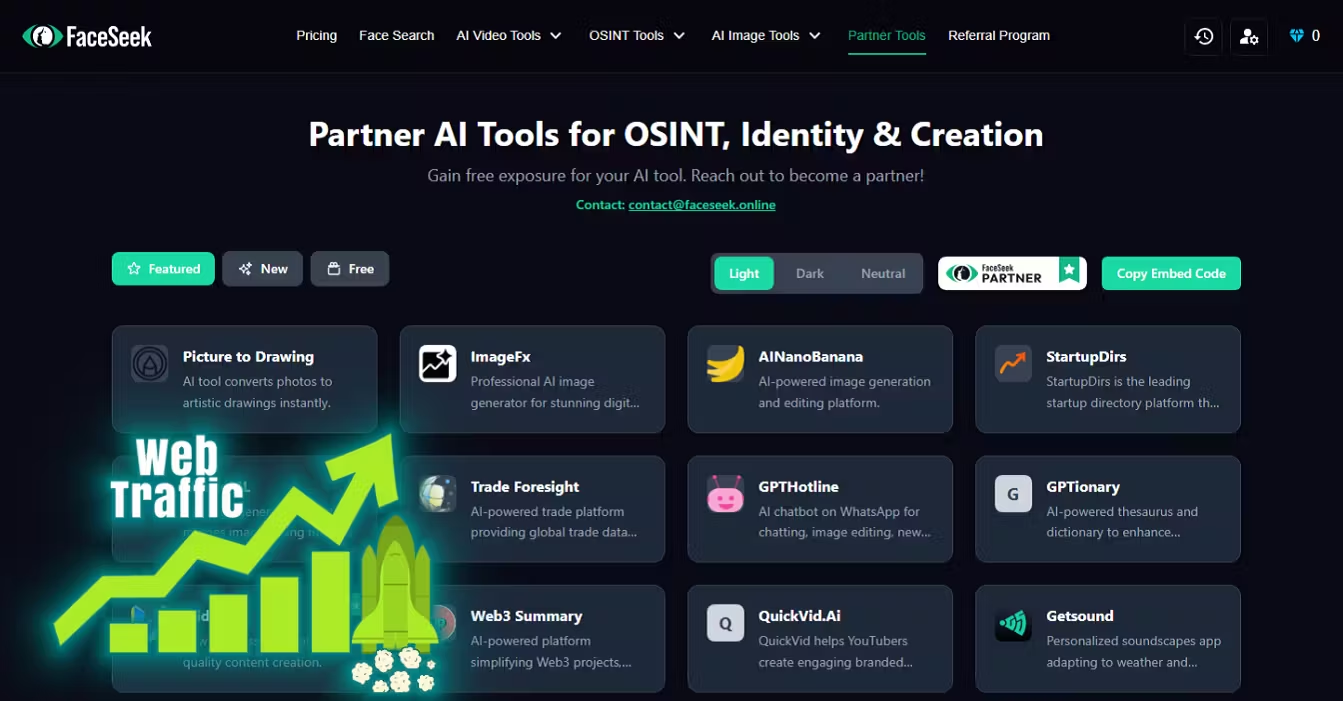
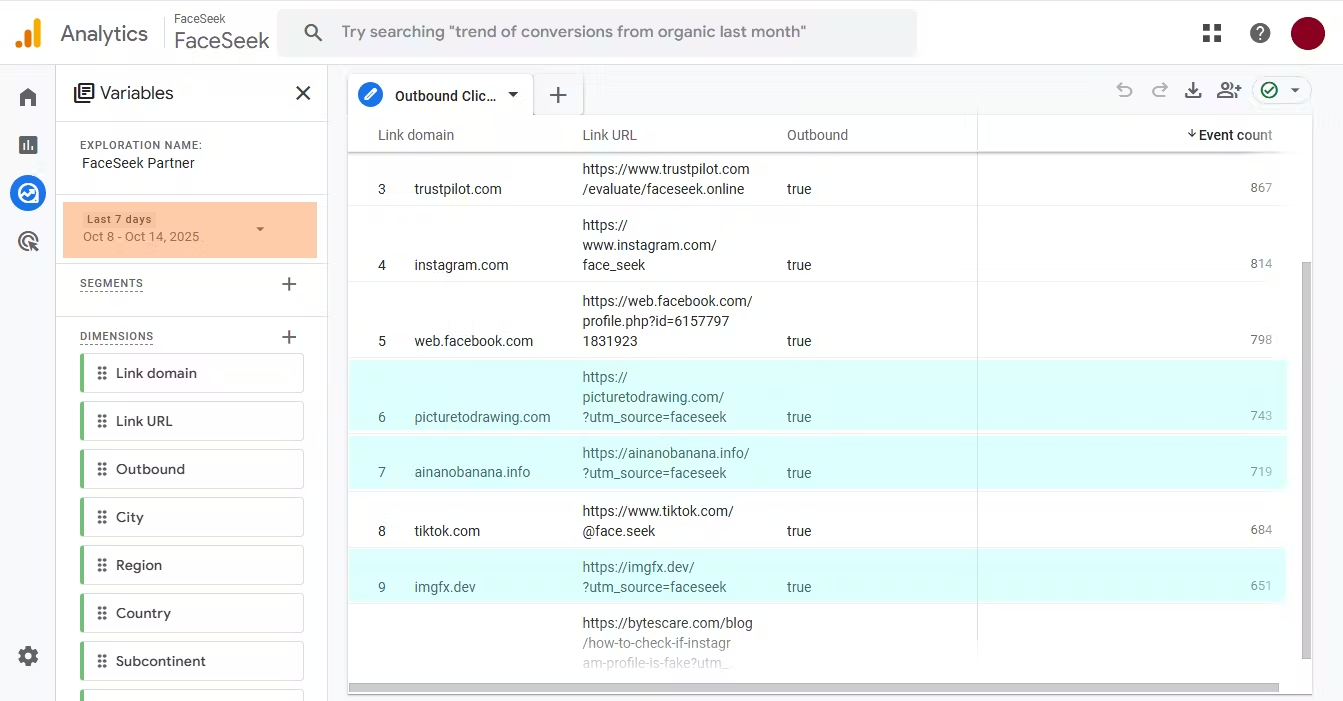
We’ve launched the FaceSeek Partner Program a simple way for websites and brands to get featured on our platform and grow their visibility.
All you need to do:
✅ Add our official FaceSeek Partner Badge to your website
✅ Once it’s live, contact us at info@partner.faceseek.online and we’ll add your brand to our Featured Partners list on FaceSeek.online
👉 You can copy the badge code directly from our Partner page:
🔗 https://www.faceseek.online/partner
Showcase your brand as a trusted FaceSeek Partner 🌐

Photos travel fast. A friend tags you, a repost happens, a gallery goes public, and suddenly your face sits on pages you did not expect. If you have wondered how to use AI face search or reverse image search to find yourself online, you are not alone. I built Faceseek to give people a safe, simple way to see where their face appears, then take action with calm and clarity.
Why People Use AI Face Search to Find Themselves Online
People check their own photos for many reasons. Job seekers want to see what hiring managers might find. Daters want to confirm profiles and avoid catfishing. Parents check for safety. Creators track reposts. Some are just curious about their online footprint.
Images spread through tags, event galleries, group albums, and scraped profiles. Old school or club sites keep archives. Data brokers collect public photos. Standard reverse image search often misses faces when photos are cropped, filtered, or years old. Real risks exist, like deepfakes, doxxing, and impersonation.
Trusted tools exist, such as the face recognition search engine PimEyes and AI reverse image search with facial recognition by Lenso, but approach any match with care and context.
How your photos spread across the web
Friends tag you, school and club archives go online, and event galleries publish bulk uploads. Profiles get scraped by bots. Forgotten accounts linger. One upload can be copied many times, which is why awareness matters.
Why reverse image search often misses faces
Standard reverse image search looks for the same or very similar pixels. Faces vary with age, angle, and light. Crops and filters confuse those systems. AI face search reads features, not pixels, so it can match across different photos.
How I Built Faceseek with Safe Face Recognition
Faceseek turns a face into a list of numbers that describe patterns. Then it compares that vector to public images and returns likely matches. Privacy comes first. Photos move with encryption, get processed for short-term matching, then deleted. No storage after the search. Clear consent rules, rate limits, and safety checks reduce misuse.
Results come with confidence scores. I use careful thresholds to cut down false hits. You can opt out anytime. The goal is useful matches with low noise, and choices that respect your rights. For a deeper overview, see this FaceCheck ID alternative for ethical face searches.
Privacy first design that respects you
Uploads are processed, then deleted. No selling data. No training on user images. No hidden tracking. There is an opt out and a clear contact path. The policy is plain and human.
How matching works in plain language
Face embeddings are lists of numbers that capture structure in a face. The system compares lists and returns matches above a safe score. This helps find different photos of the same person while reducing false alarms.
A Simple Guide to Run a Face Search and Protect Your Digital Identity
Start with a photo you have the right to use. Upload a recent, clear image, then wait for results. The results page shows likely matches, confidence scores, and the source page. Use this to decide what to keep, report, or remove. This fits with reverse image search habits, but adds face recognition for better recall. The goal is to find yourself online, protect your digital identity, and respond fast.
You can also compare results with other services like FaceCheck’s reverse image search to see how different indexes perform.
Steps to run your first search
Use a centered face, good light, and a recent photo. Get consent if it is not you. Start the search, then review matches as they appear.
Read your results and what to do next
Confidence scores reflect how strong a match is. Open the source page, confirm context, and save proof. If needed, contact the site owner for a takedown. If a match looks off, trust your judgment and cross-check.
Quick actions to protect your digital identity
Remove old accounts and tighten privacy settings.
Request search engine removals for sensitive pages.
Watermark new posts when useful.
Keep a list of sites to monitor and set a reminder to recheck.
Conclusion
Knowledge gives control. With AI face search, you can find yourself online, protect your digital identity, and move quickly when something looks wrong. If you want a clear, privacy-first path, try Faceseek and see where your face appears. I built it to help you stay informed, calm, and one step ahead.
-
1
Very good product.
Your website can do more that what it has done with the right words put In place. Like changing the head line letting the audience know a bit of the ai does
-
1
@FaceSeek, good post.
-
1
@FaceSeek, is there mobile app?
-
1
Confidence scores reflect how strong a match is. Open the source page, confirm context, and save proof. If needed, contact the site owner for a takedown. If a match looks off, trust your judgment and cross-check.
-
1
Good app indeed.
-
1
Greatttt AI face search reads features, not pixels, so it can match across different photos.
-
1
i tried it and the interface and ui was so handy and it was so easy to understand everythingg , well donne creatorsss
-
1
oh man when I have children they’re going to get an education on keeping your accounts locked down.
-
1
I tried his app and love the privacy feature
-
1
faceseek is great!



Scams and impostor profiles are rising fast. Images spread faster than text, and they stick. Face search helps you see where your likeness travels, so you can act early. In this guide, you’ll learn practical FaceSeek use cases, FaceSeek for influencers, FaceSeek for brands, and FaceSeek for identity verification, plus how to add it to your daily security routine.
Face Search Is the Next Frontier for Online Safety
Passwords, 2FA, and antivirus protect access points, not your image. Your face can show up in a fake profile, a scam video, or a bogus brand promo without touching your accounts. That is why a visual search layer belongs next to your password manager, 2FA app, and brand monitoring tools.
Biometric threats are rising in 2025. Security leaders agree that facial data now sits at the center of identity. For context, see how industry voices frame this shift in biometrics at the core of digital identity.
What passwords and 2FA do well, and where gaps remain
Password managers and 2FA stop account takeovers. They do not catch fake profiles, image reuse, or deepfakes. Face search closes that gap by finding where your face appears across the web.
Biometric identity risk in 2025
Your face is a unique identifier, and it can be copied, reused, or faked. Deepfakes and impersonation make fraud feel real. Regular searches help you spot misuse early and reduce damage, as explored in the rising threat of biometric theft driven by AI.
FaceSeek Use Cases That Protect You and Your Work
FaceSeek helps you act fast when your likeness is at risk. Below are practical FaceSeek use cases that fit real workflows and save time.
FaceSeek for identity verification: quick checks before you trust or transact.
FaceSeek for influencers: protect reputation and brand deals.
FaceSeek for brands: stop impersonation and fraud at the source.
For a deeper primer on how FaceSeek works, see FaceSeek Explained: Combating Online Identity Risks.
FaceSeek for identity verification
Run a search before you hire, date, sell, or buy. Confirm a real person, spot catfish patterns, and catch duplicate accounts. Fast checks lower fraud risk and cut back-and-forth messages.
FaceSeek for influencers
Creators can find fake fan pages, AI face swaps, and stolen brand deals. Quick scans support takedowns, protect reputation, and keep sponsors safe. It is simple: search, confirm, document, request removal.
FaceSeek for brands
Stop executive impersonation, fake support pages, and counterfeit promos that misuse staff photos. Image search surfaces cross-platform abuse so your security or comms team can act before scams spread.
Add FaceSeek to Your Security Stack Today
Treat FaceSeek like smoke detectors for your image. Pair it with your password manager, turn on 2FA, and keep basic brand or mention monitoring in place. Set a weekly scan habit, save trusted profiles and official pages, and keep a log of takedowns. Store results securely, and share only what you need.
If you want tactical steps to get started, try these FaceSeek Strategies for Protecting Digital Presence.
Pair with password managers, 2FA, and monitoring
Use a password manager for strong, unique logins. Add 2FA to lock accounts. Use FaceSeek to spot visual risks. Keep mention and brand monitoring to track names, domains, and keywords for a layered defense.
Weekly scan checklist and alerts
Run a weekly FaceSeek scan, save known-good profiles, and record takedown requests. Use calendar reminders and inbox filters so alerts never get buried.
Privacy, consent, and safe use
Use your own images, get consent when needed, and avoid sensitive photos. Store exports and notes in secure storage. Follow each site’s reporting rules when you file abuse claims.
Conclusion
Passwords and 2FA protect accounts. FaceSeek protects your face, name, and reputation. Add it to your toolkit this week. Start with a quick scan, fix any issues you find, and keep your identity one step ahead of fraud.

9 Comments
I came across Faceseek while researching face recognition tools, and it immediately stood out. Instead of bragging about accuracy or speed, it talked about consent, fairness, and safety. That alone caught my attention. Most AI tools feel invasive, but Faceseek feels protective. It gave me an easy way to check where my photos appear online, and when I wanted one image removed, I got confirmation within hours. That kind of transparency is rare. I appreciate that it doesn’t scrape data secretly or sell access. It feels like someone finally built face search for humans, not advertisers.
Faceseek should be the blueprint for every face recognition startup. The founder’s belief—rules before features, people before growth—sets it apart. Their system for minors, audits, and strict consent models shows real leadership. It’s a responsible innovation in a field full of reckless ones.
Most companies talk about ethics; Faceseek shows it. Their pledge to block stalking, doxxing, or mass surveillance isn’t just words. They publish reports and openly discuss how they enforce those bans. I tested their abuse report process—it was efficient, respectful, and transparent. Knowing that they choose the stricter legal path, even where laws are vague, makes me feel seen as a user.
As a digital artist, I’ve seen my work stolen online too many times. Faceseek gave me a way to check for impersonation without feeling like I was contributing to mass surveillance. It has opt-in indexing, fast delete options, and clear consent prompts. When I flagged a misuse case, support followed up with details, not templates. That human touch matters. This is how technology should serve creators.
Faceseek reminded me that AI can be ethical if built with empathy. The founder’s commitment to fairness isn’t marketing—it’s visible in every design choice. They refuse to collect gray-market data or allow surveillance uses. Instead, they focus on personal empowerment—helping creators protect their work, or people find where their face is used. I trust it because it acts like a service, not a system of control.
Most AI startups rush to release features. Faceseek does the opposite—it slows down to stay safe. I’ve seen how wrong face recognition can go when it’s careless: false matches, harassment, even bullying. Faceseek tackles that head-on. Their blocklists, filters, and human reviews show how much thought went into preventing harm. They don’t hide behind “we’re just the platform.” They take accountability seriously. That’s what trust looks like in AI.
I love that Faceseek is built around consent instead of excuses. The moment I uploaded my photo, I got a plain-language explanation of what would happen, and I could opt out anytime. No vague privacy jargon. I also respect their stance on “no shadow scraping.” That’s rare in AI. Every dataset is reviewed, and no image is taken without rights. It’s refreshing to see AI used responsibly, where people’s dignity comes first. This is what face recognition should have been from the start.
That's man I got free 5 token everydayyy in FaceSeek , the other AI feature is good too but jata off to that face matching system , really love it
faceseek is great tool