
Huesnatch
uesnatch - Free Color Extractor
We've all been there. You're walking down the street and see a stunning shade of blue on a building. You're at a café and the perfect terracotta on a cup catches your eye. Or you're a designer staring at a reference image, wishing you could magically pull its exact color codes.
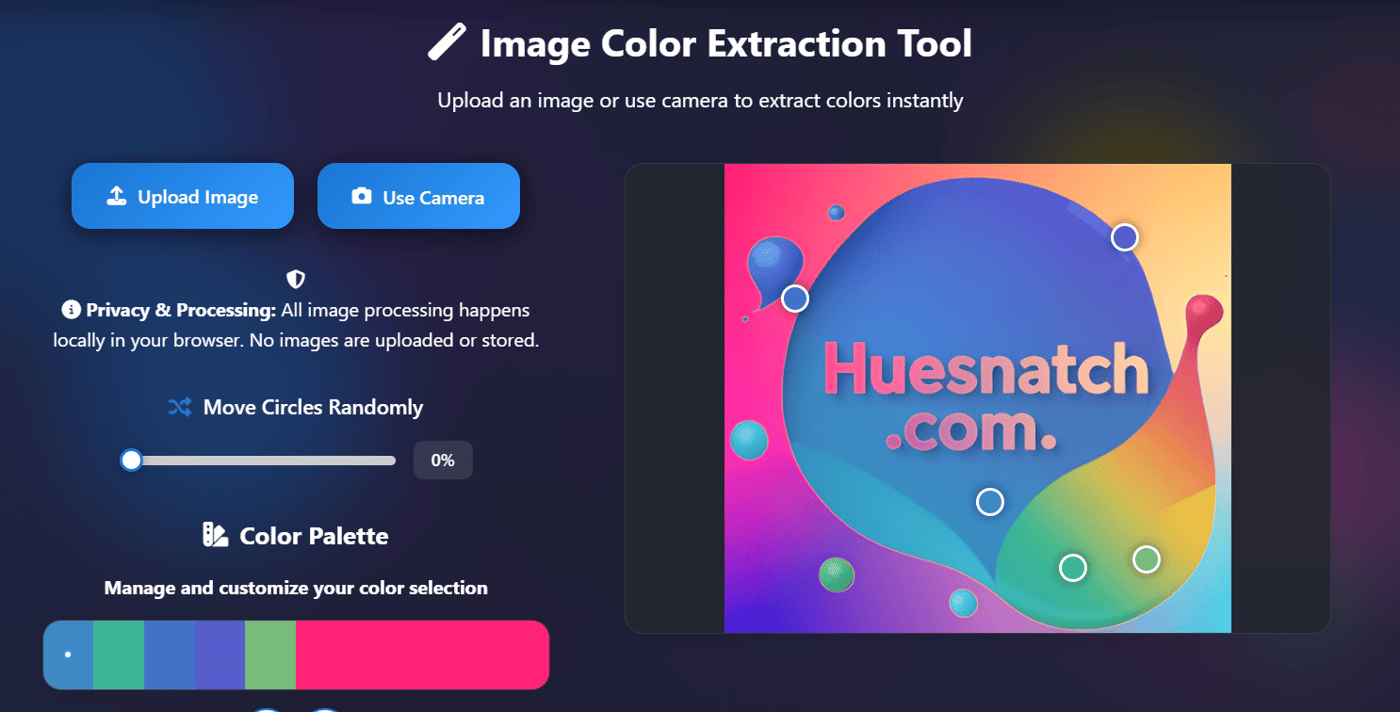
That magic is exactly what the Image Color Picker on Huesnatch is built for. It’s your bridge from the real world to your digital canvas.
Why You Feel the Need for a Tool That Picks Colors from Images
A color's HEX code is its DNA. Without a way to extract it accurately, you're left with:
Frustrating Guesswork: Spending minutes (or hours!) trying to "eye-drop" a color manually in design software, only to end up with something slightly off.
Missed Inspiration: That perfect color you saw in a photograph, a piece of fabric, or on a storefront gets lost because you have no way to capture and save it.
Inefficient Workflow: Manually recreating color palettes from client brand guides or competitor websites is tedious and prone to error.
Where and How to Use the Image Color Picker (Your Benefits)
This tool, with its unique camera feature, becomes your portable color lab for countless scenarios:
For Designers & Brand Managers: Extract a complete color palette from a competitor's website screenshot, a piece of brand packaging, or a client's logo. Analyze their color strategy instantly.
For Photographers & Content Creators: Use the camera color picker on location. Snap a photo of a sunset, a textured wall, or a model's outfit, and immediately get the HEX codes to build a perfectly matched mood board or Lightroom preset.
For Home Decorators & Renovators: Ever tried to match paint to a fabric swatch? Take a photo of the fabric with your phone, upload it to the tool, and get the exact color codes. Take those codes to a paint store to find the perfect match.
For Web Developers: Need to use a specific color from a design mockup? Upload the image (JPG, PNG, WebP) and use the multiple color picker circles to grab the primary, secondary, and accent colors all at once. Export the palette or copy the CSS code directly.
For Students & Educators: In art or design classes, use the tool to deconstruct the color palettes of famous paintings or photographs. It’s a fantastic way to teach color theory with real-world examples.
The Huesnatch Difference: Authenticity in Action
This tool is a perfect reflection of what makes Huesnatch different:
Privacy First: This is critical. All processing happens locally in your browser. Your images—whether they're personal photos or confidential client work—are never uploaded to any server. You can extract colors with complete peace of mind.
Mobile-First & Camera-Integrated: The tool is fully responsive and optimized for touch. The ability to use your device's camera directly transforms it from a simple web tool into a powerful, on-the-go color capture device.
More Than Just One Color: The option to use multiple picker circles means you're not just grabbing a single shade, but building a cohesive color scheme from one image, complete with variations and gradients.
I built this tool to capture the colors that inspire us, wherever we find them. Go ahead—point your camera, upload an image, and let's turn the world into your color palette.
Tags: #ImageColorPicker #ColorExtraction #DesignTools #WebDesign #Photography #CameraTool #Huesnatch #ColorPalette #HEXcodes #FreeDesignTools #GraphicDesign #DIYDesign

We spend so much time perfecting a color—agonizing over the exact shade of blue (#4a6fa5) or the perfect accessible green (#28a745). But then what? How do you showcase that color, share it with a client, or use it as a fundamental building block in a presentation or mockup?
That’s where the Color Image Generator on Huesnatch comes in. It bridges the gap between an abstract color code and a tangible, usable visual asset.
Why You Feel the Need for Color Images (Beyond Just the Code)
A HEX code is data. A color image is communication. Without a simple way to visualize a color in context, you face:
Miscommunication: Sending "#4a6fa5" to a client isn't inspiring. Showing them a beautiful "Modern" template swatch with that code on the image? That builds immediate understanding and buy-in.
Inconsistent Assets: You end up grabbing mismatched color squares from random Google searches, hurting your professional presentation.
Wasted Time: Manually creating color cards in Photoshop or Figma for every single project step is a drain on creativity.
Where to Use Your Generated Color Images (Your Benefits)
This tool turns a single color into a multi-purpose asset for every stage of your work:
Brand Guidelines & Client Presentations: Create clean, professional color cards using the Minimal or Modern templates. Display the color visually alongside its HEX, RGB, and HSL codes. It makes your brand system look instantly polished and official.
Social Media Content: Need a cohesive Instagram feed? Use the Gradient or Pattern templates with your brand colors to create stunning, on-brand backgrounds for quotes or promotions. Use the exact dimensions (1080x1080) for a perfect fit.
Website Development & Prototyping: Generate custom placeholder images or hero section backgrounds with the exact color codes you'll use in your CSS. The Diagonal or Waves templates can add subtle visual interest to a minimal design.
Mood Boards & Inspiration: Quickly generate color swatches to print, pin, or use in digital mood boards. Seeing a color as a physical or prominent digital element helps you feel its true weight in a composition.
Educational Material: Teachers and students can use the Circles or Stripes templates to create engaging examples for color theory lessons, clearly showing the color and its corresponding data.
The Huesnatch Difference: Authenticity in Action
This tool perfectly embodies the Huesnatch philosophy:
It's a Workflow Bridge: It connects the "choosing" phase (Color Picker) and the "applying" phase. It’s the practical step that makes your color decisions real and shareable.
It's Surprisingly Deep: 10 templates aren't just gimmicks. They solve real needs—from the clean data display of "Minimal" to the visual depth of "Gradient" for social graphics.
It's Unfussy and Private: Like all our tools, it's browser-based. No uploads, no accounts. You go from idea to downloadable PNG asset in seconds.
I built this tool because a color isn't truly part of your project until you can see it, hold it (digitally!), and share it. Go turn your codes into visuals.
Tags: #ColorTools #DesignWorkflow #BrandAssets #SocialMediaGraphics #WebDesign #FreeDesignTools #Huesnatch #ColorSwatches #PresentationDesign #GraphicDesign
Free online toolkit built to solve the everyday color problems of designers, developers, and digital creators. 🚀
Struggling with clunky color tools, privacy concerns, or jumping between different sites just to get the right color code? I built Huesnatch to change that. In this launch event, I'll walk you through the philosophy behind the tool and show you exactly how it can streamline your creative workflow.
What is Huesnatch?
Huesnatch (https://huesnatch.com/) is a unified, 100% free, and privacy-first color toolkit. Every tool is designed to be lightning-fast, work on any device, and process everything directly in your browser—your images are never uploaded to any server.
What You'll Learn & See (A Look at Our Tools):
🖼️ From Image to Palette in Seconds: See how our Image Color Picker instantly extracts beautiful, accurate palettes from any photo using your camera or uploads.
🎯 Perfect Color Selection: I'll demonstrate the precision of our Color Picker , giving you exact HEX, RGB, and HSL codes from a fine-tuned spectrum.
♿ Design for Everyone: A live demo of our Color Blind Simulator . We'll test a design to see how it appears to users with different types of color vision deficiency—crucial for accessibility.
🎨 Inspiration & Assets: We'll quickly explore the Palettes library and show how our Color Image Generator can create custom gradient backgrounds in seconds.
🔍 Competitive Analysis Made Easy: Watch how the Web Color Extractor can pull the entire color scheme from any website URL, perfect for research and inspiration.
Why I Need Your Support
Building Huesnatch has been a labor of love, but a launch is just the beginning. To make Huesnatch a lasting, go-to resource for the creative community, it needs to be seen.
This is where you come in. Your support—in any form—can make a massive difference. Here’s how you can help push this project forward:
🙏 Visit & Explore: The simplest and most powerful help is to visit https://huesnatch.com/ , try the tools, and see what they can do for your work.
📣 Share with Your Network: If you find Huesnatch useful, please share it! A post on your LinkedIn, a tweet, or just telling a designer friend helps more than you know.
💬 Leave Feedback: Your ideas and suggestions are gold. Tell me what works, what could be better, or what tools you'd like to see next. This directly helps me improve the product.
Every share, every visit, and every piece of feedback is a vote of confidence that helps me continue building and keep Huesnatch free for everyone.
Who Should Attend?
Web & UI/UX Designers
Frontend Developers
Graphic Designers & Illustrators
Brand Managers & Marketers
Digital Artists & Photographers
Students and Teachers in creative fields
Anyone curious about color!
Agenda:
Welcome & The Story Behind Huesnatch (5 min)
Live Demo: Tour of All 6+ Tools (15 min)
How You Can Help & Why It Matters (5 min)
Live Q&A – Ask Me Anything about Huesnatch! (10 min)
Let's come together to celebrate the launch of a tool built for you. I can't wait to see you there and show you what Huesnatch can do! ✨
-
1
you can package it as a desktop tool,to expand it's using scenarios.

We often get lost in picking individual colors. We find a beautiful blue (#1976D2) and a clean green (#28a745). But alone, they’re just notes. A palette is the melody.
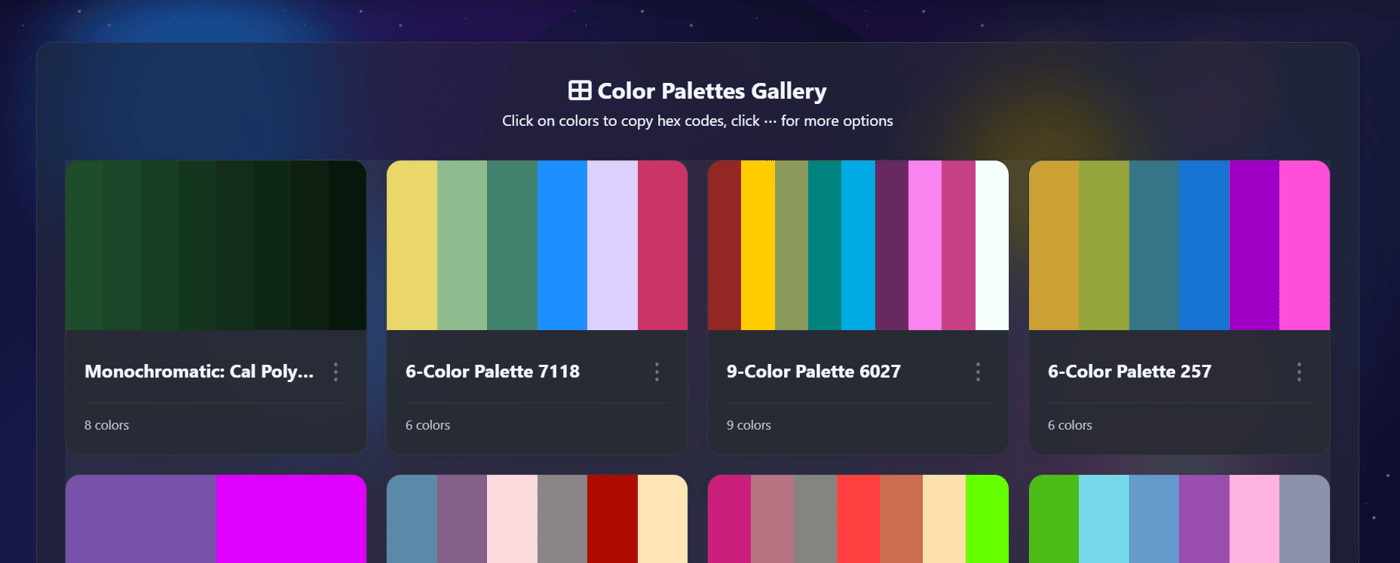
On Huesnatch, the palettes page (huesnatch.com/palettes.html) is designed to be more than just a collection of colors. It’s a tool to solve a fundamental creative challenge: building a cohesive visual world.
Why You Feel the Need for a Palette (Even if You Don't Know It Yet)
Every project tells a story, and a palette sets its tone, mood, and logic. Without it, you face:
Visual Chaos: Colors clash, hierarchy collapses, and the user feels disoriented.
Inefficient Workflow: You waste hours searching for "that one green" instead of designing.
Inaccessible Designs: You might unintentionally choose colors with poor contrast, leaving users behind.
Where to Use a Well-Crafted Palette (Your Benefits)
A strong palette from Huesnatch becomes your project's backbone, ensuring consistency everywhere:
Brand Identity: Establish trust instantly with a signature, memorable color system used across your logo, website, and marketing materials. It builds instant recognition.
UI/UX Design: Create clear visual hierarchies. A defined primary color for actions, a secondary for accents, and neutrals for text make your interface intuitive and easy to navigate.
Presentation & Communication: Whether it's a pitch deck or a social media graphic, a unified palette makes your ideas look polished and professional, helping your message land with impact.
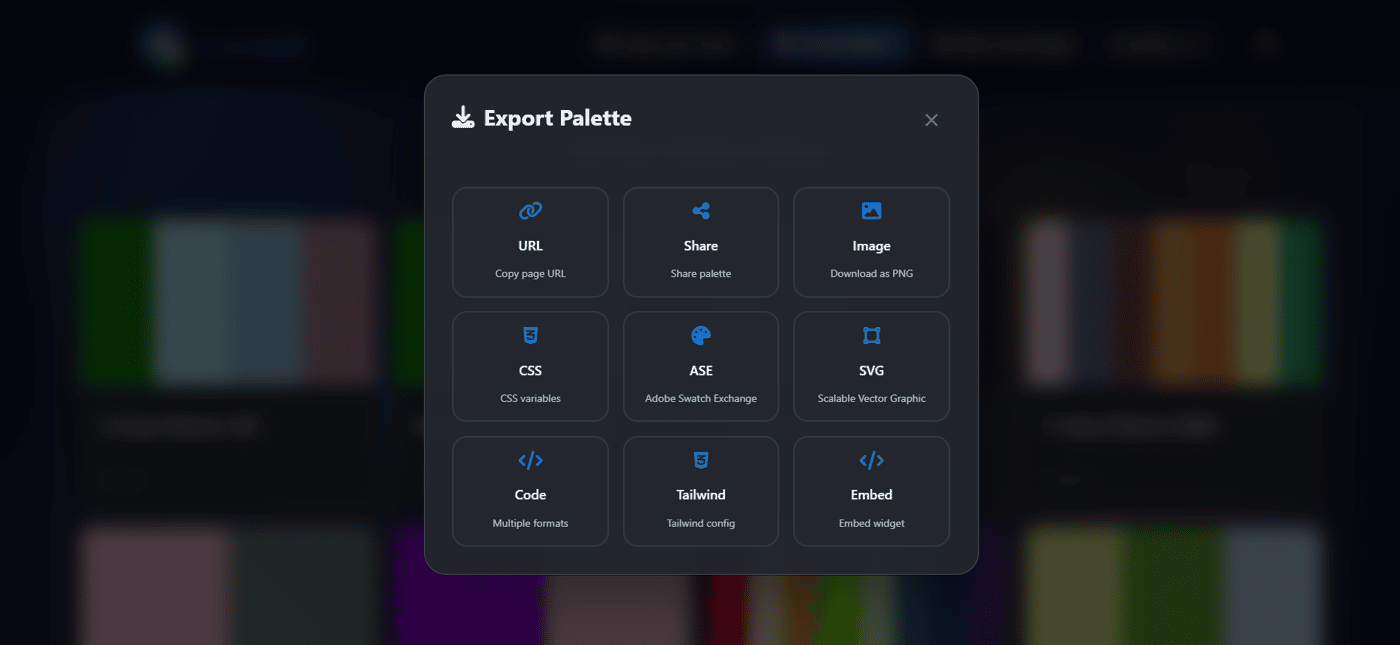
Development Handoff: Exporting a palette as CSS or Tailwind config means developers implement the exact vision, with zero back-and-forth on "what color did you mean here?"
The Huesnatch Difference: Authenticity in Action
What I love about our palettes tool is that it's built on the same principles you see across Huesnatch:
It's for Everyone: Just like our Color Blind Simulator reminds us to design inclusively, our palettes encourage you to build with contrast and accessibility in mind from the start.
It's Practical: You can explore combinations, get the details, and then download your favorite palettes as images instantly. No account, no friction. This isn't just inspiration; it's ready-to-use fuel for your next project.
I built this page because I believe your creative flow should never be interrupted. A great palette is the shortcut to better design. Go build something colorful.
Tags: #ColorPalettes #UIDesign #WebDesign #Branding #DesignTools #Huesnatch #ColorTheory #FreeDesignTools #DesignWorkflow
-
1
This is a great point! Visual consistency and color theory are so often overlooked in early-stage presentations. A cohesive palette doesn't just look better; it builds trust and makes the narrative much easier to follow. I'm actually running a $299 special this week for professional, custom investor-ready designs if you want to skip the DIY struggle and focus on your pitch. Keep up the great work on Huesnatch!
-
1
When building anything these days, I find myself asking Claude to experiment with a handful of palettes and enable UI to allow me to see them all in action. Fun way to see it all in one place and also show other people to get feedback. Would’ve taken forever before but it’s such a neat way to nail such an important part of the process
-
1
Minecraft keeps evolving with frequent "game drops" and patches. The Minecraft 26.0 patch (also known as Bedrock Edition 1.26.0), released February 10, 2026, marks a major milestone as the first update under Mojang's new year-based versioning system. Versions in 2026 start with "26" for both Bedrock and Java Editions, making updates easier to track.
-


Hey Indie Hackers! 👋 I'm excited to share Huesnatch (https://huesnatch.com/), a project I've been building to solve a simple but persistent problem: making color work easier, faster, and more accessible for everyone.
As a developer/designer myself, I often found jumping between different tools for picking colors, building palettes, or checking accessibility was a real workflow killer. Some tools were too complex, others were paid, and many required uploading images to a server – which always felt like a privacy concern. So, I decided to build a better solution.
The Core Problem I'm Solving:
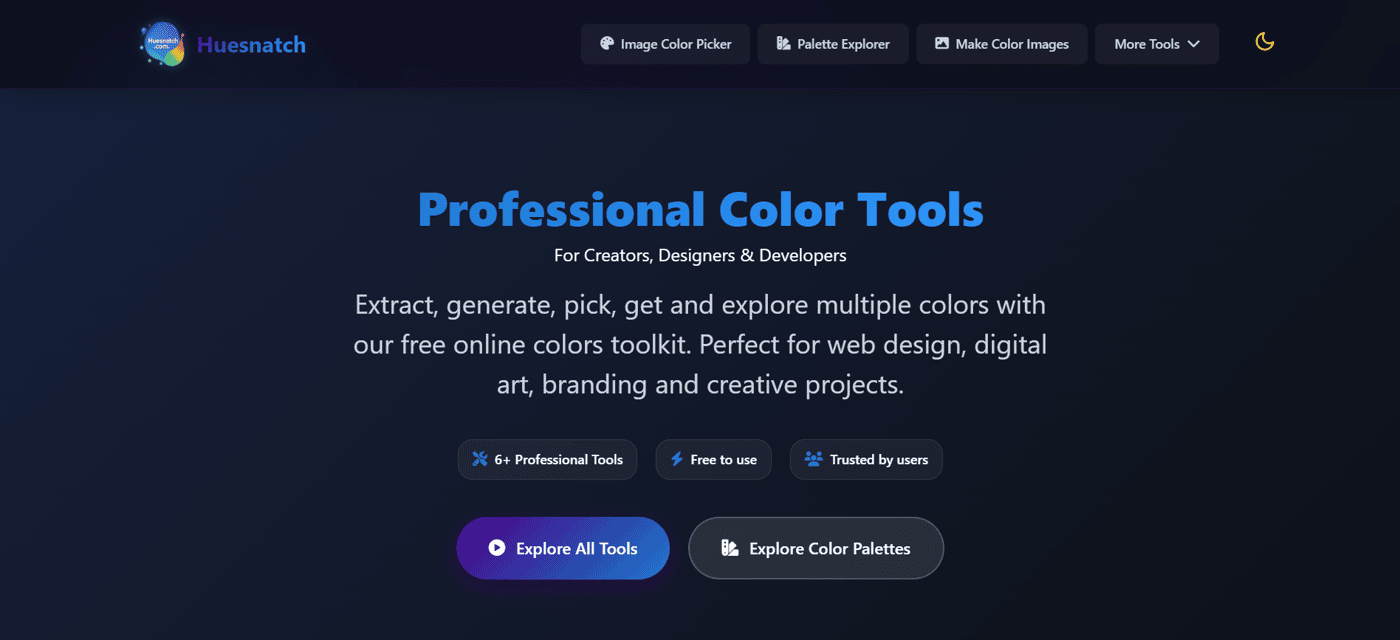
Huesnatch is a unified, free, and privacy-first toolkit. It brings six essential color tools into one place, all with a clean, responsive interface. The goal is to remove friction from the creative process so you can spend more time designing and less time managing colors.
Here’s how Huesnatch helps, with a look at each tool:
🎨 For Precise Color Selection: The Color Picker tool gives you fine-grained control over the color spectrum. You can visually pick any color and instantly get its exact values in multiple formats like HEX, RGB, and HSL. No more guessing codes.
🖼️ For Inspiration from Any Image: The Image Color Picker lets you upload any photo or use your device's camera to extract a complete color palette. It's perfect for pulling themes from reference images, mood boards, or real-world inspiration. And crucially, it's all processed in your browser – your images are never uploaded to our server.
♿ For Designing Inclusively: The Color Blind Simulator is a tool I'm particularly proud of. It helps you see your designs through the eyes of users with different types of color vision deficiency (like Protanopia or Deuteranopia). This ensures your work is accessible and provides a good user experience for everyone.
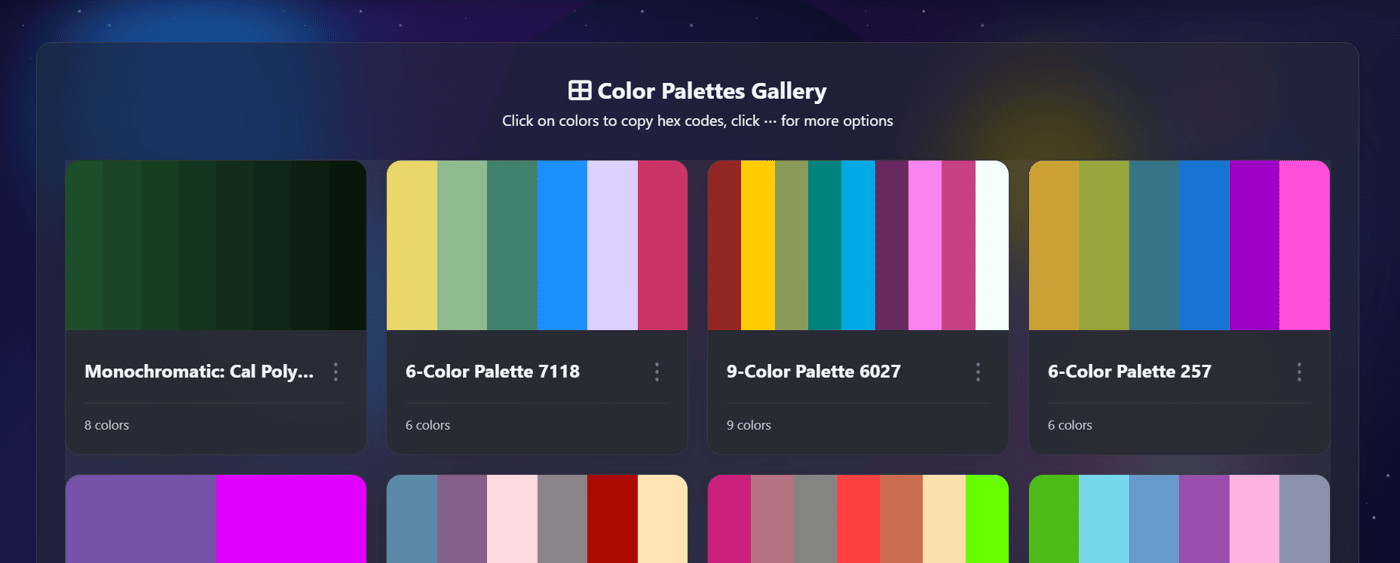
🗂️ For Curated Inspiration: The Explore Palettes section is a growing collection of beautiful color combinations. You can browse for inspiration and then instantly dive into the details of any palette that catches your eye.
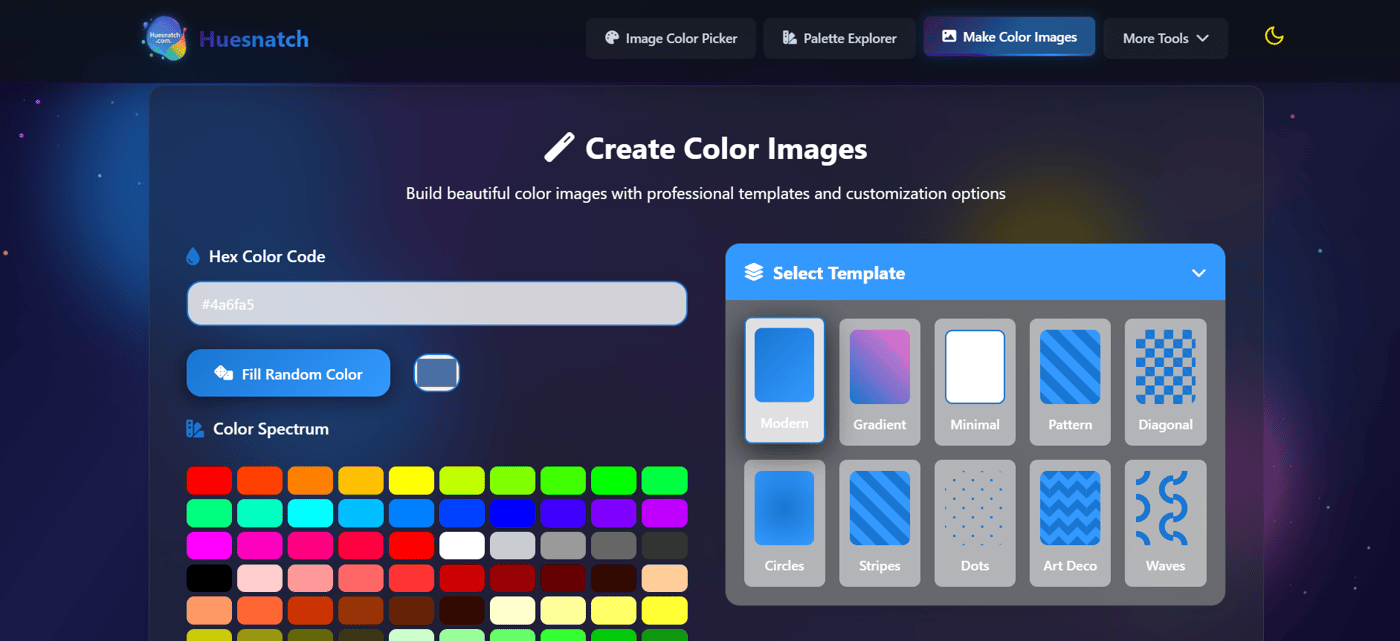
🎆 For Creating Visual Assets: The Color Image Generator lets you create simple, colored images or gradients. This is surprisingly handy for generating placeholder backgrounds, social media graphics, or presentation elements with precise color codes.
🔍 For Competitive & Web Analysis: The Web Color Extractor is a unique tool. By simply entering a competitor's URL or uploading their logo, you can extract their core color scheme. It's an invaluable shortcut for competitive analysis, getting quick inspiration, or understanding a website's visual identity.
Beyond the Tools: The Huesnatch Philosophy
My vision for Huesnatch goes beyond just a collection of utilities. It's built on a few core principles:
Privacy First: All processing happens directly in your browser. No sign-ups, no data collection, no server uploads.
Lightning Fast & Responsive: Tools load instantly and work perfectly on any device – desktop, tablet, or mobile.
Completely Free Forever: I believe these essential tools should be accessible to students, hobbyists, and professionals alike, without a paywall.
What's Next?
I'm currently focused on refining these tools based on user feedback. I'm also working on a fun Color Learning Game (already in beta on the site!) to help people improve their color recognition and theory knowledge in an engaging way.
I'd love for you to check out Huesnatch (https://huesnatch.com/) and put the tools to the test. What color problems do you face in your workflow? Any features you'd like to see added? I'm all ears for your feedback! Thanks for reading. 🙏
Comment